Guide
Upload resumes you already have to Truffle
By the end you can upload a batch of resumes to a position, you know which files Truffle refuses and why, and you can find the uploaded candidates scored in your list.
4 min · 9 steps · Captured from the live product 5 Oct 2026 Changelog Copy as Markdown
Before you start
- A Truffle account. The 7-day free trial works: 30 credits, no credit card.
- An active position that scores resumes, with resume criteria set. The upload row only appears on a position with Resume turned on.
- The resumes, as PDF or DOCX files of 5 MB or less, that you obtained lawfully.
1Open Bulk resume upload
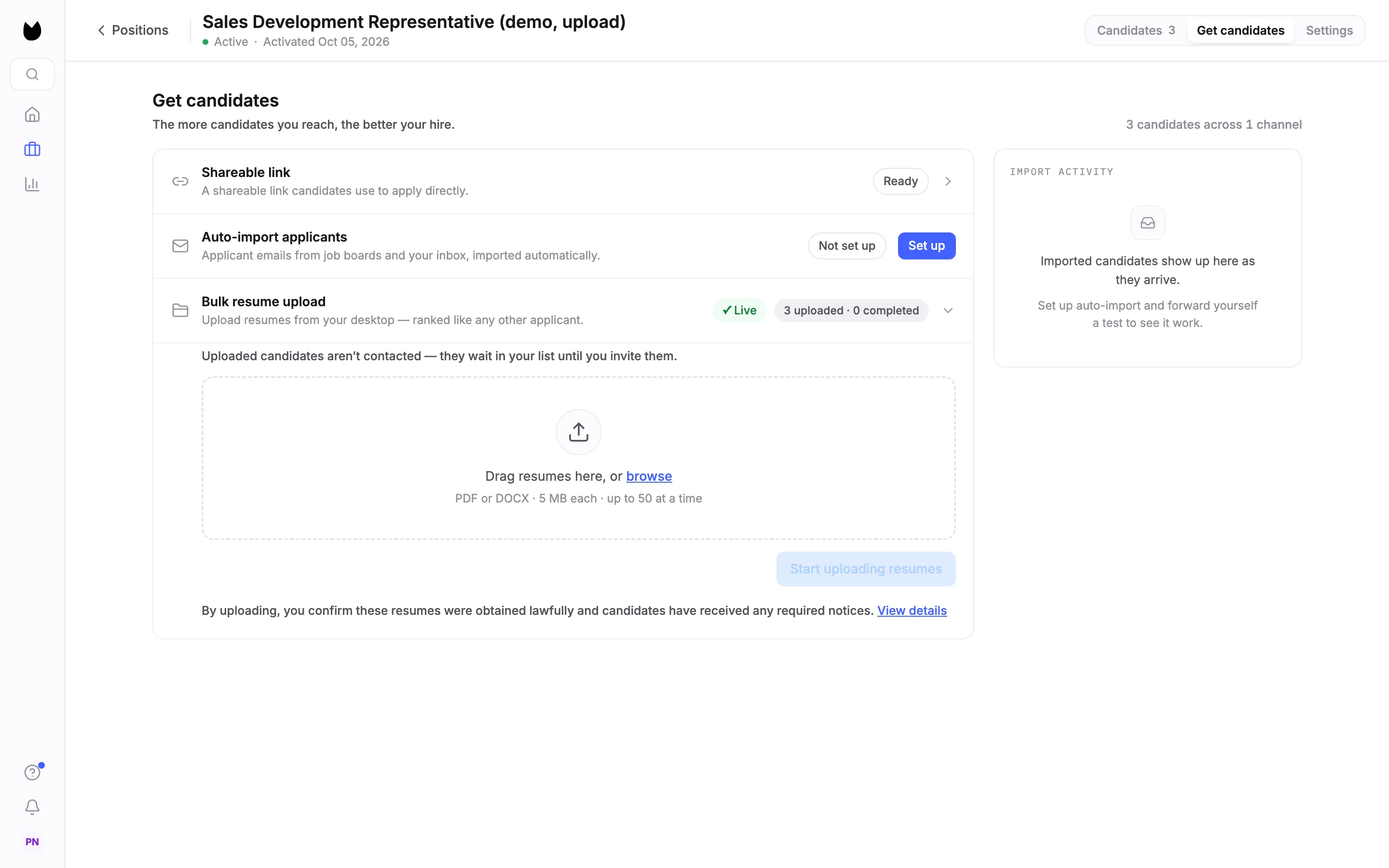
Open the position and choose Get candidates in the tabs at the top right. Find the Bulk resume upload row. On a position with no candidates yet, it reads Sitting on a stack of resumes from a past search or an agency? with an Upload action on the right. Choose Upload, or click the row once it has candidates, to open it.
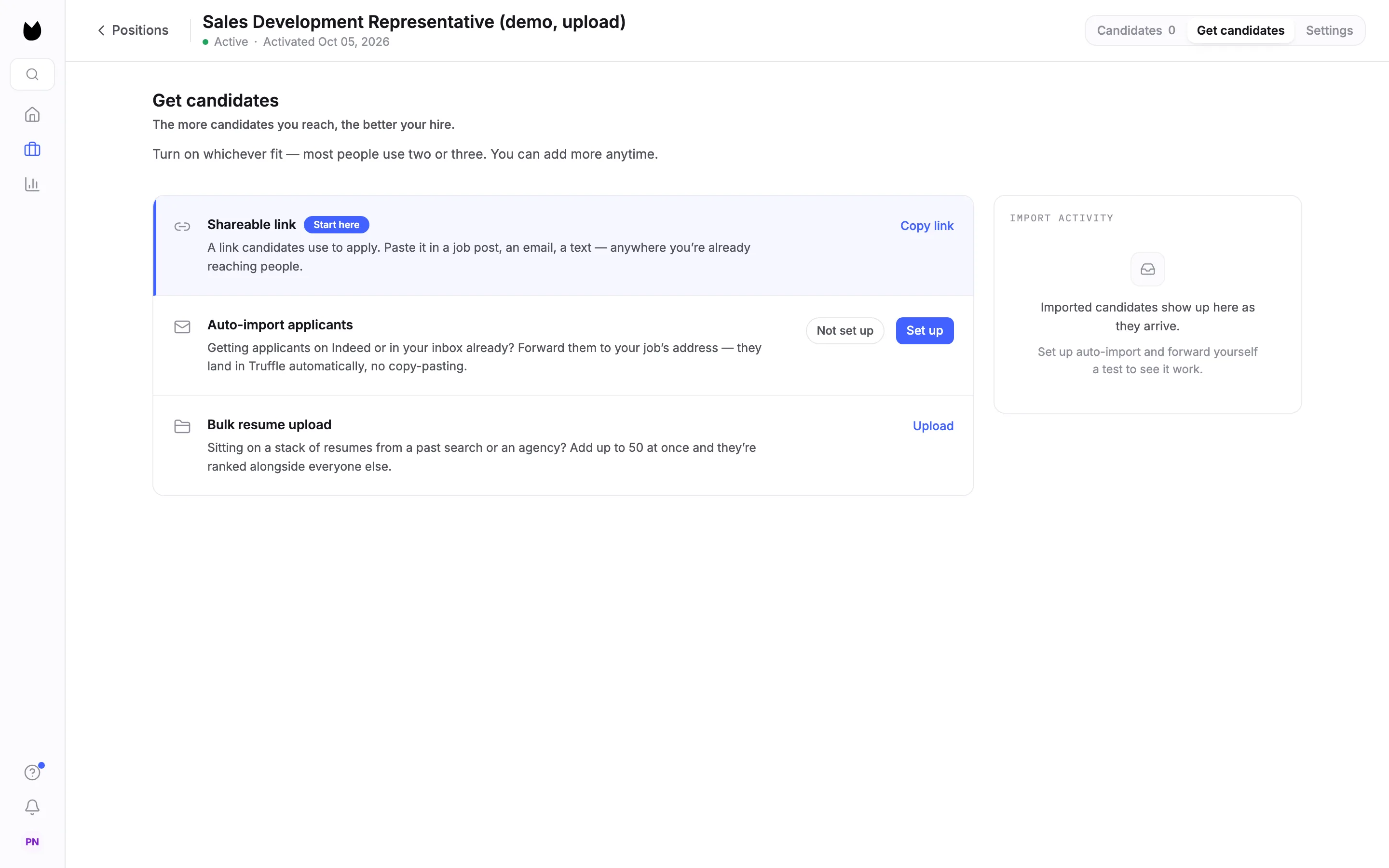
2Check what the upload takes
The row opens to a drop area: Drag resumes here, or browse. Under it, PDF or DOCX · 5 MB each · up to 50 at a time. Above it, a line says that Uploaded candidates aren’t contacted: they wait in your list until you invite them.
Note. Scanned or image-only PDFs are read with text recognition, so a resume that is a photo inside a PDF can still be scored.
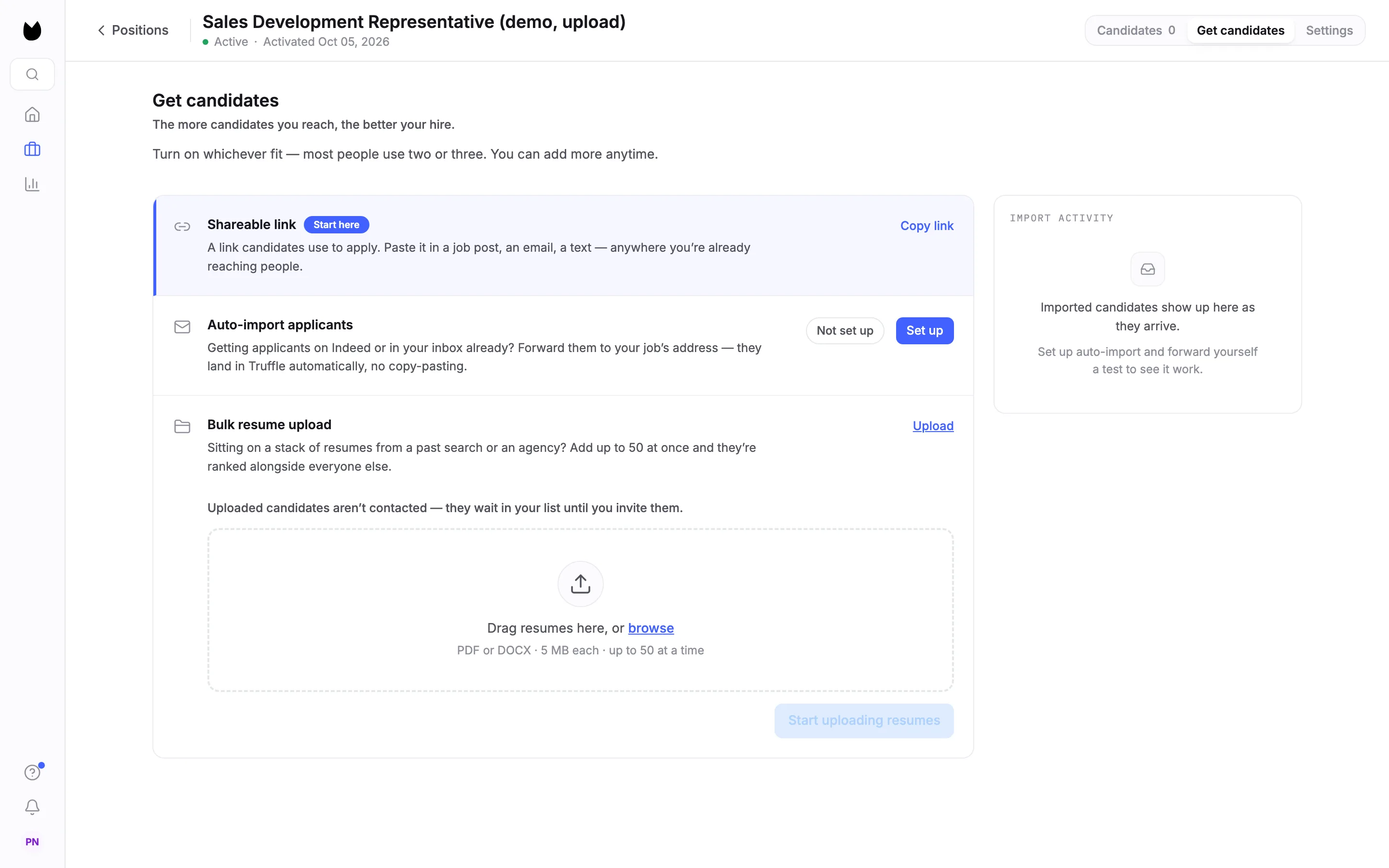
3Add your files
Drag the files onto the drop area, or choose browse and pick several at once. Each accepted file is listed with its size and an × to remove it, with a count such as 3 ready to upload and Clear all. Files Truffle cannot take are listed in red with the reason, here 1 skipped and Cover-letter.txt, not a PDF or DOCX.
Note. Other reasons a file is turned away before upload: empty file, over 5 MB, and over the 50-resume limit for every file past the 50th.
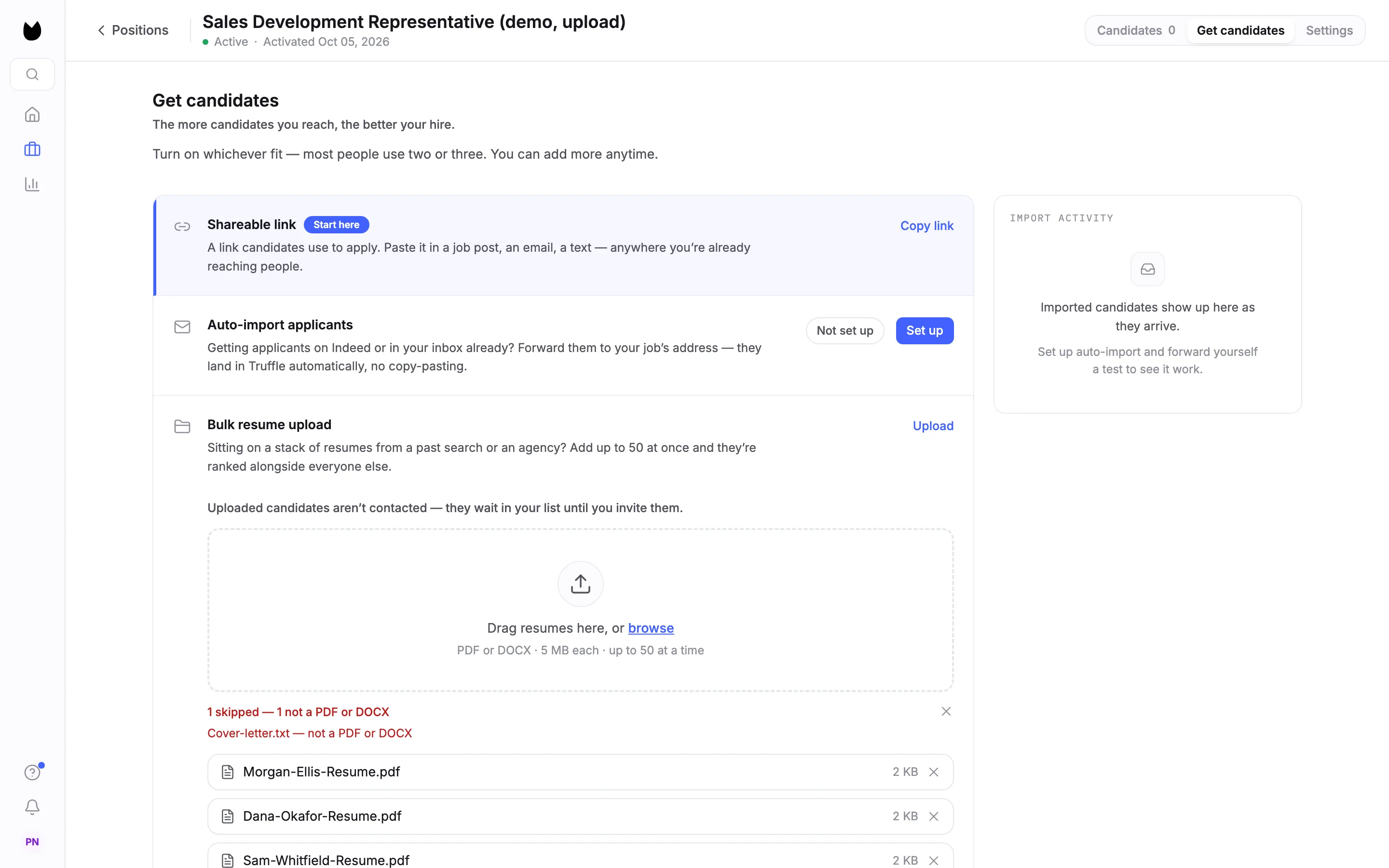
4Confirm where the resumes came from
Choose Start uploading resumes. The first time you upload, Before you upload resumes explains What Truffle does, What Truffle does not do and What’s on you. Each resume is read and scored against your criteria. No resume is rejected or advanced automatically, and Truffle does not contact these candidates. Tick the box to confirm you obtained the resumes lawfully and gave any required notices, then choose Upload 3 resumes.
Note. After your first upload, the window is replaced by a one-line reminder under the drop area, with View details to read it again.
5See the upload land
The row's badges update to ✓ Live and 3 uploaded · 0 completed. The drop area is ready for the next batch, with the reminder line under it: By uploading, you confirm these resumes were obtained lawfully.
6Read what was skipped
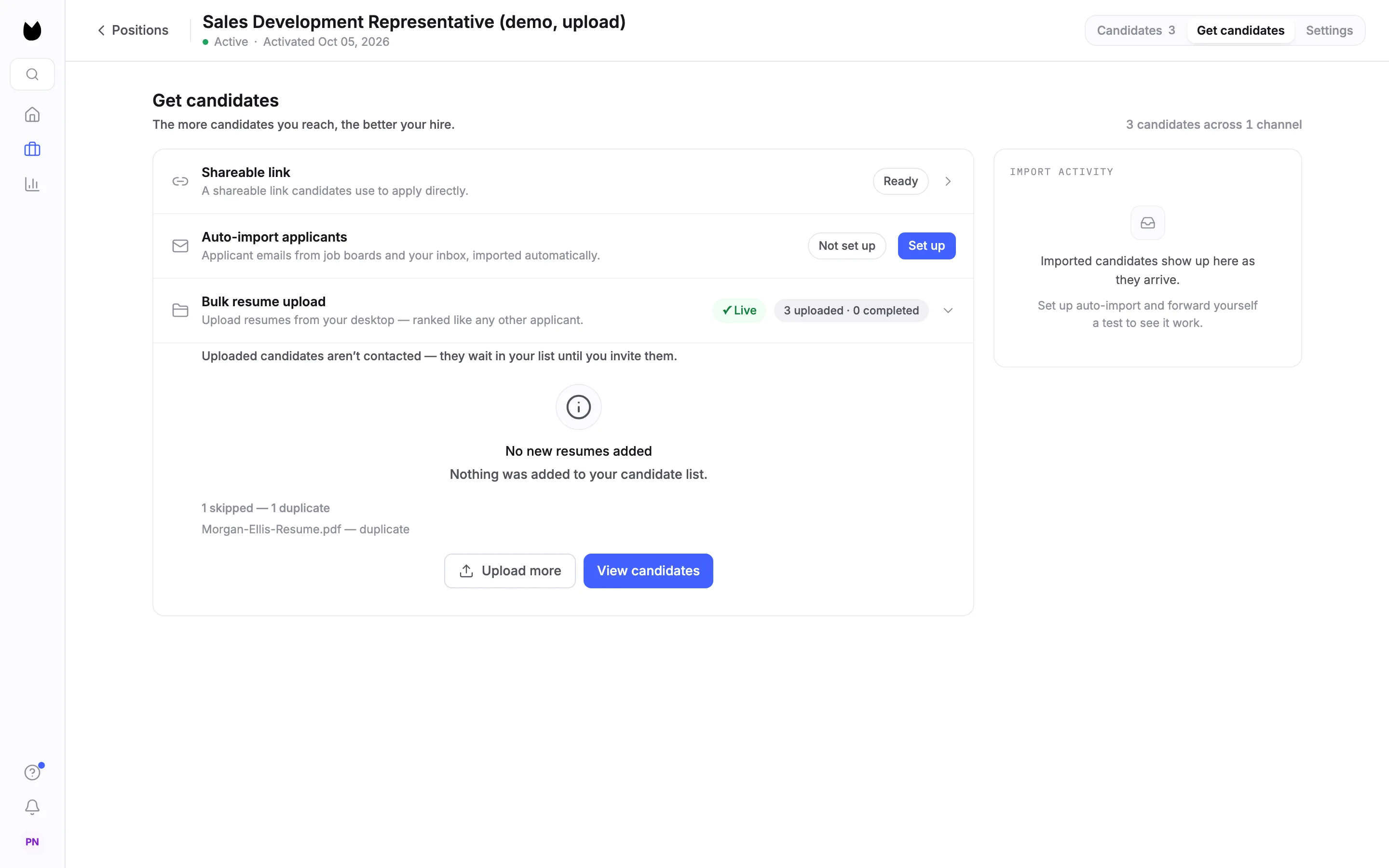
When an upload adds fewer resumes than you sent, the row says so. Uploading the same file to the same position again adds nothing: No new resumes added, 1 skipped, and the file name with duplicate. Choose Upload more for another batch, or View candidates.
7Find them scored in your list
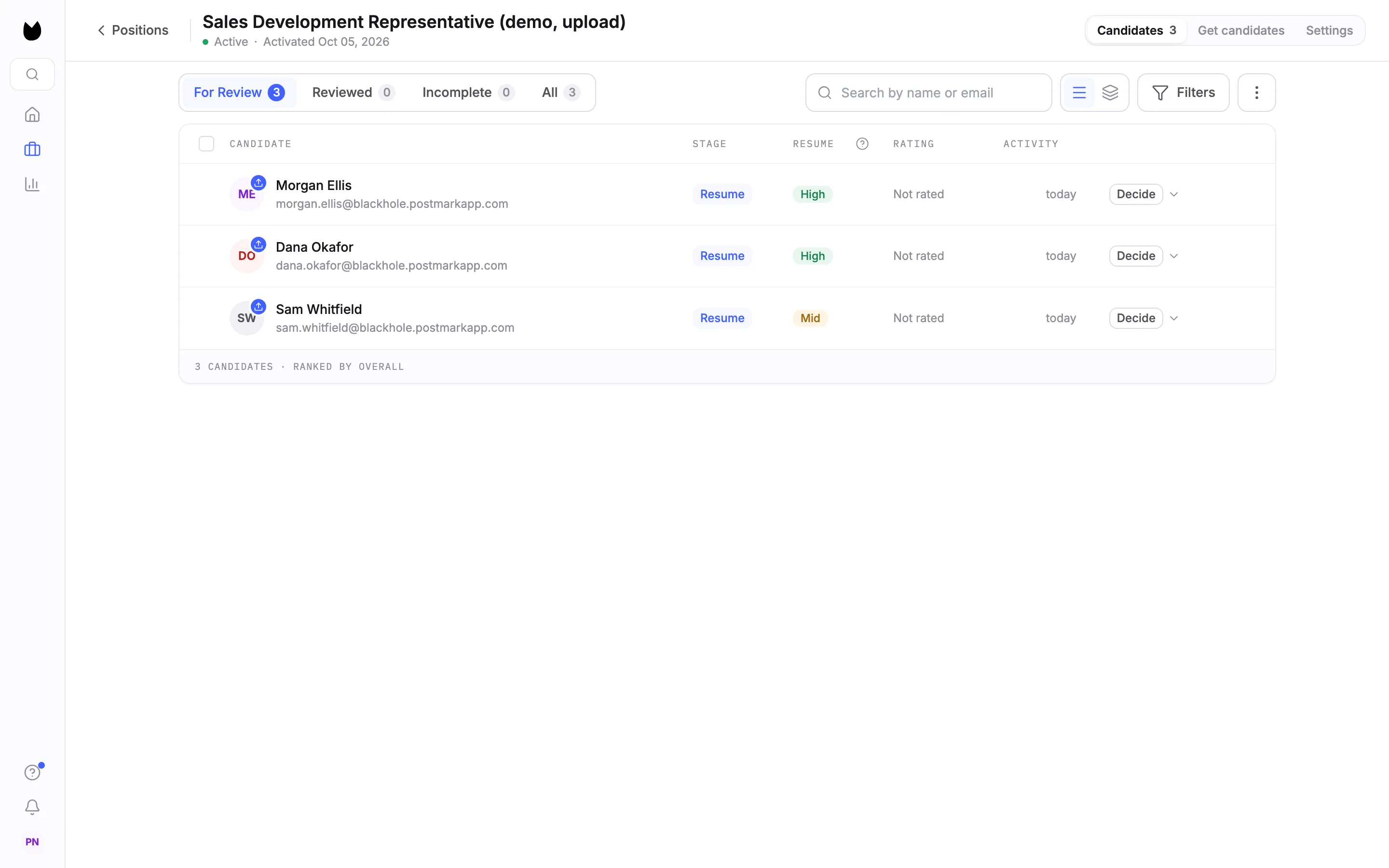
Choose Candidates. Each resume becomes a candidate in For Review, with a small upload mark on the avatar. Truffle reads the name and email from the resume and scores it against the position's resume criteria, the same way it scores candidates who apply through your job page. Scoring takes a few minutes. The RESUME column shows the result, such as High or Mid, and Decide is yours.
Note. Screening a resume costs 1 credit. Nothing is rejected or advanced automatically.
8Open an uploaded candidate
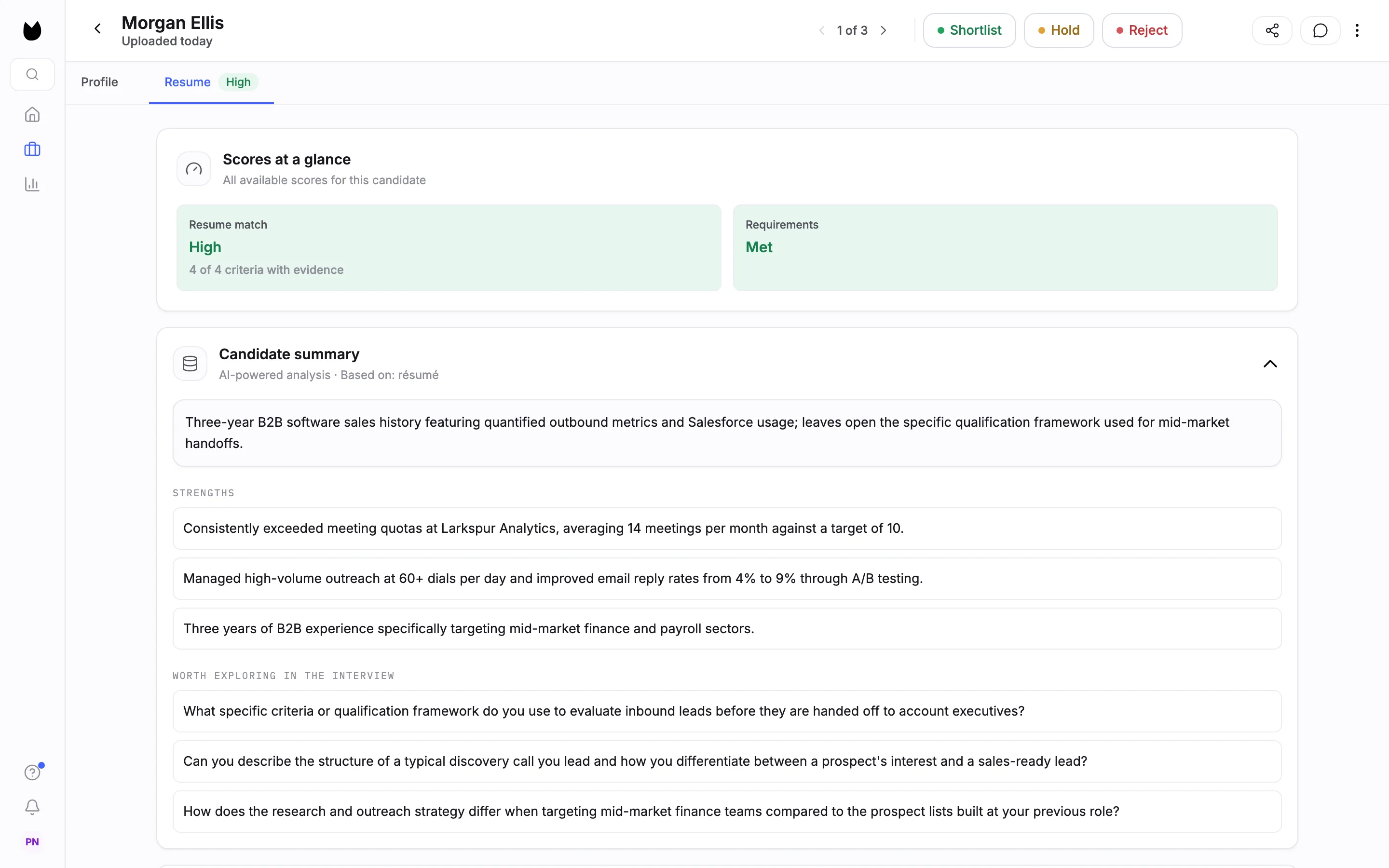
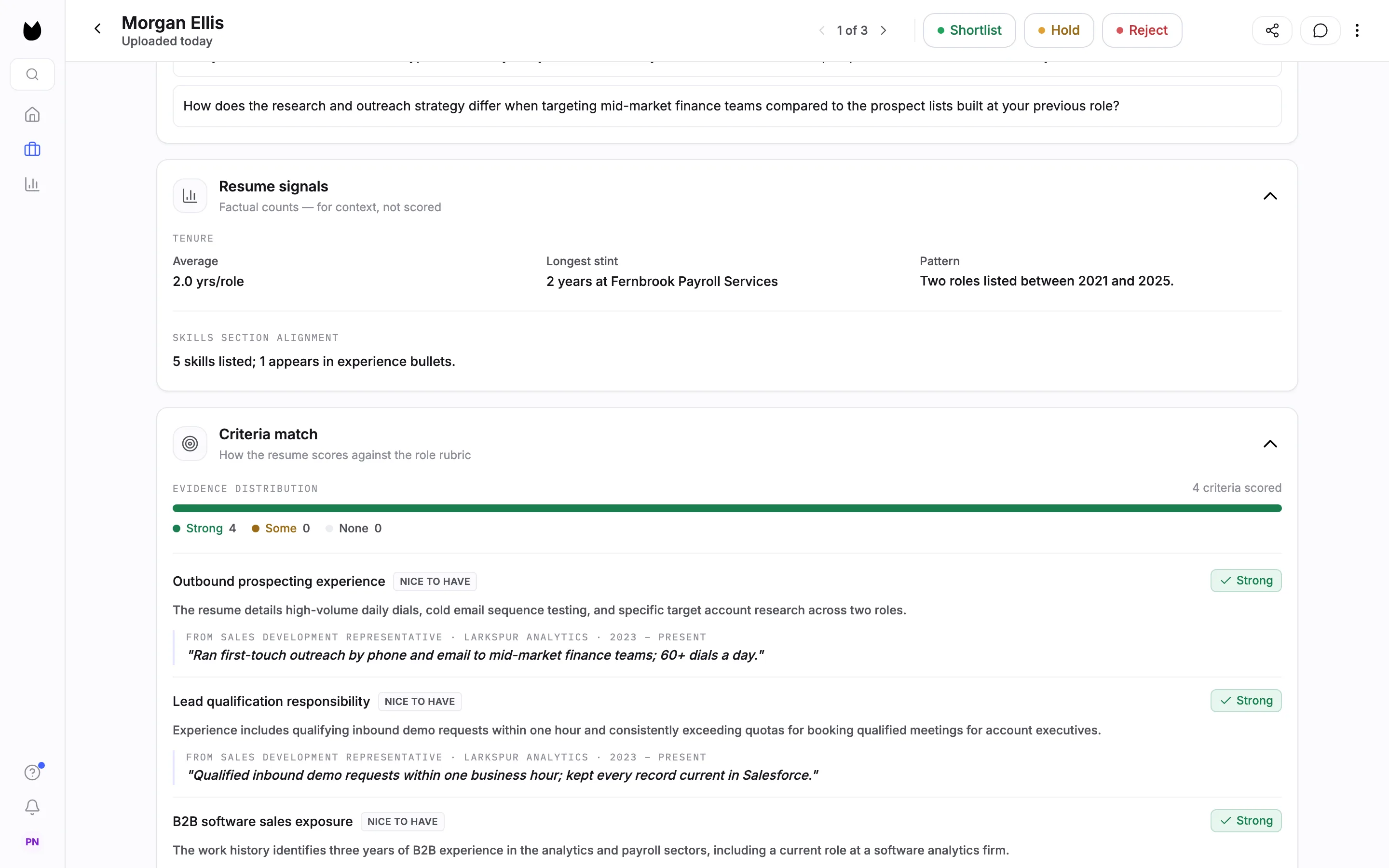
Open a candidate. The header reads Uploaded today instead of an apply date. The Resume tab shows Scores at a glance with the Resume match, a Candidate summary with strengths and points worth exploring in an interview, and Resume signals.
9Check the reasons behind the score
Further down, Criteria match scores each of your criteria as Strong, Some or None, with the reason and the line from the resume it rests on.
Note. The resume screening guide covers setting and editing the criteria.
Questions
Which files can I upload?
PDF or DOCX, up to 5 MB each and up to 50 files at a time. Scanned or image-only PDFs are read with text recognition. Anything else, such as a plain text file, is refused with the reason before you upload.
Does Truffle email the candidates I upload?
No. Uploaded candidates are not contacted. They wait in your list, and they only hear from Truffle if you invite them to an interview.
Are uploaded resumes scored differently?
No. Each one is parsed and scored against the position's resume criteria the same way as a resume from your job page, and lands in For Review. Nothing is rejected or advanced automatically.
What does an upload cost?
Screening a resume costs 1 credit, the same as for any candidate whose resume is scored.
What happens if I upload the same resume twice?
The second copy is skipped as a duplicate and nothing is added. Truffle compares the file with the resumes already uploaded to that position.
Why do I have to confirm where the resumes came from?
These candidates did not apply through Truffle, so they have not seen Truffle's AI notice. Before your first upload you confirm that you obtained the resumes lawfully and gave candidates any notices required where you hire.
Related
See something here that doesn't match what you see in Truffle? Tell us and we'll fix the page.