Guide
Duplicate a position
By the end you can duplicate an active position, find the copy in Drafts, and you know what came across, what did not, and which step to check before the copy goes live.
5 min · 9 steps · Captured from the live product 5 Oct 2026 Changelog Copy as Markdown
Before you start
- A Truffle account. The 7-day free trial works: 30 credits, no credit card.
- An active position to copy.
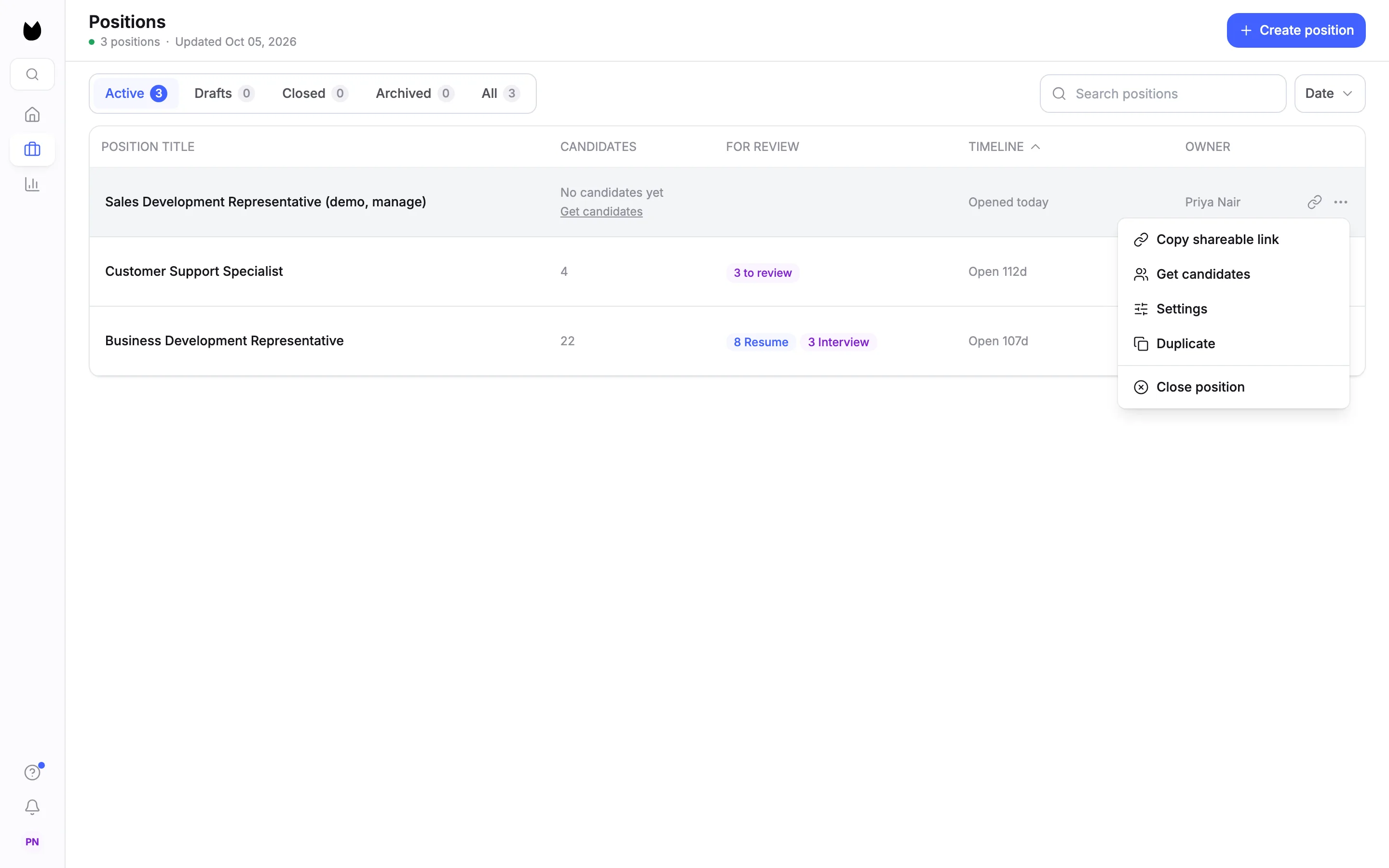
1Open the row menu
On Positions, under Active, choose ⋯ at the end of the position's row. The menu has Copy shareable link, Get candidates, Settings, Duplicate and Close position.
2Duplicate it
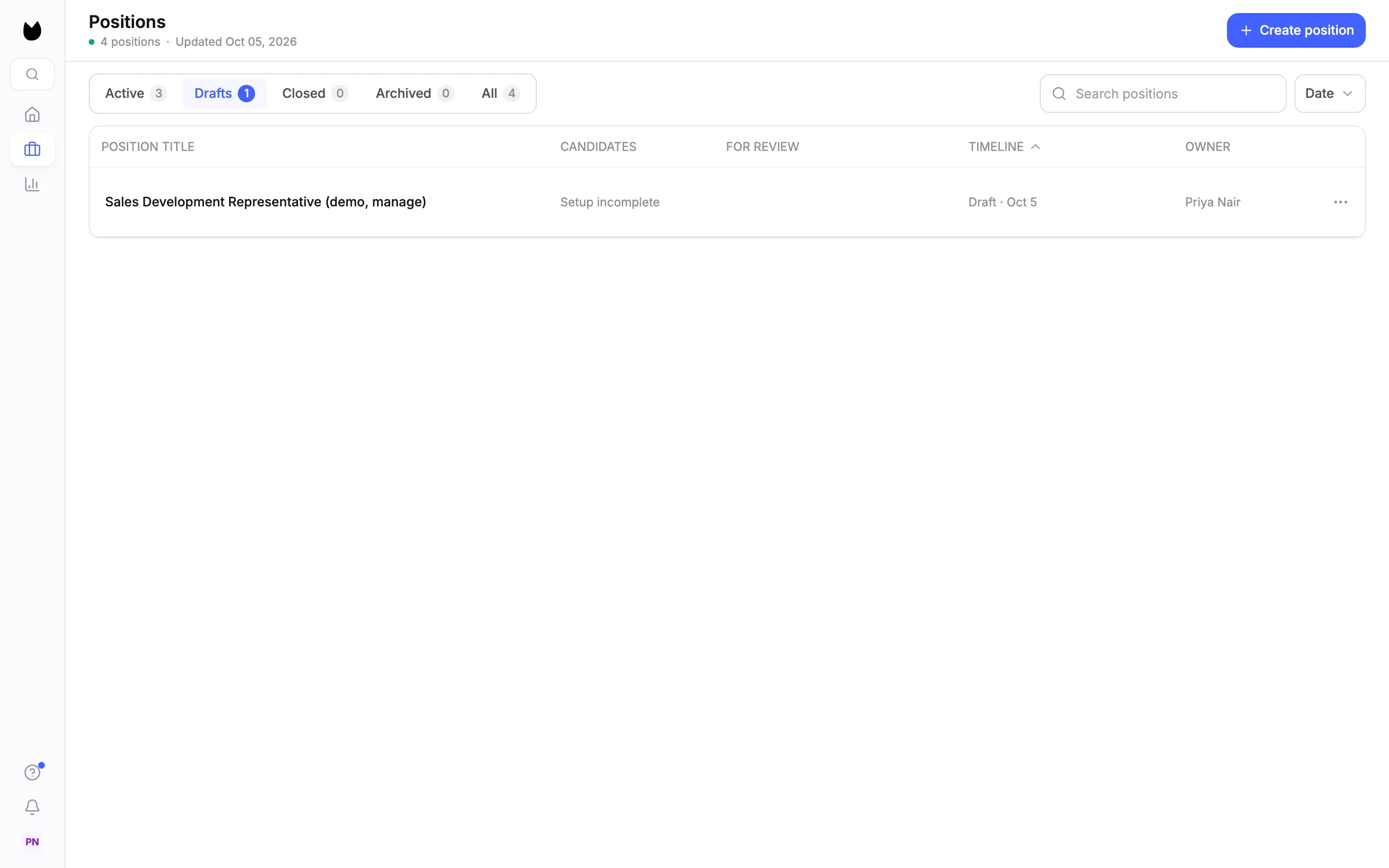
Choose Duplicate. Truffle confirms Position duplicated and Added to Drafts, and the list switches to Drafts. The copy has the same title as the original, reads Setup incomplete, and its timeline shows Draft with today's date. The original stays live and untouched.
3Open the copy
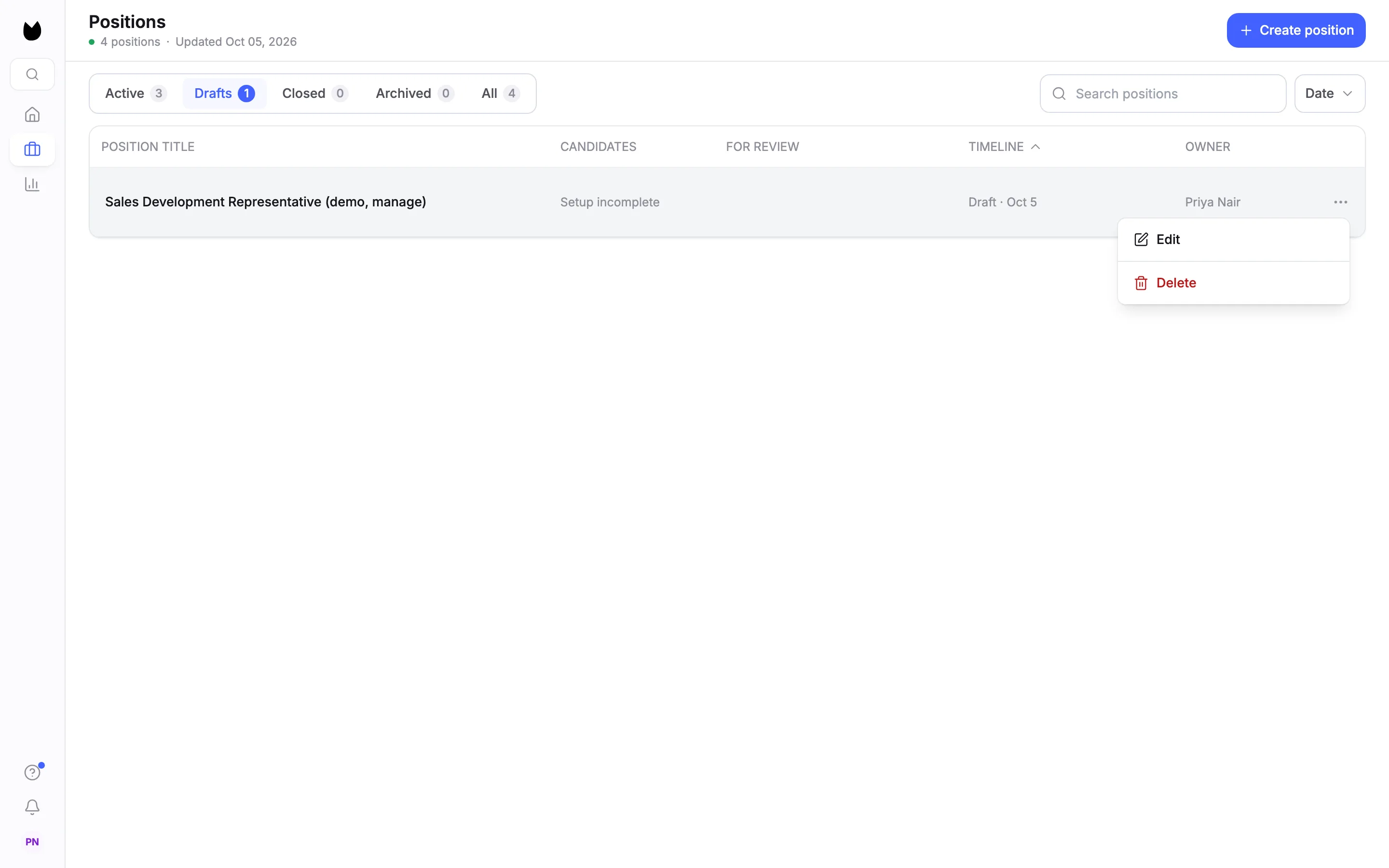
The copy is a draft, so its menu has Edit and Delete. Choose Edit.
4Check Define the role
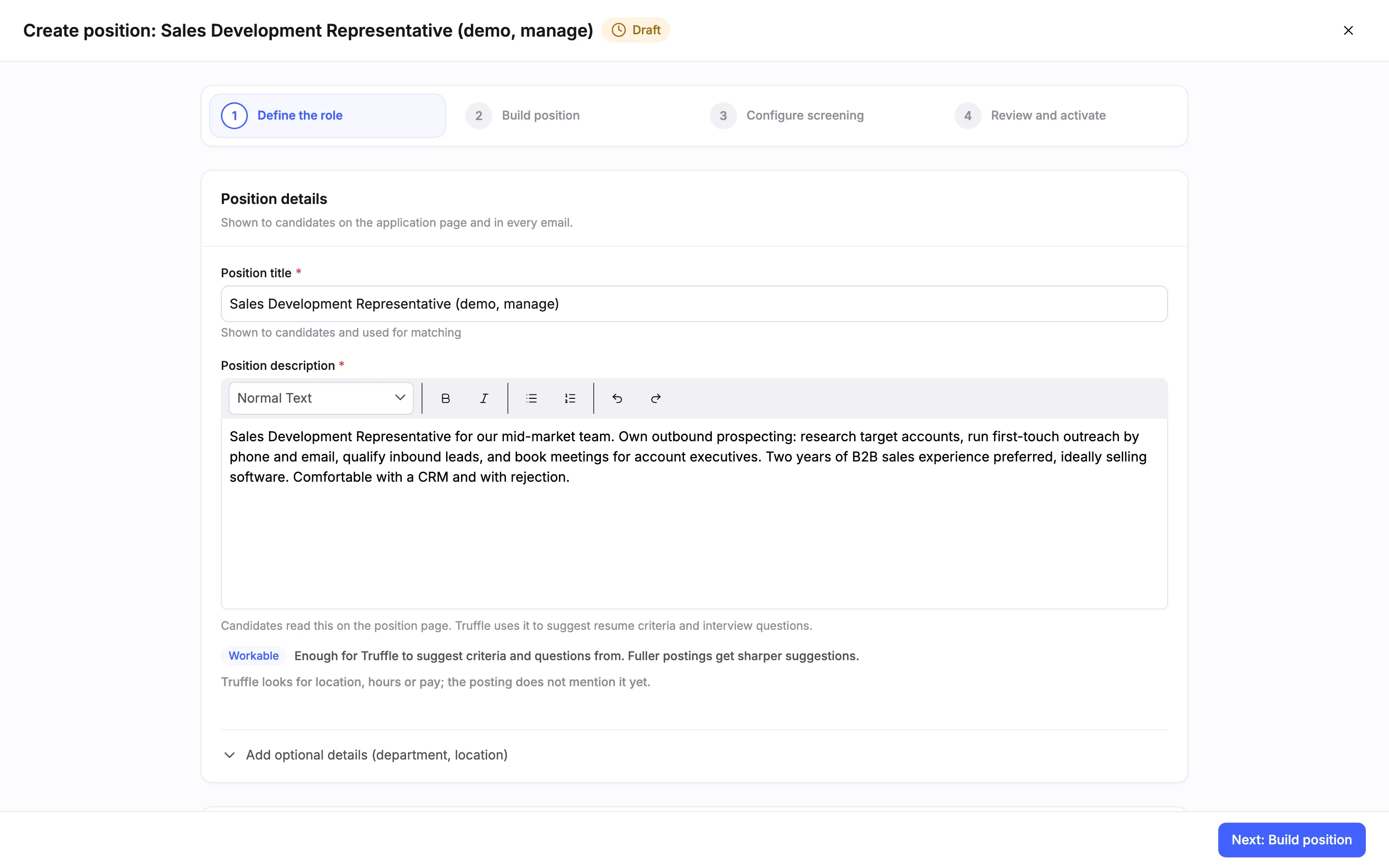
The wizard opens as Create position with a Draft pill, on Define the role. The title and description came across, and so did the role brief, here 1 of 3 answered. Change the title here if you want to tell the two positions apart.
5Check Build position
On Build position, Truffle suggests the screen for the copy from its description, as it does for a new position. The switches may not match the original. Here the original ran a video interview and qualification checks, and the copy arrives with Resume, Video Interview and Assessments switched on.
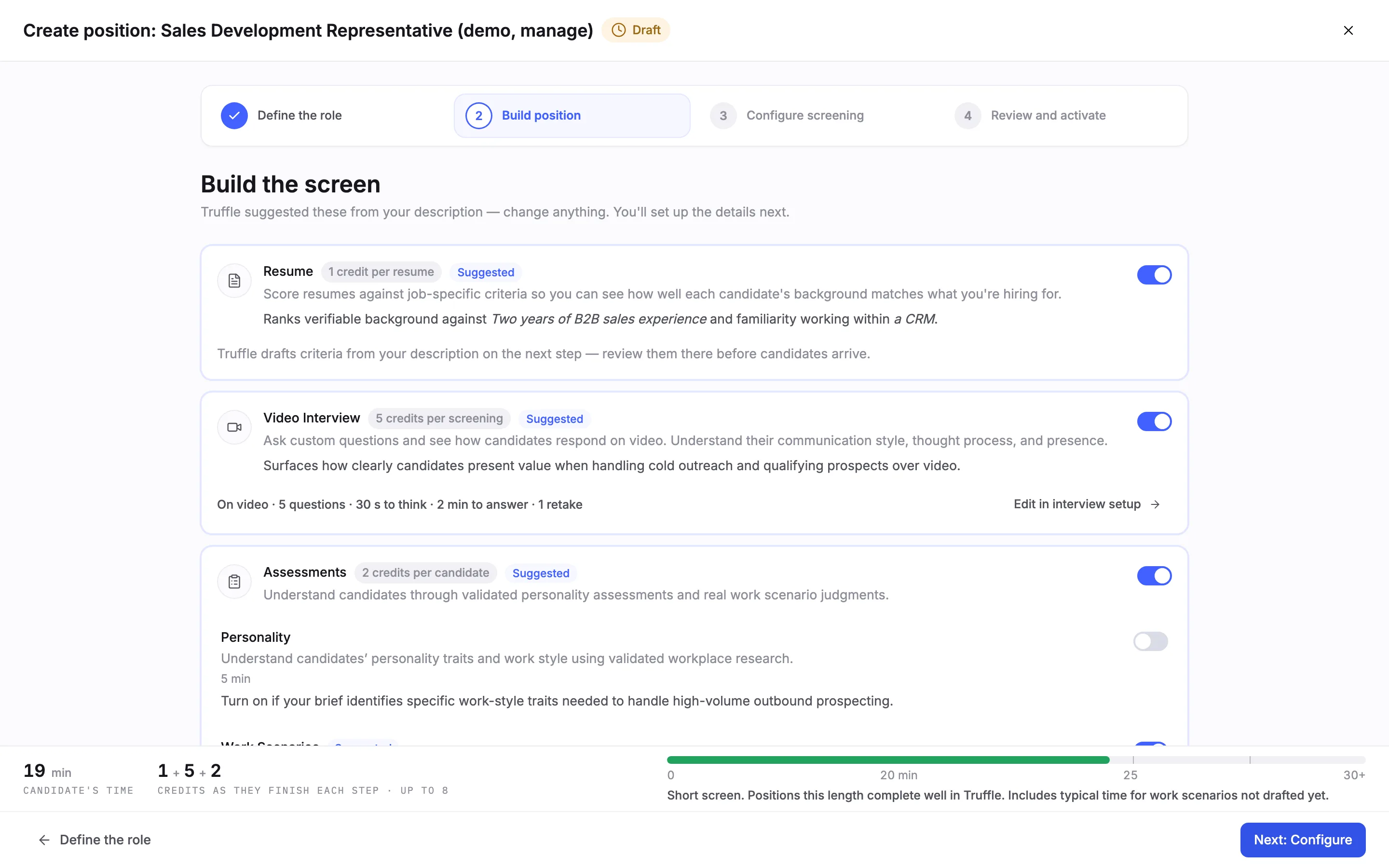
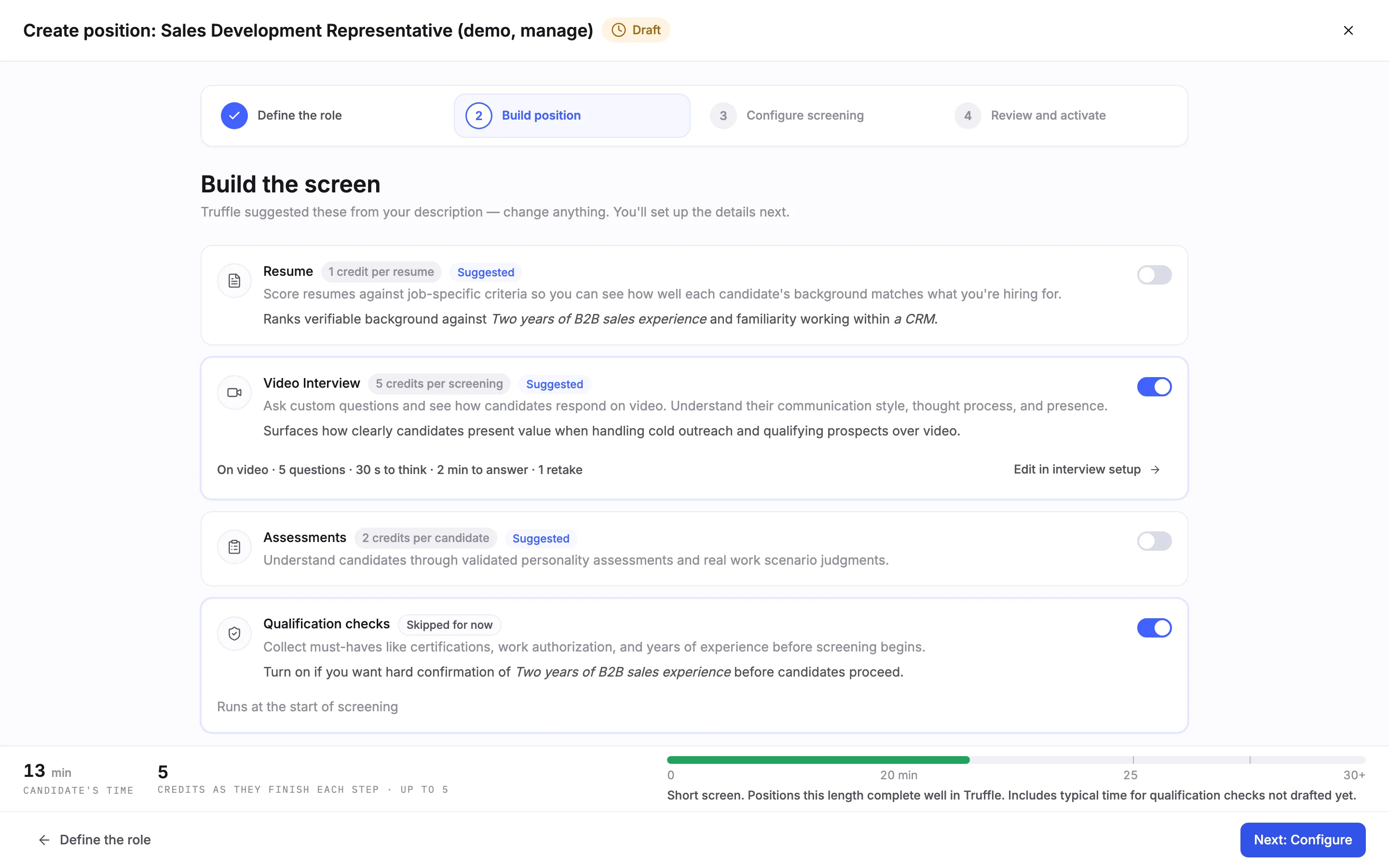
6Set the switches you want
Switch each component on or off to match the screen you want. Here Resume and Assessments are off, and Video Interview and Qualification checks are on. The interview summary still reads 5 questions, the original's set.
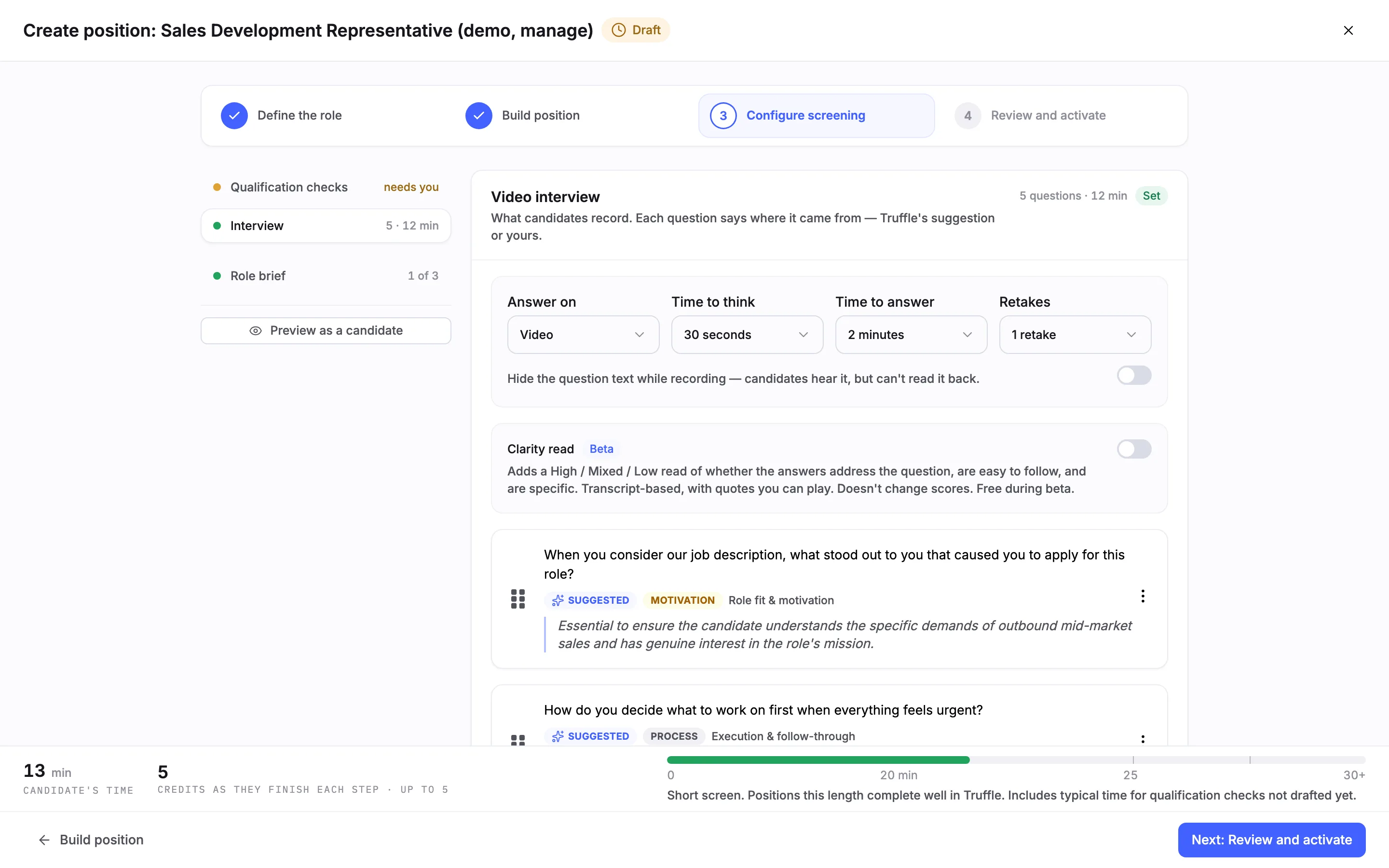
7Check the interview
In Configure screening, Interview holds the original's questions with the same Time to think, Time to answer and Retakes.
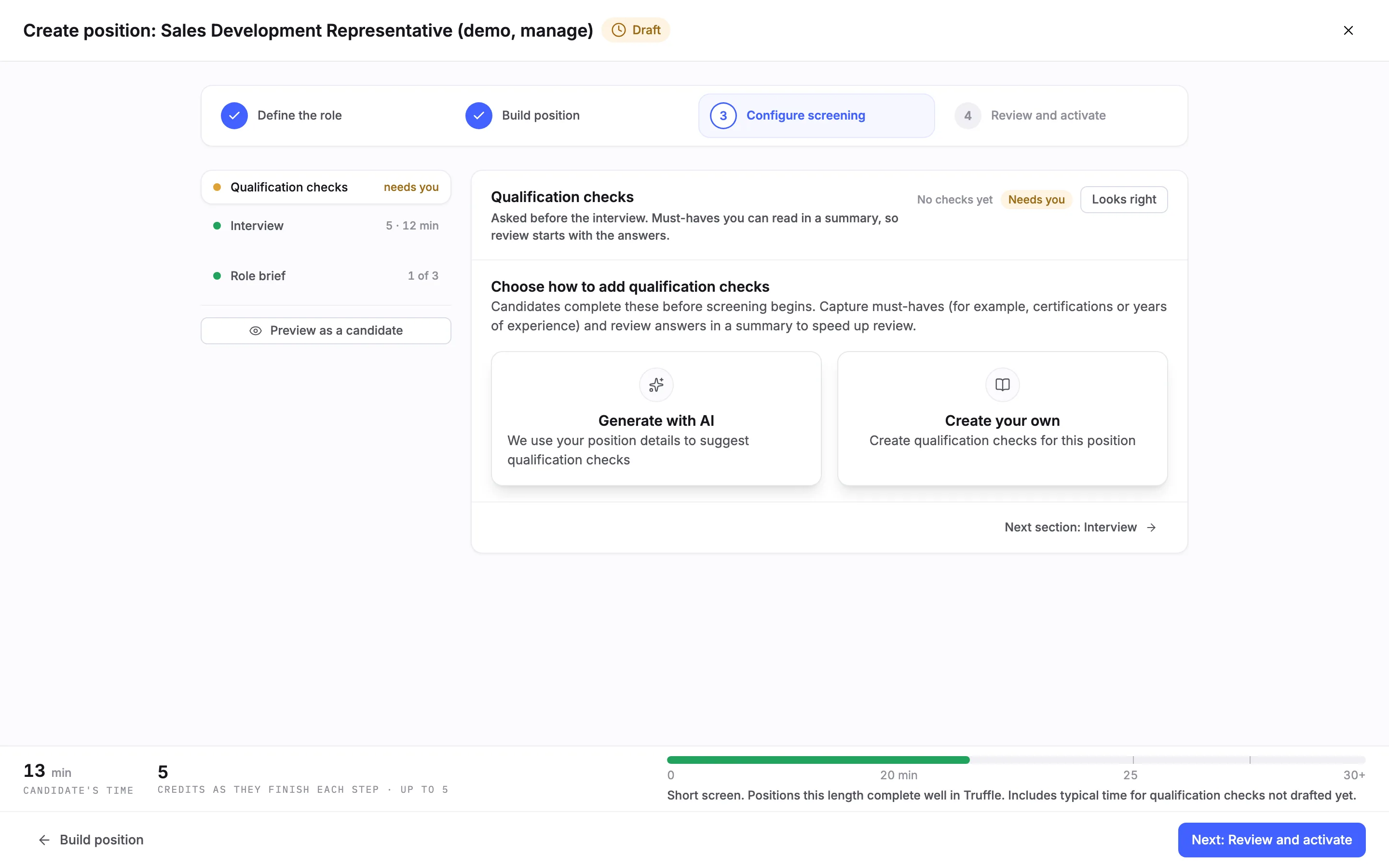
8Check the qualification checks
Open Qualification checks. If Truffle's suggestion on Build position had them switched off, the copied checks are cleared, and the section reads No checks yet. Choose Generate with AI or Create your own, then mark them Looks right.
Note. Look at this section on every copy before you activate it.
9Review and activate the copy
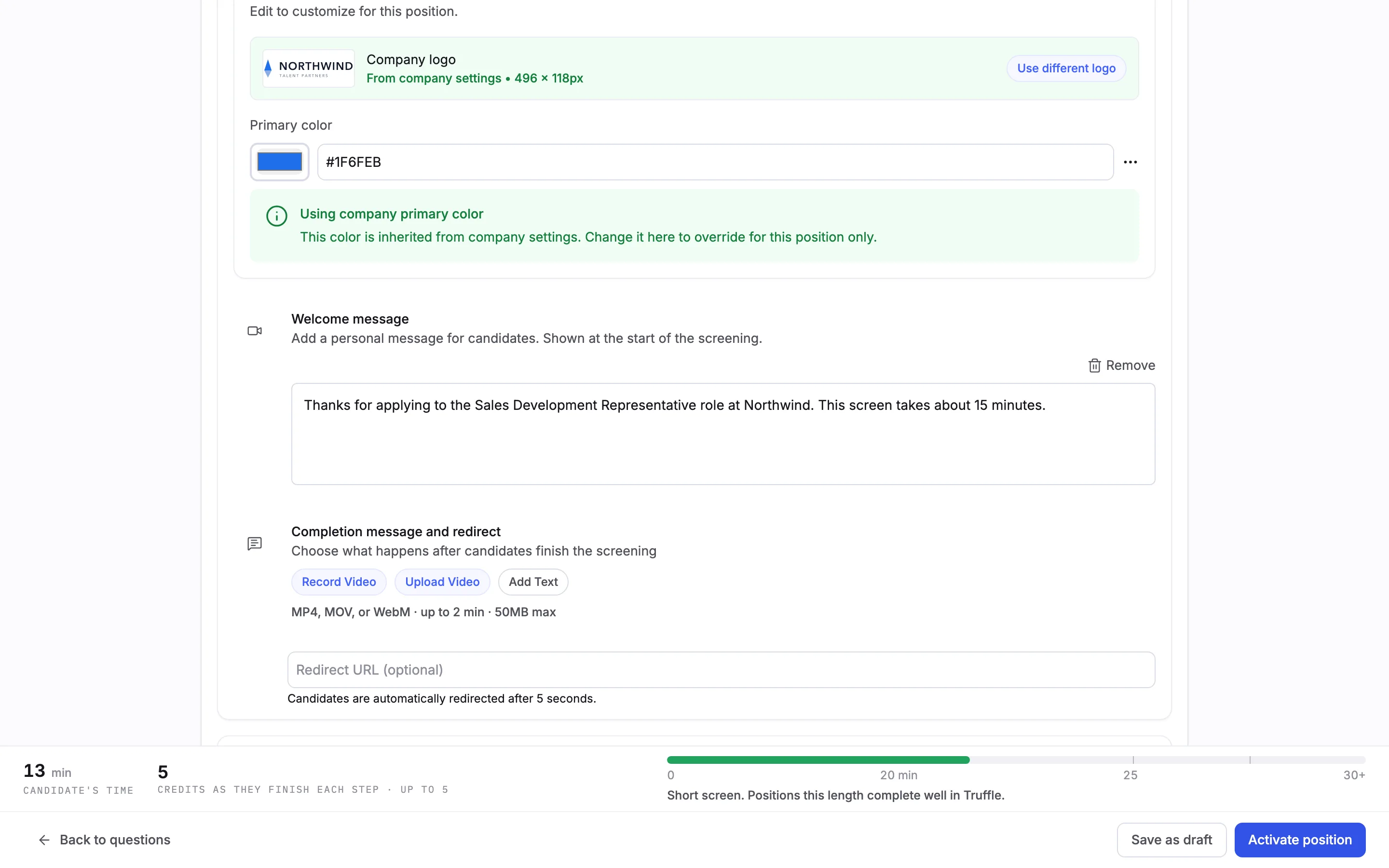
On Review and activate, the candidate experience came across, including the welcome message. The copy stays a draft until you choose Activate position. Activating gives it its own link. Choose Save as draft to finish later.
Questions
What does a duplicate copy?
The title, description, role brief answers, interview questions with their response settings, and the candidate experience, including the welcome message. Check Build position and Qualification checks on the copy before you activate it.
What does a duplicate not copy?
Candidates, the link and the status. The copy starts as a draft with no candidates and gets its own link when you activate it.
Is the copy live straight away?
No. It lands in Drafts as Setup incomplete. Candidates cannot reach it until you choose Activate position.
Does the copy get a new name?
No. It keeps the original's title. Change it under Position title on Define the role.
Can I duplicate a closed or archived position?
Duplicate is in the menu of active positions. Closed and archived positions offer other actions.
Related
See something here that doesn't match what you see in Truffle? Tell us and we'll fix the page.