Guide
Create API keys and webhooks
By the end you have an API key with the access it needs, you know how to replace or remove it, and a webhook sends your system the events you chose.
10 min · 16 steps · Captured from the live product 5 Oct 2026 Changelog Copy as Markdown
Before you start
- A paid Truffle plan. API access is not included with the free trial.
- The Owner or Admin role in Truffle. Integrations & API sits under WORKSPACE in Settings, which only owners and admins see.
- For a webhook, a public https address on your side that accepts HTTP POST requests.
1Request API access
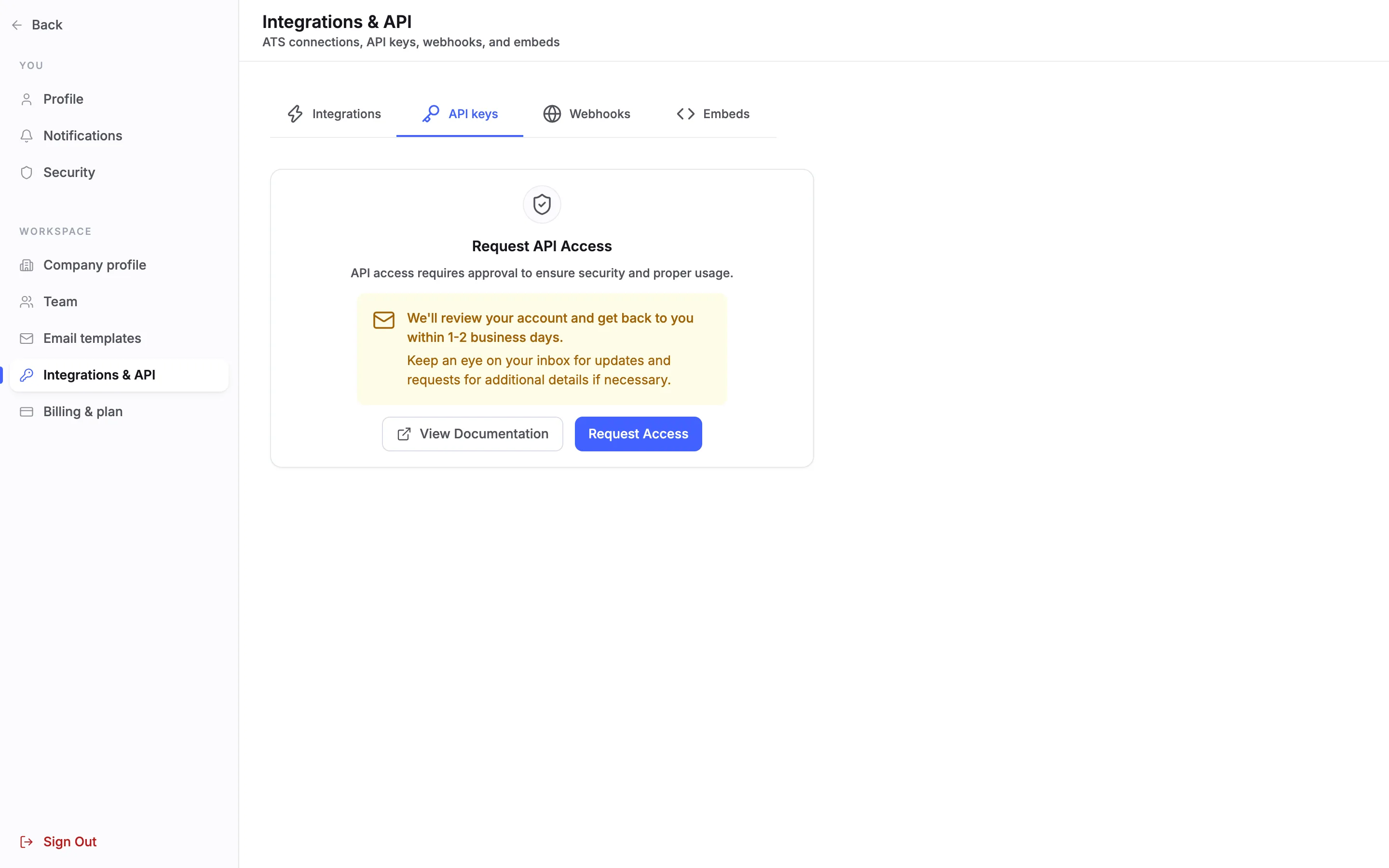
Open Settings, choose Integrations & API under WORKSPACE, then the API keys tab. The first time, it shows Request API Access: API access requires approval to ensure security and proper usage. Choose Request Access. Truffle reviews the request, and the tab says to expect an answer within 1-2 business days. The Webhooks tab opens once access is approved, too.
2Create your first key
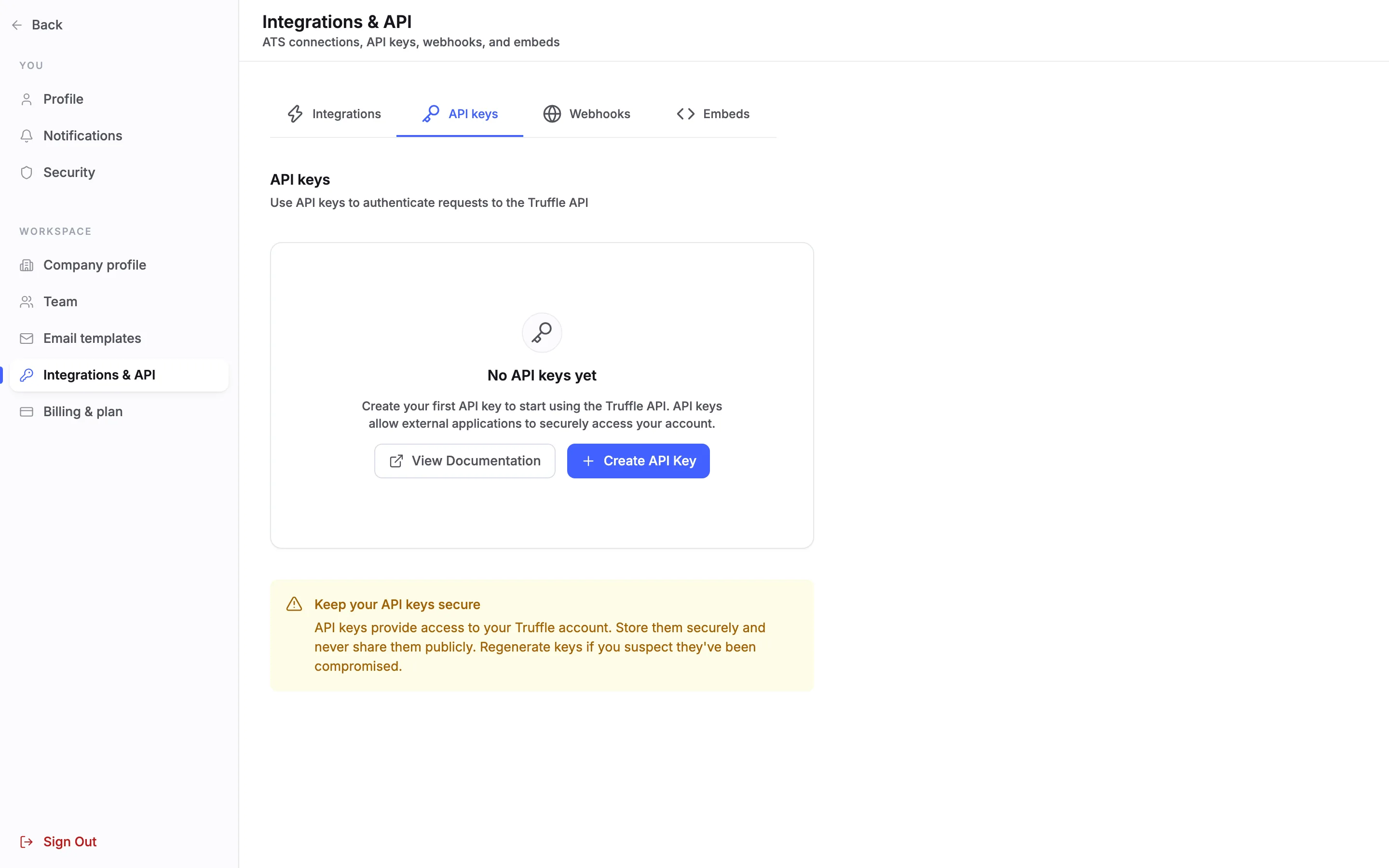
Once access is approved, the tab reads No API keys yet. Choose Create API Key.
3Name the key and choose its access
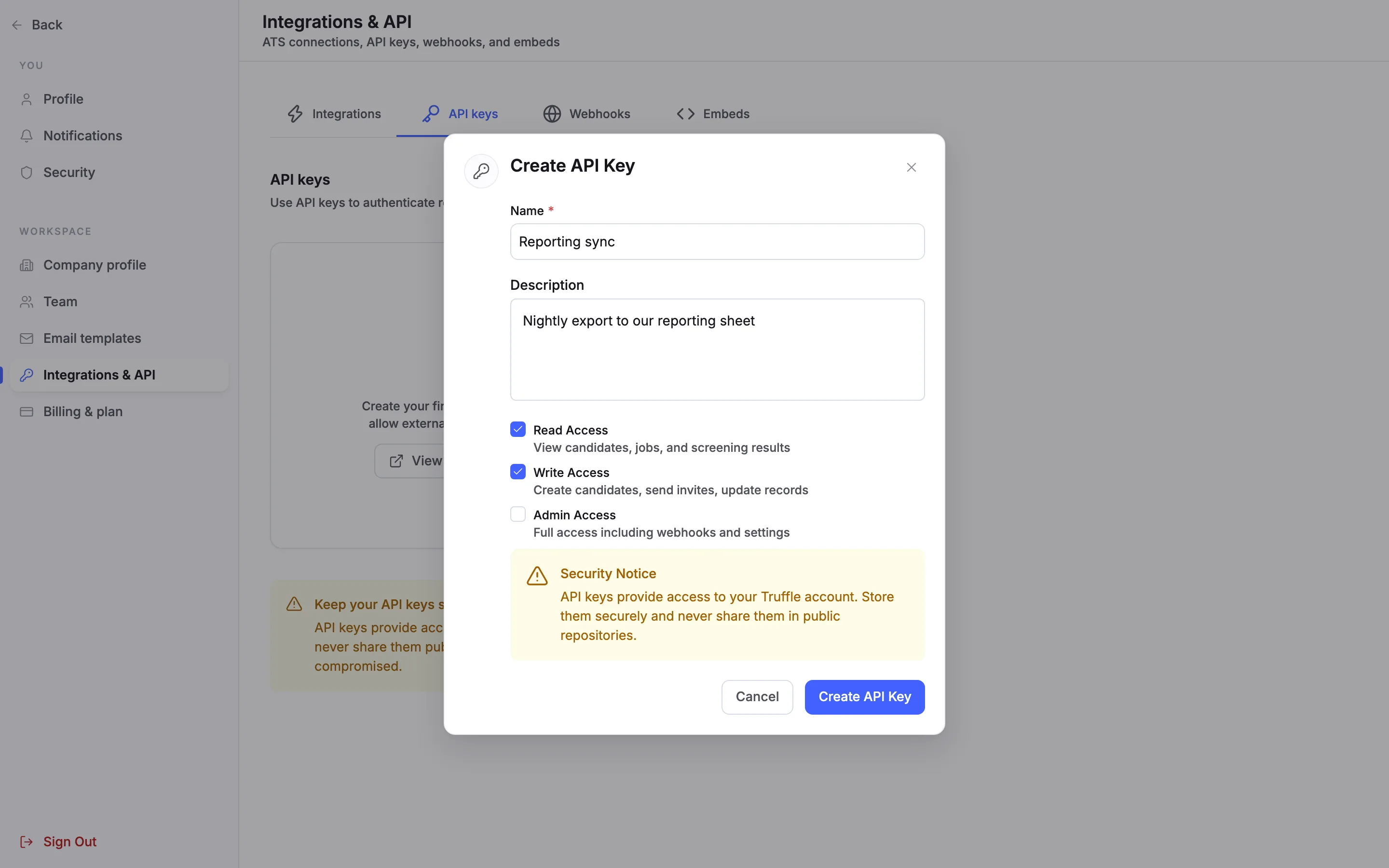
Give the key a Name and, if you like, a Description, so you can tell your keys apart later. Then choose its access. Read Access is ticked to start with: View candidates, jobs, and screening results. Add Write Access to Create candidates, send invites, update records. Choose Create API Key.
Note. Give each key only the access it needs. The access belongs to the key, not to the person who made it.
4Use Admin Access only when you need it
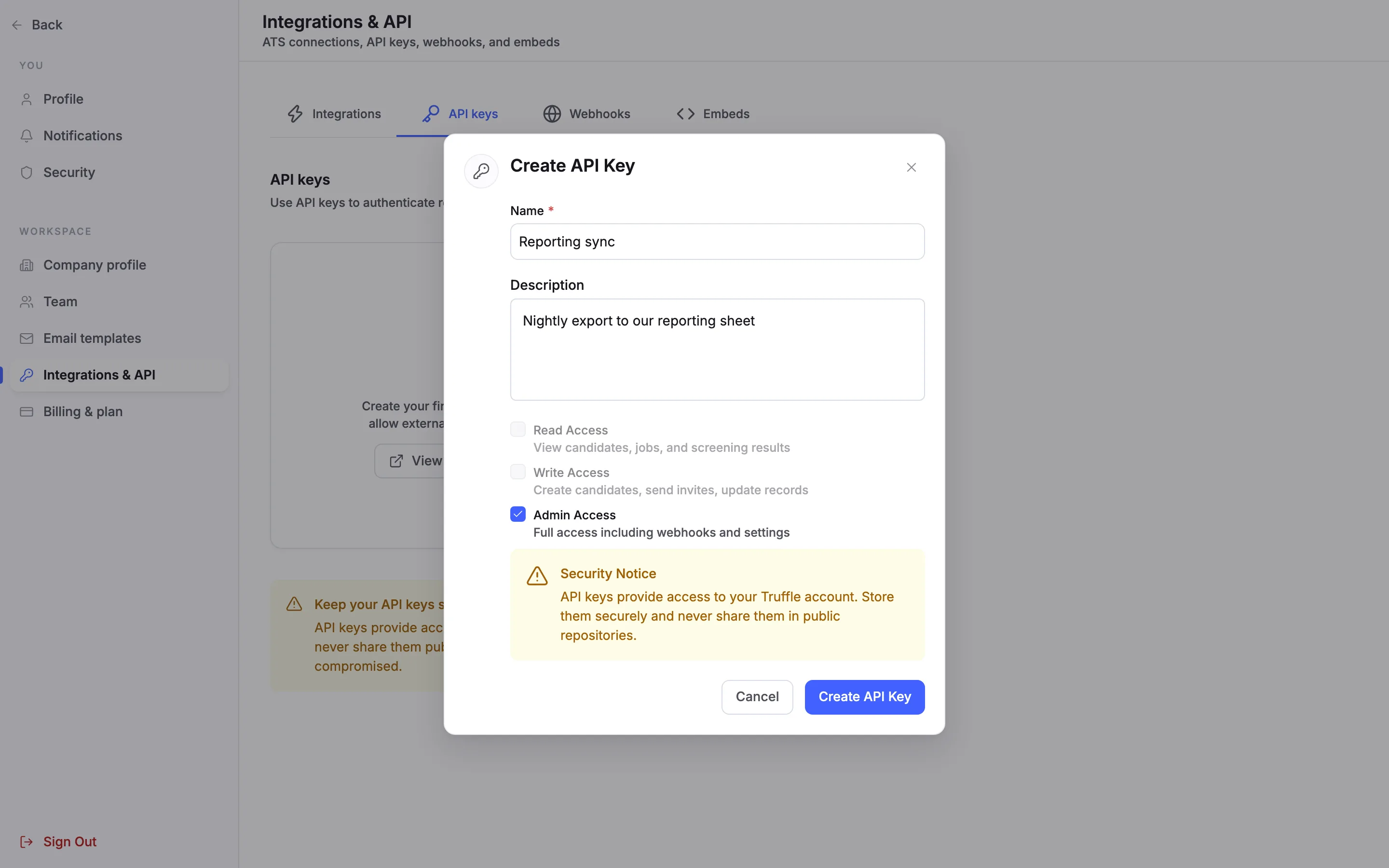
Admin Access is Full access including webhooks and settings. Ticking it greys out Read Access and Write Access, because Admin covers them.
5Copy the key, shown once
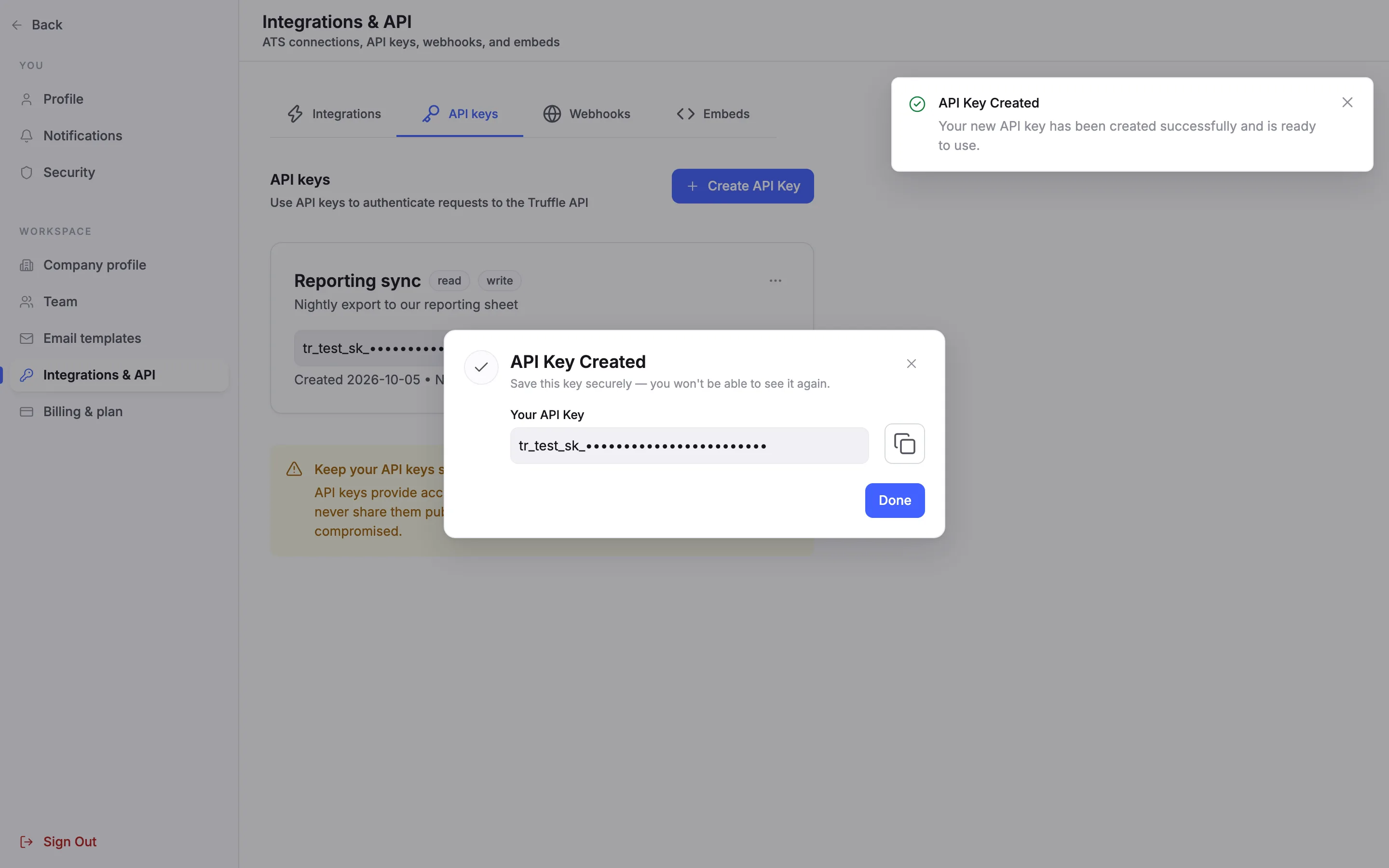
API Key Created shows Your API Key with a copy button. Copy it and store it somewhere safe: you won't be able to see it again. Then choose Done.
6Find the key in the list
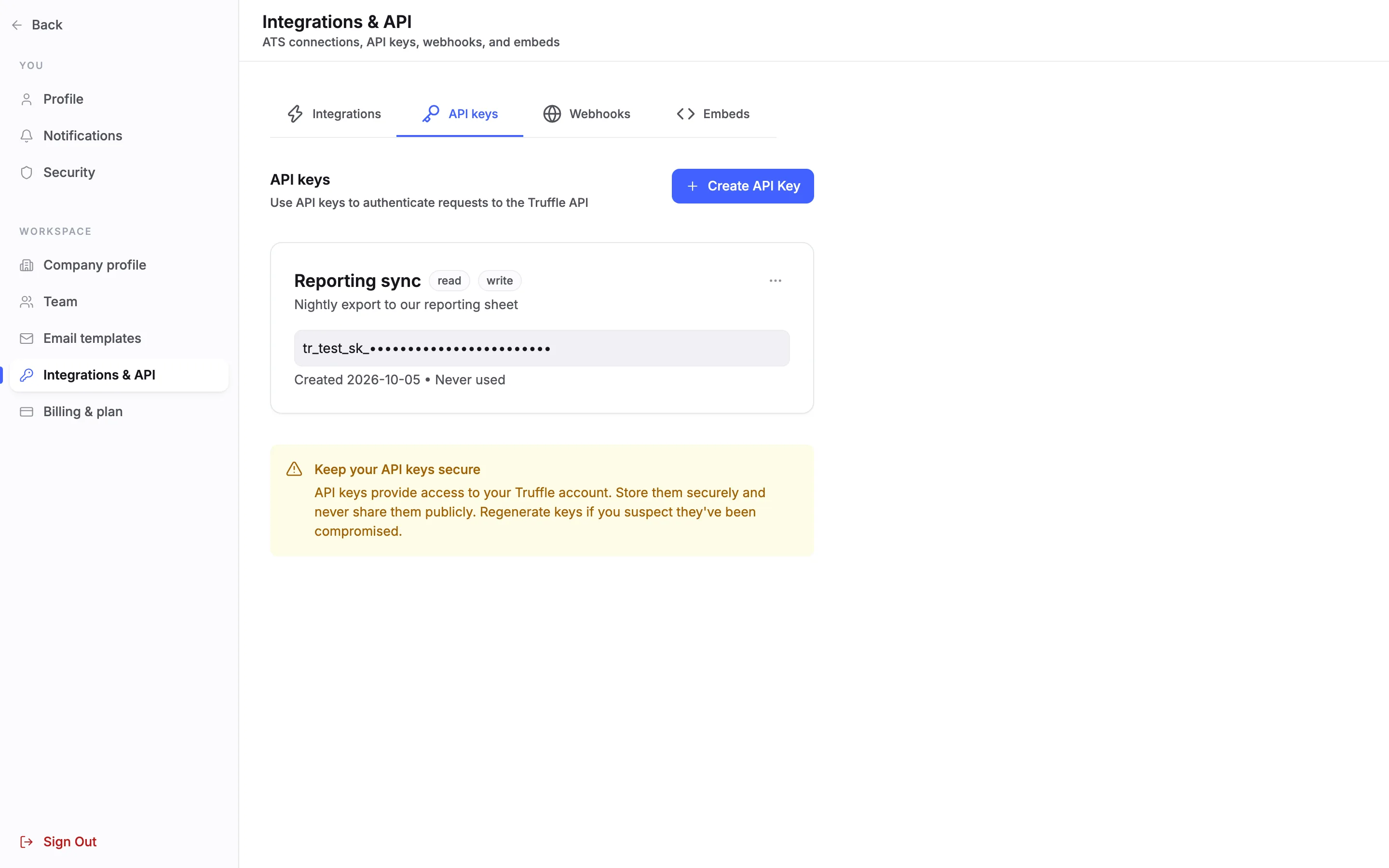
Each key gets a card with its name, its access as read, write or admin pills, its description, the start of the key, and the date it was created and last used. A new key reads Never used.
7Edit, regenerate or delete a key
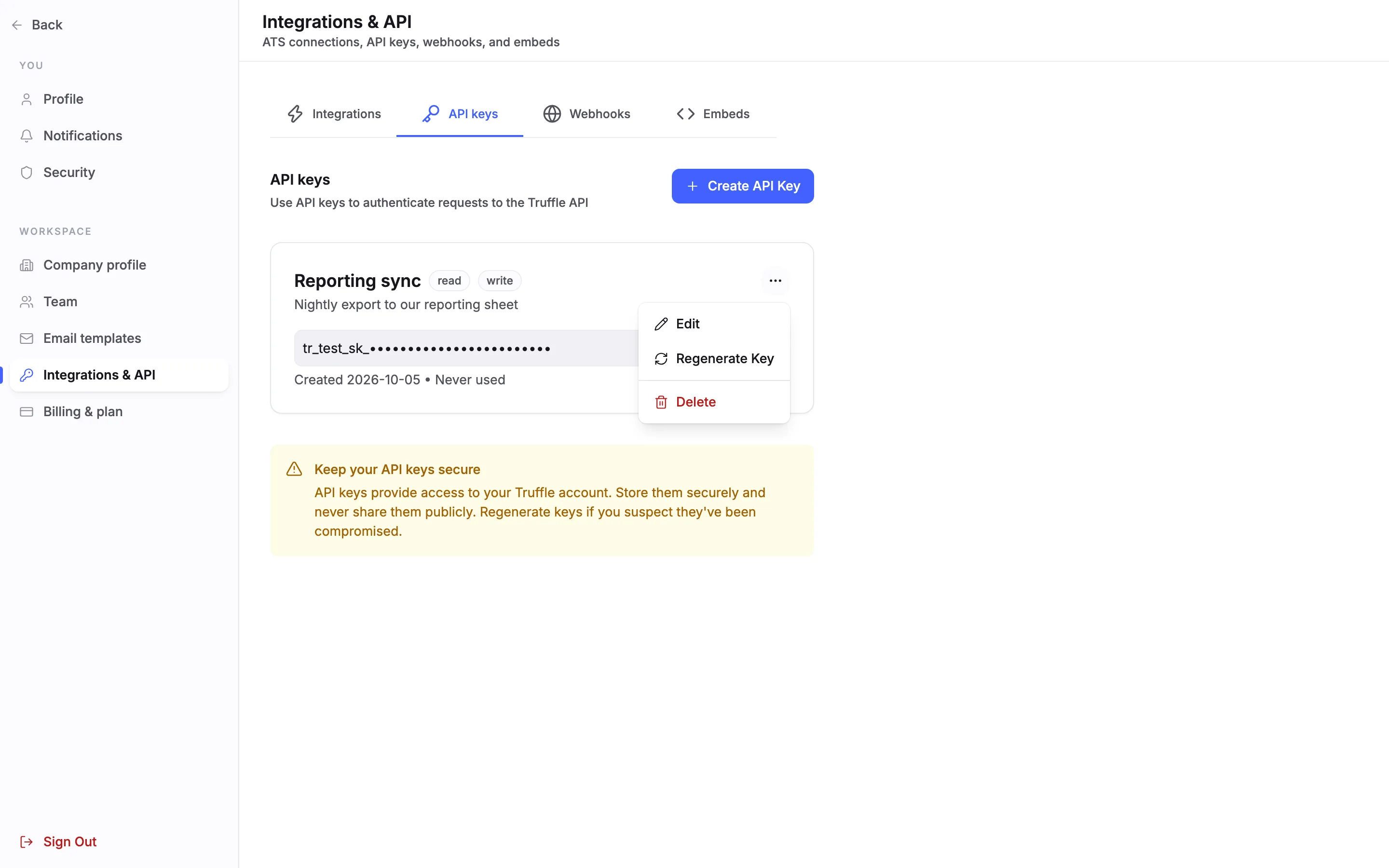
The menu on a key card has Edit, Regenerate Key and Delete. Edit changes the name, description and access. The key itself stays the same.
8Regenerate a key
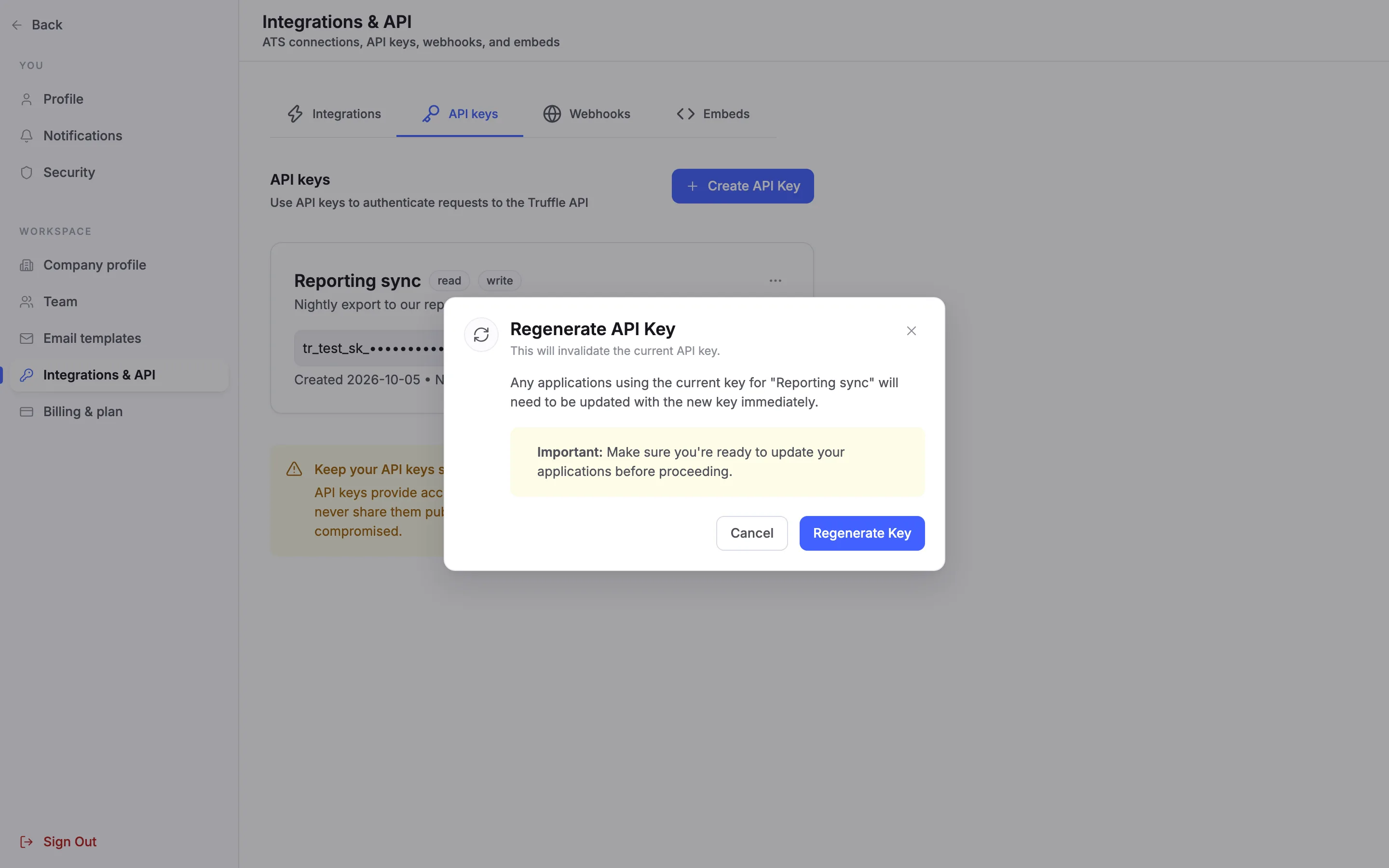
Regenerate a key if you think it has leaked. Regenerate API Key warns that This will invalidate the current API key. Anything using the old key needs the new one straight away. Choose Regenerate Key.
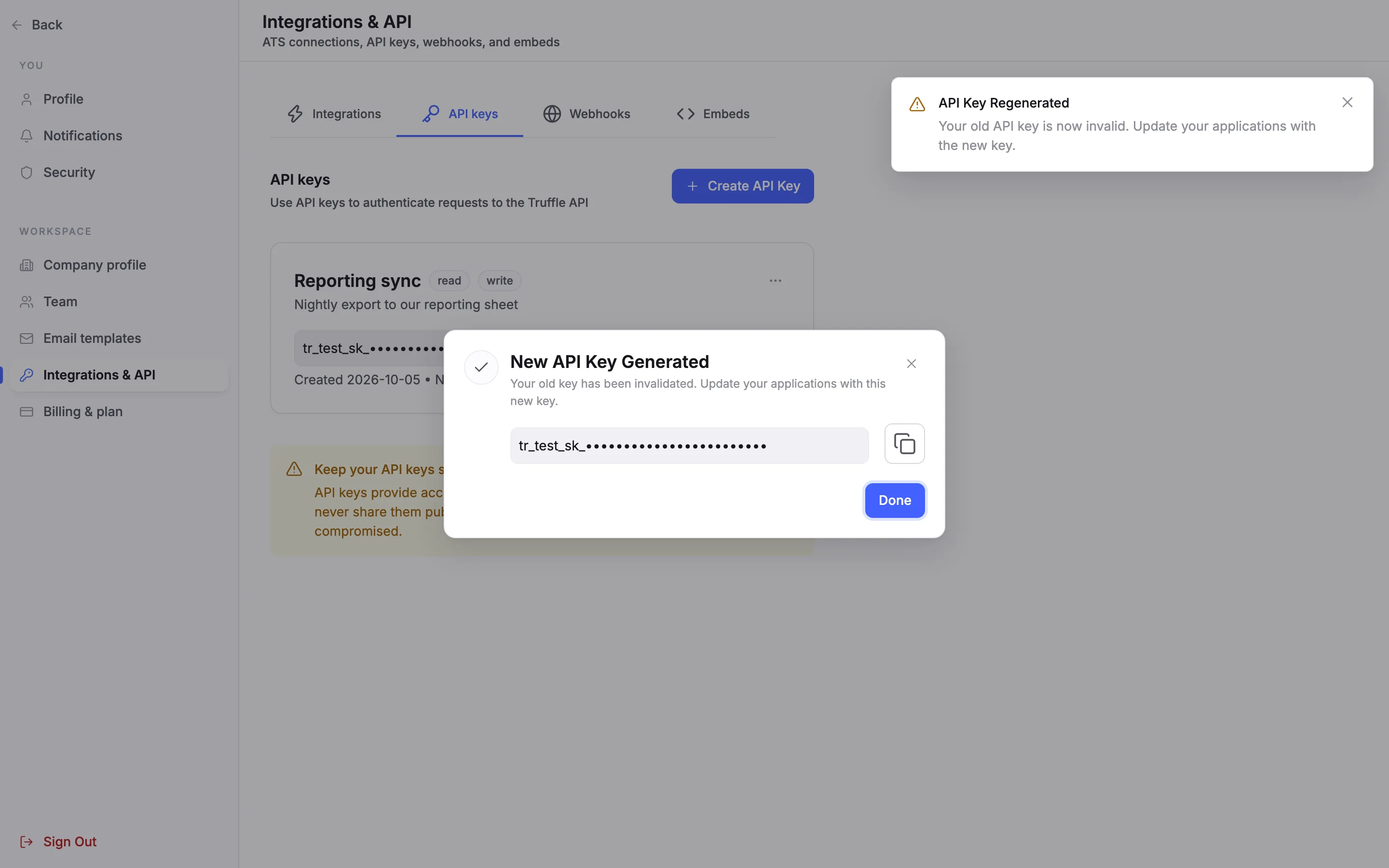
9Copy the new key
New API Key Generated confirms that Your old key has been invalidated. Copy the new key, which is also shown only once, and put it wherever the old one was used.
10Delete a key
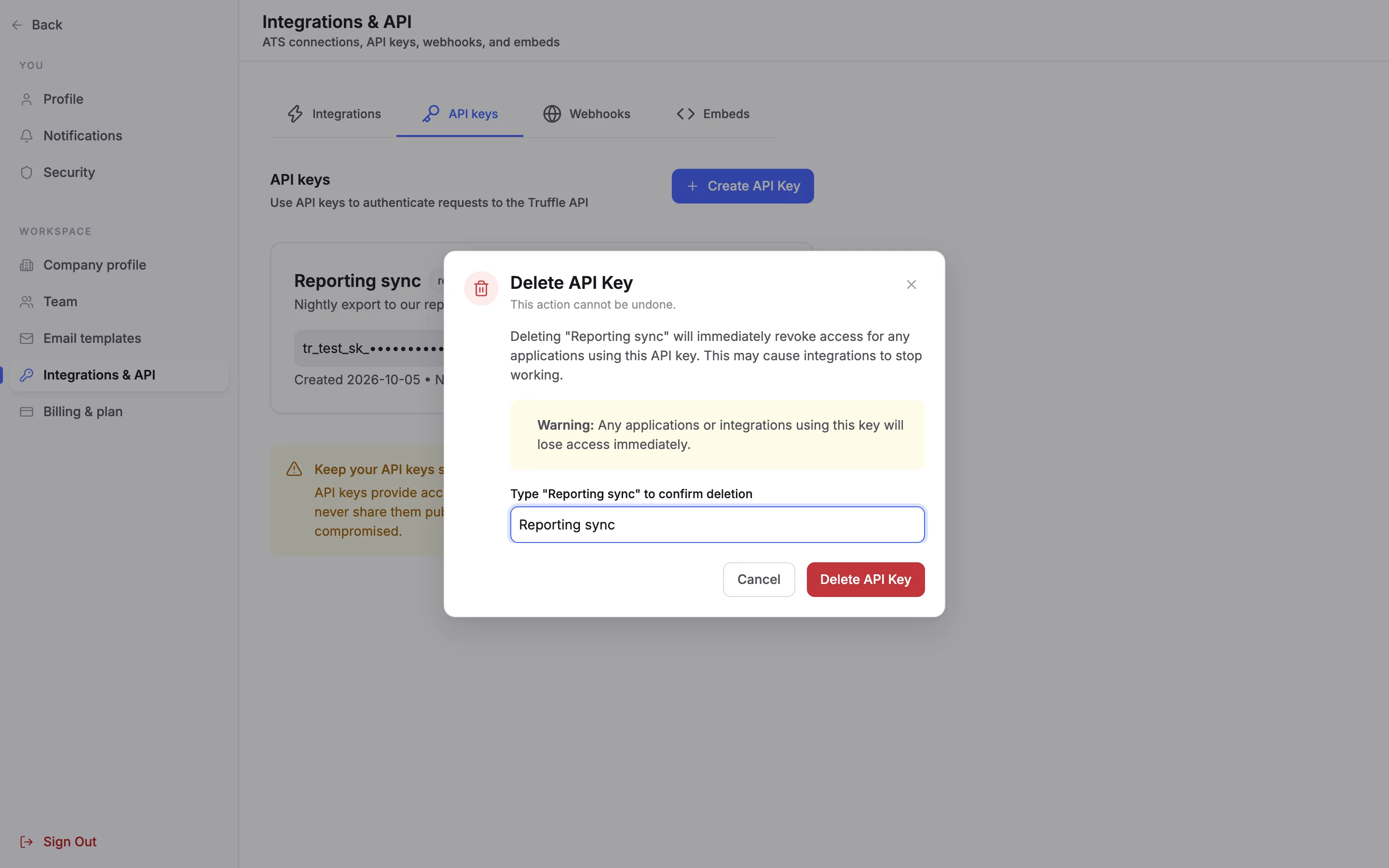
Delete opens Delete API Key. Type the key's name to confirm, then choose Delete API Key. Anything using the key loses access at once, and this cannot be undone.
11Add a webhook
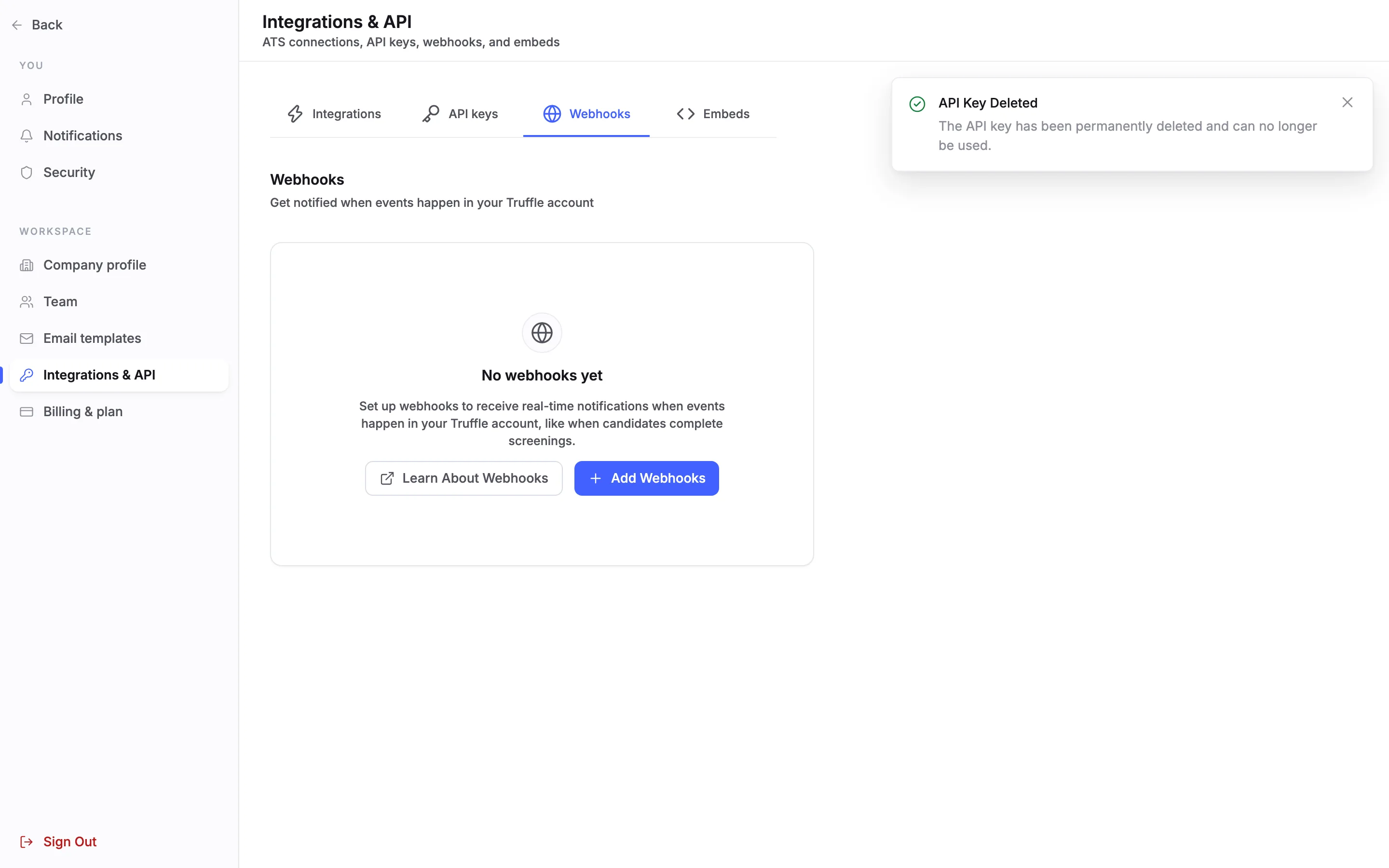
A webhook sends your system a message when something happens in Truffle. Open the Webhooks tab. With none set up it reads No webhooks yet. Choose Add Webhooks.
12Set the URL and events
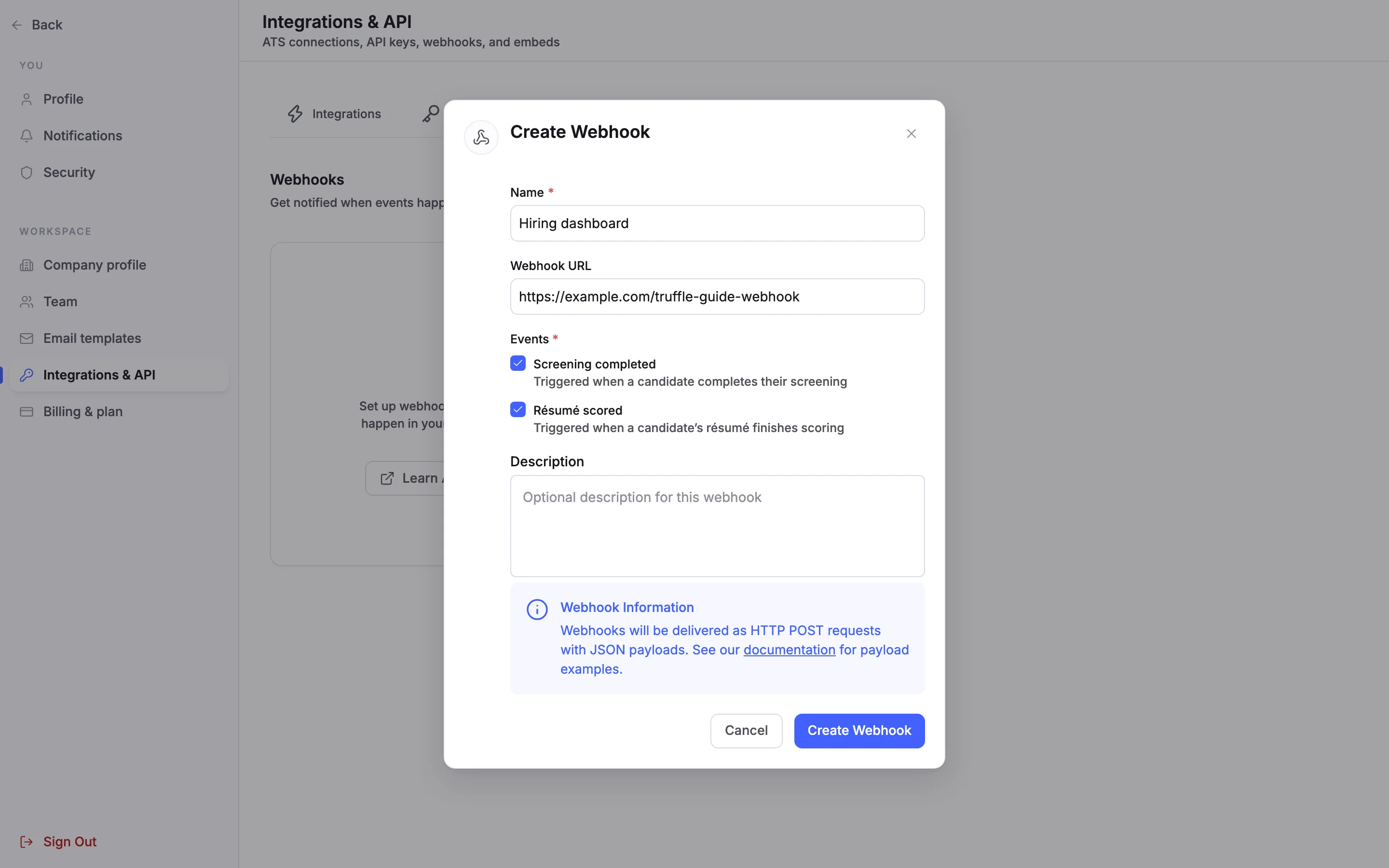
Give the webhook a Name and a Webhook URL: a public https address on your side. Under Events, choose what it receives. Screening completed is Triggered when a candidate completes their screening. Résumé scored is Triggered when a candidate’s résumé finishes scoring. Pick at least one. Truffle sends each event as an HTTP POST request with a JSON payload. Choose Create Webhook.
13Check the webhook
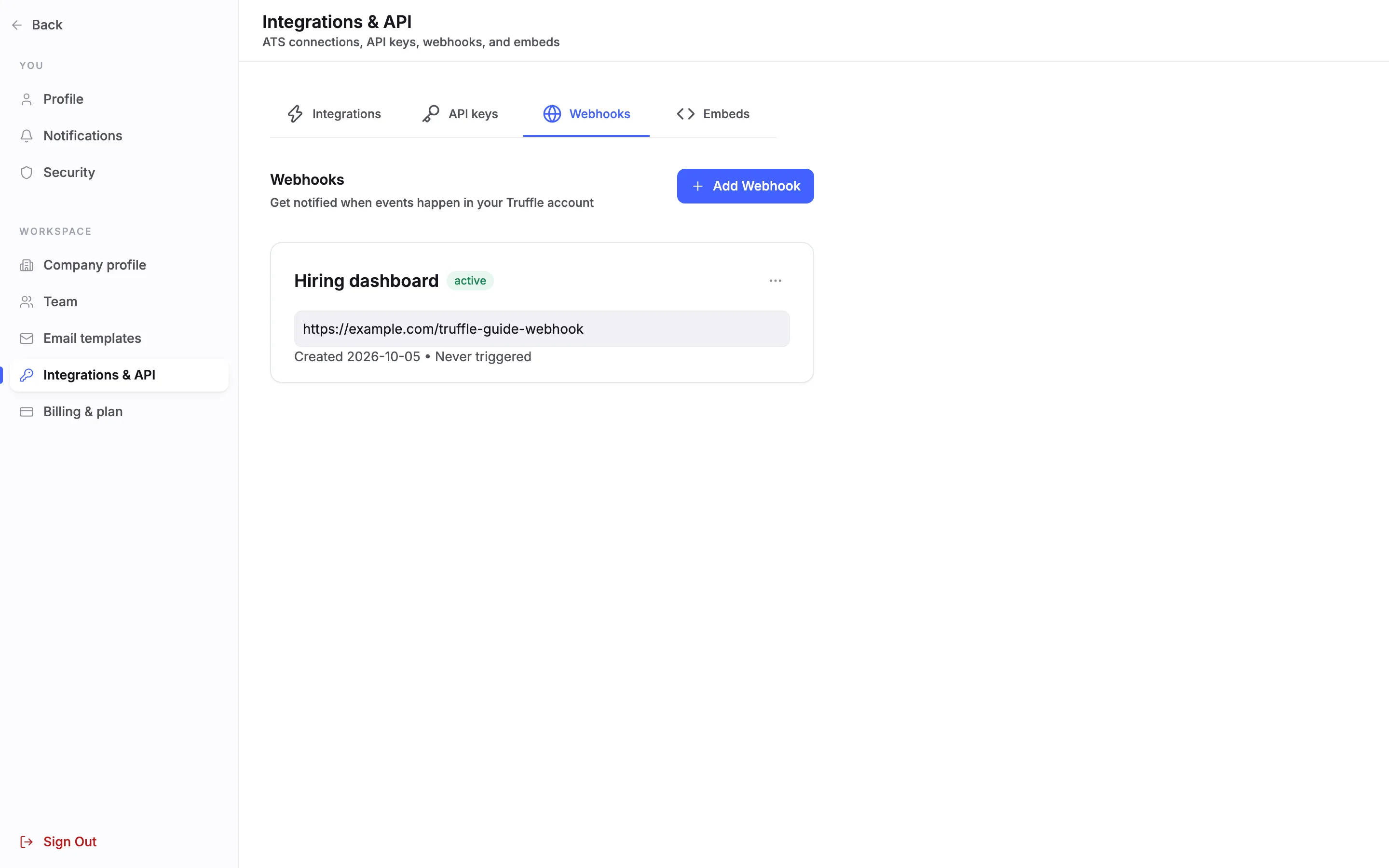
The webhook gets a card with its name, an active pill, its URL, the date it was created and when it was last triggered. A new webhook reads Never triggered.
14Edit, test or delete a webhook
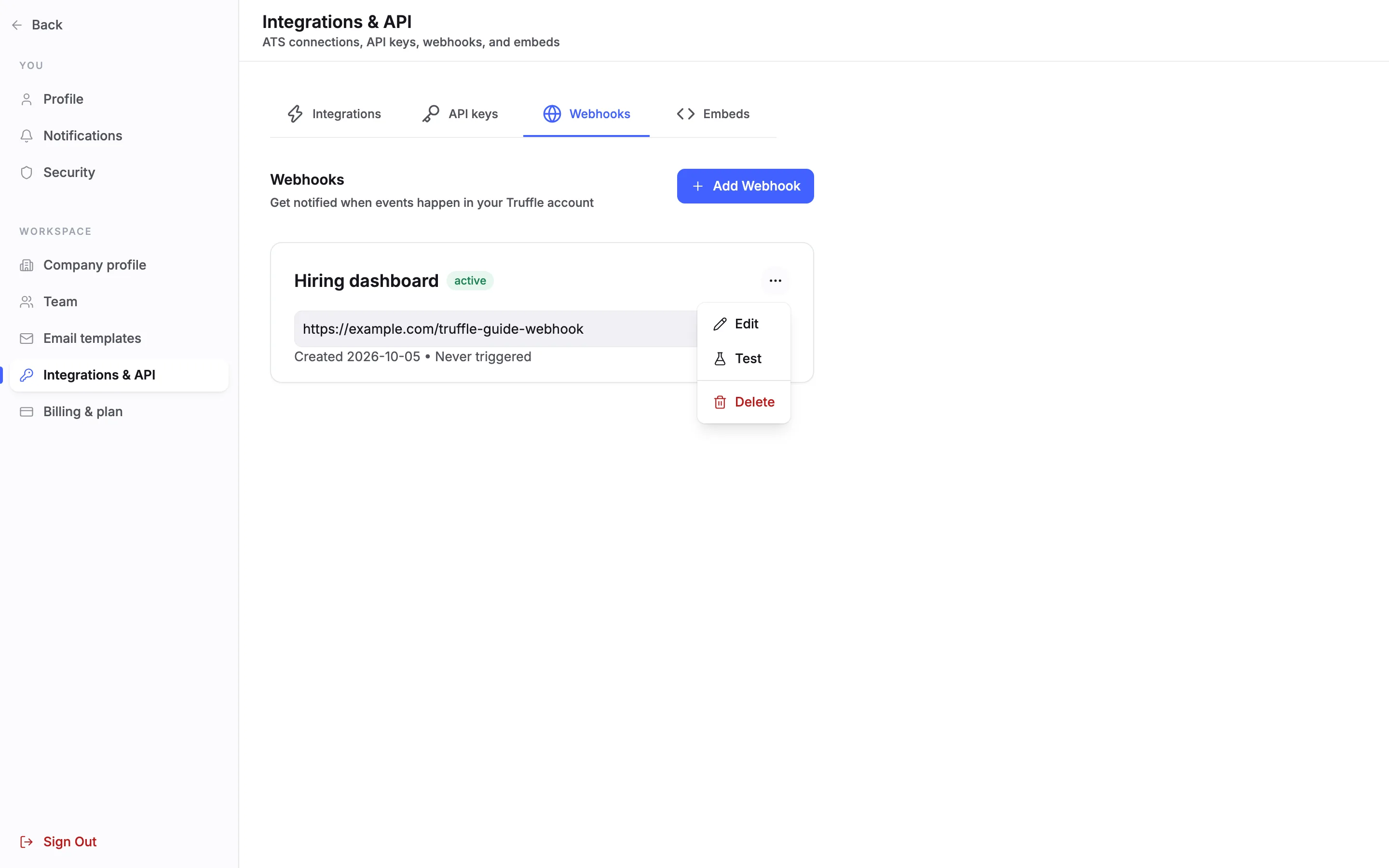
The menu on a webhook card has Edit, Test and Delete. Edit changes the name, URL, events and description. Changing the URL affects anything that already relies on the webhook, so send a test after you save.
15Send a test
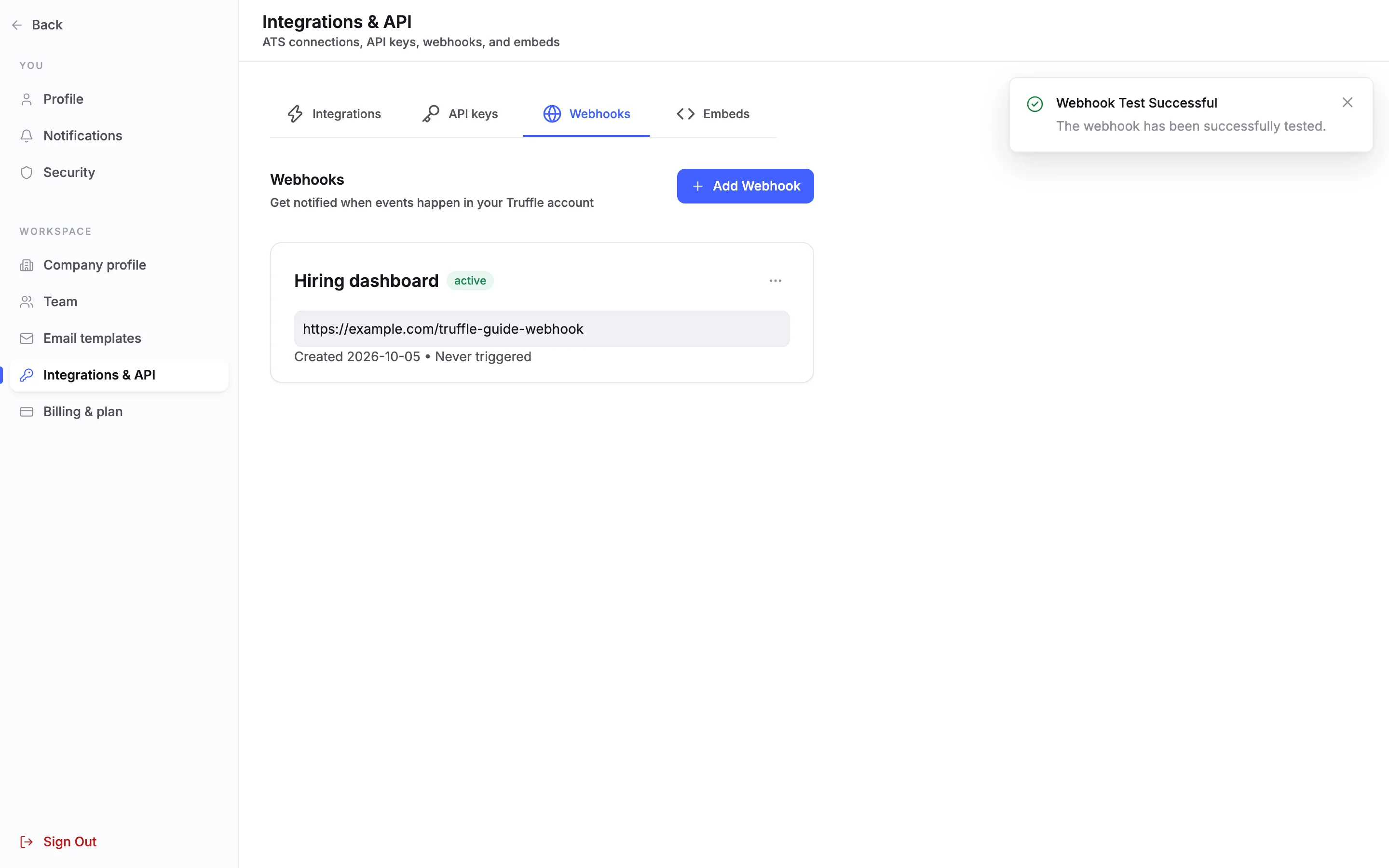
Test sends a test event for the webhook's first event to your URL, with placeholder candidate details. Webhook Test Successful means Truffle queued the test. Check your own system to confirm it arrived.
16Delete a webhook
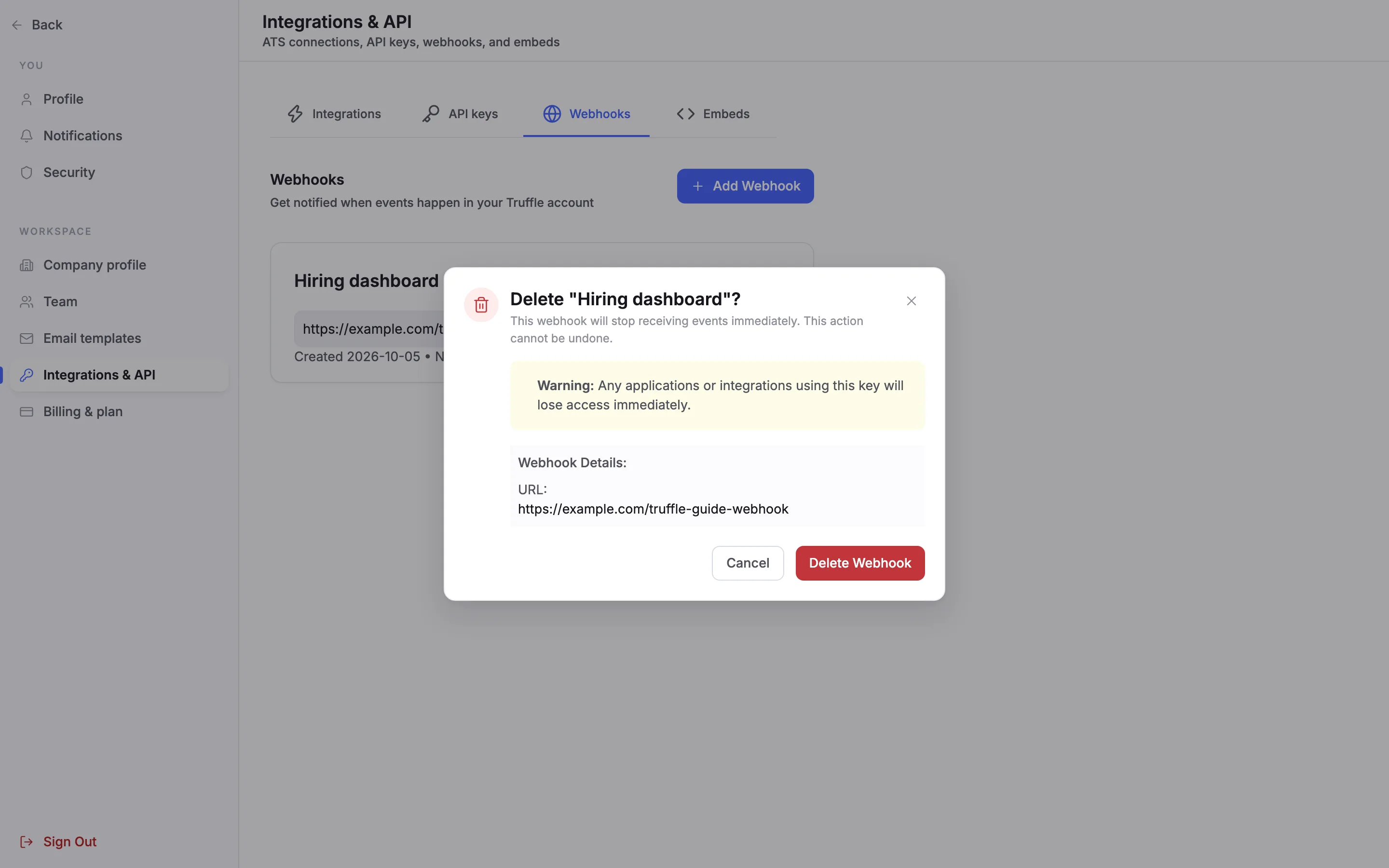
Delete asks you to confirm. The webhook will stop receiving events immediately, and this cannot be undone. Choose Delete Webhook.
Questions
Can I use the API on the free trial?
No. API access is not included with trial accounts. On a paid plan, an owner or admin requests access from the API keys tab.
Which access level should a key have?
The least it needs. Read Access views candidates, jobs and screening results. Write Access creates candidates, sends invites and updates records. Admin Access is full access, including webhooks and settings.
I lost an API key. Can Truffle show it again?
No. A key is shown once, when you create or regenerate it. Regenerate the key and update anything that used the old one.
What happens to the old key when I regenerate?
It stops working. Anything still using it needs the new key.
Which events can a webhook receive?
Screening completed, when a candidate completes their screening, and Résumé scored, when a candidate's resume finishes scoring.
Who can manage API keys and webhooks?
Owners and admins. Members and viewers do not see Integrations & API.
Related
See something here that doesn't match what you see in Truffle? Tell us and we'll fix the page.