Guide
Add a personality assessment
By the end you have a live position that runs the Personality assessment against the traits you chose, and you know where to read each candidate's results.
8 min · 12 steps · Captured from the live product 5 Oct 2026 Changelog Copy as Markdown
Key moments and transcript
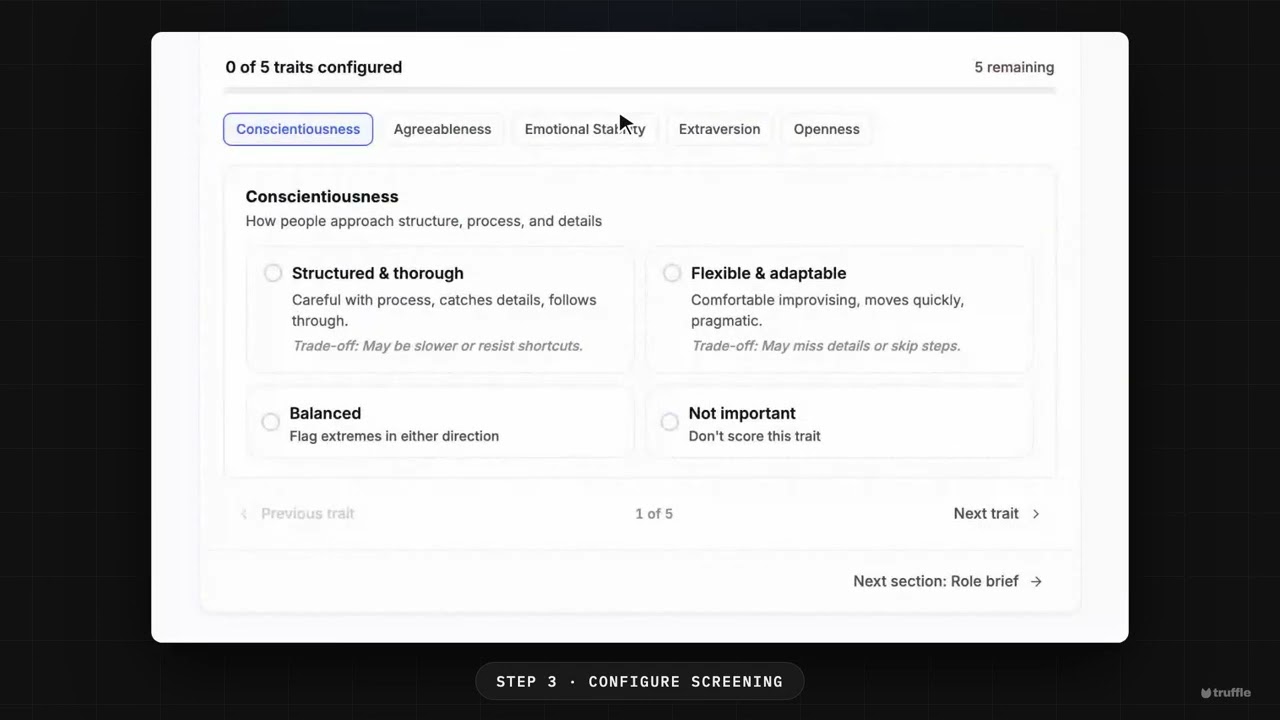
Here's a personality assessment on a position, set up in a few minutes. Let's add one. Start a position as usual. On Build position, switch on Assessments, and choose Personality. It looks at work style. Assessments cost two credits per candidate. And the budget bar shows the candidate's time: about five minutes. On Configure screening, you choose what the role needs. Truffle never suggests these. There are five traits, like how someone handles detail, other people, and pressure. For each, pick a direction, Balanced, or Not important. Last, review your setup, and activate. Results come back as High, Mid or Low, against what the role needs, shown next to everything else. You decide. Start free at hiretruffle.com.
Before you start
- A Truffle account. The 7-day free trial works: 30 credits, no credit card.
- A position description of at least 200 characters. A position cannot go live on less.
- A view on the work style the role needs. You set a direction for five traits yourself, and Truffle does not suggest them.
1Describe the work style in the role brief
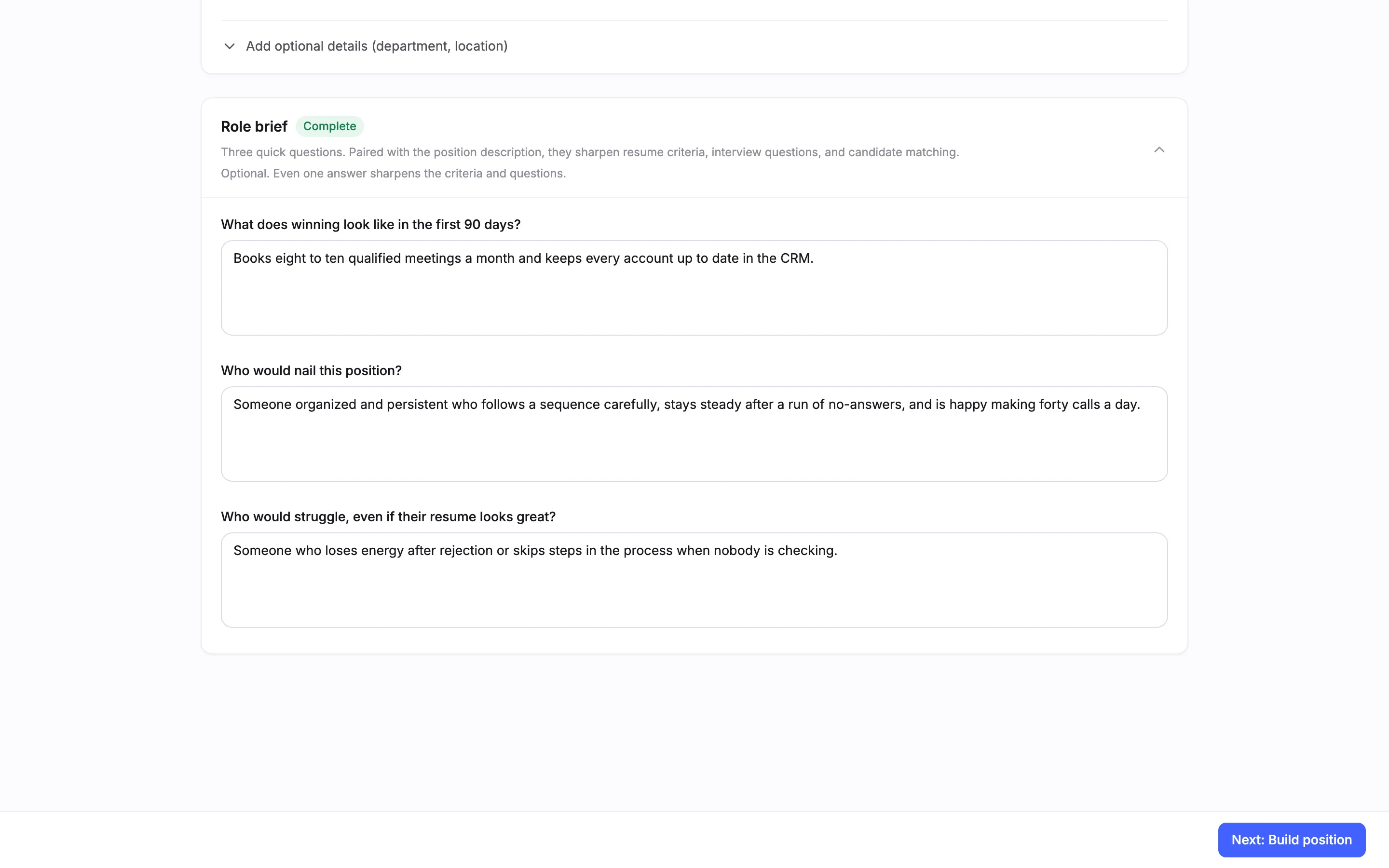
Start a new position. On Define the role, enter a Position title and a Position description. Then open Role brief and answer its three questions: What does winning look like in the first 90 days?, Who would nail this position? and Who would struggle, even if their resume looks great? Name the work style the role needs, such as organized and persistent, steady after a run of no-answers. Truffle reads the role brief when it suggests the screen. Choose Next: Build position.
Note. The role brief is optional. In our capture, with no role brief, Personality arrived switched off with a line saying to turn it on if you add work-style traits. You can always switch it on yourself.
2Switch on Personality
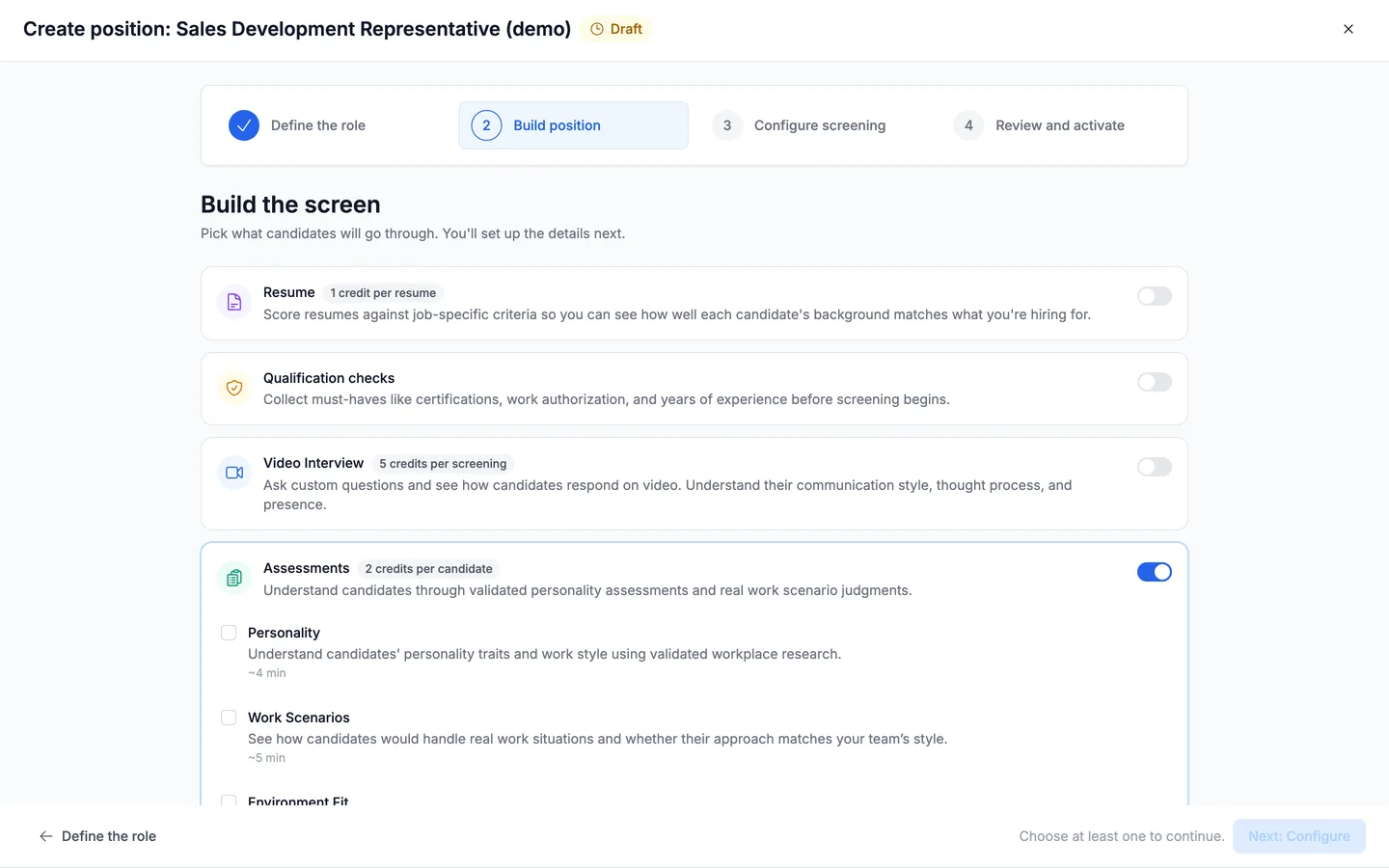
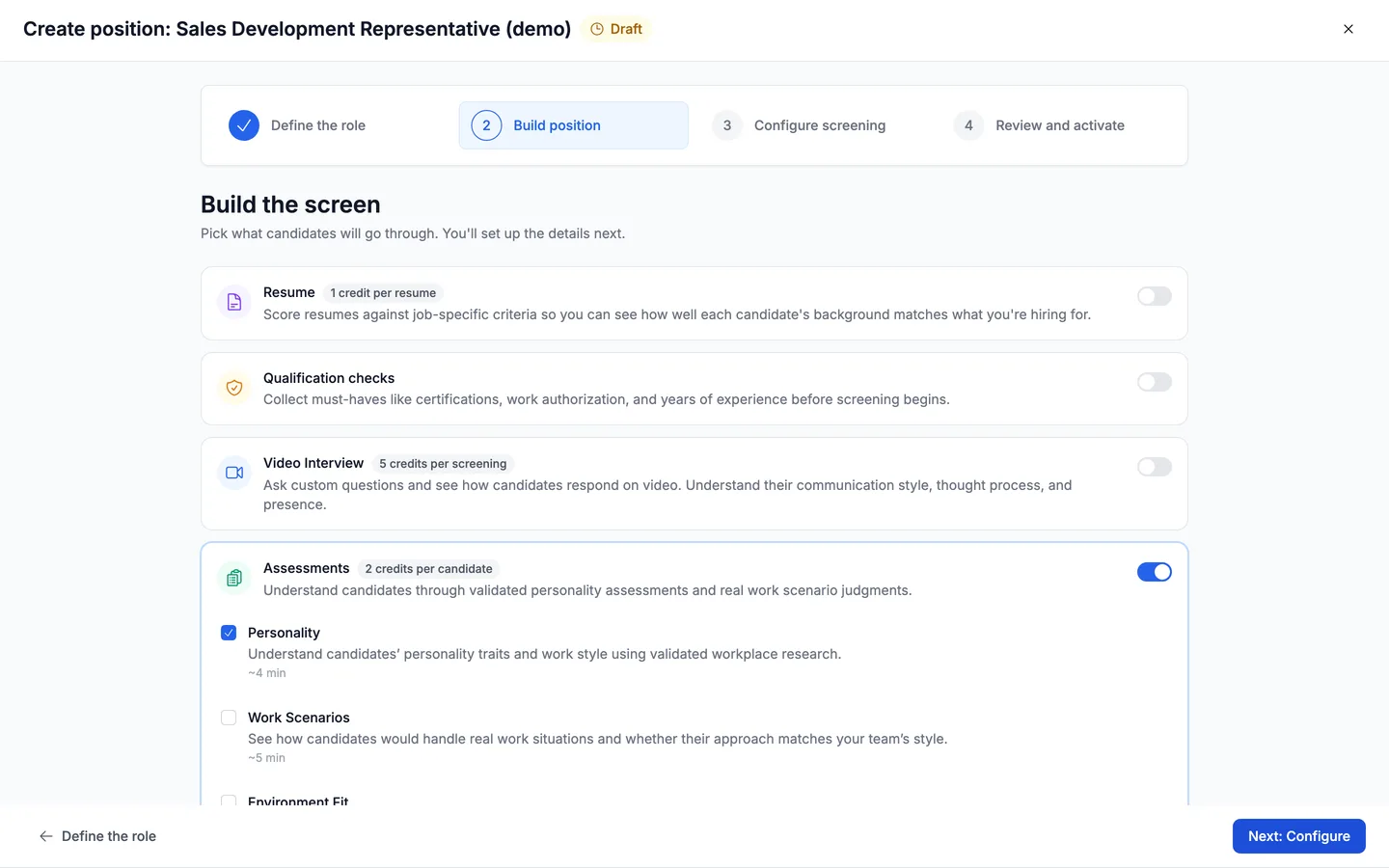
Build the screen arrives with Truffle's suggestions already switched on. Assessments costs 2 credits per candidate and has a switch for each assessment, with the time it takes a candidate: Personality (5 min), Work Scenarios (6 min) and Environment Fit (2 min). Here Personality arrives on, marked Suggested, with a line that ties it to the work style in your role brief. Check that the Personality switch is on.
3Decide what else runs
Personality can run on its own. This guide switches off Resume, Video Interview, Work Scenarios and Environment Fit, and keeps Assessments and Personality on. How this position runs shows the flow: Candidate arrives, Completes assessments, You review. The footer shows the candidate's time (5 minutes) and the credits charged as candidates finish (2). Choose Next: Configure.
Note. Keeping a one-way interview or resume screening on is fine. If every component is off, the page reads Nothing is on. Turn on at least one component. and Next: Configure stays off.
4Choose the assessment length
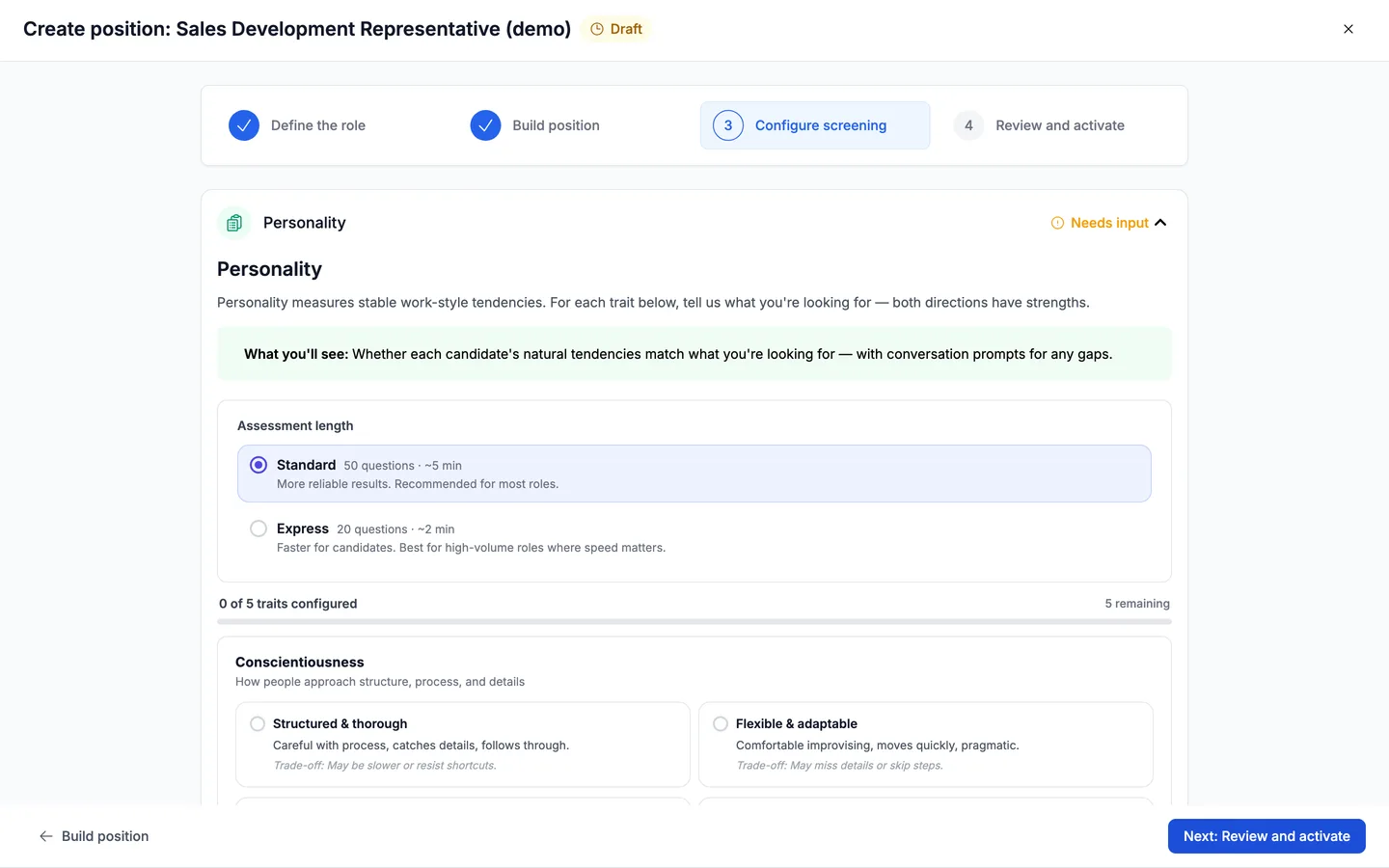
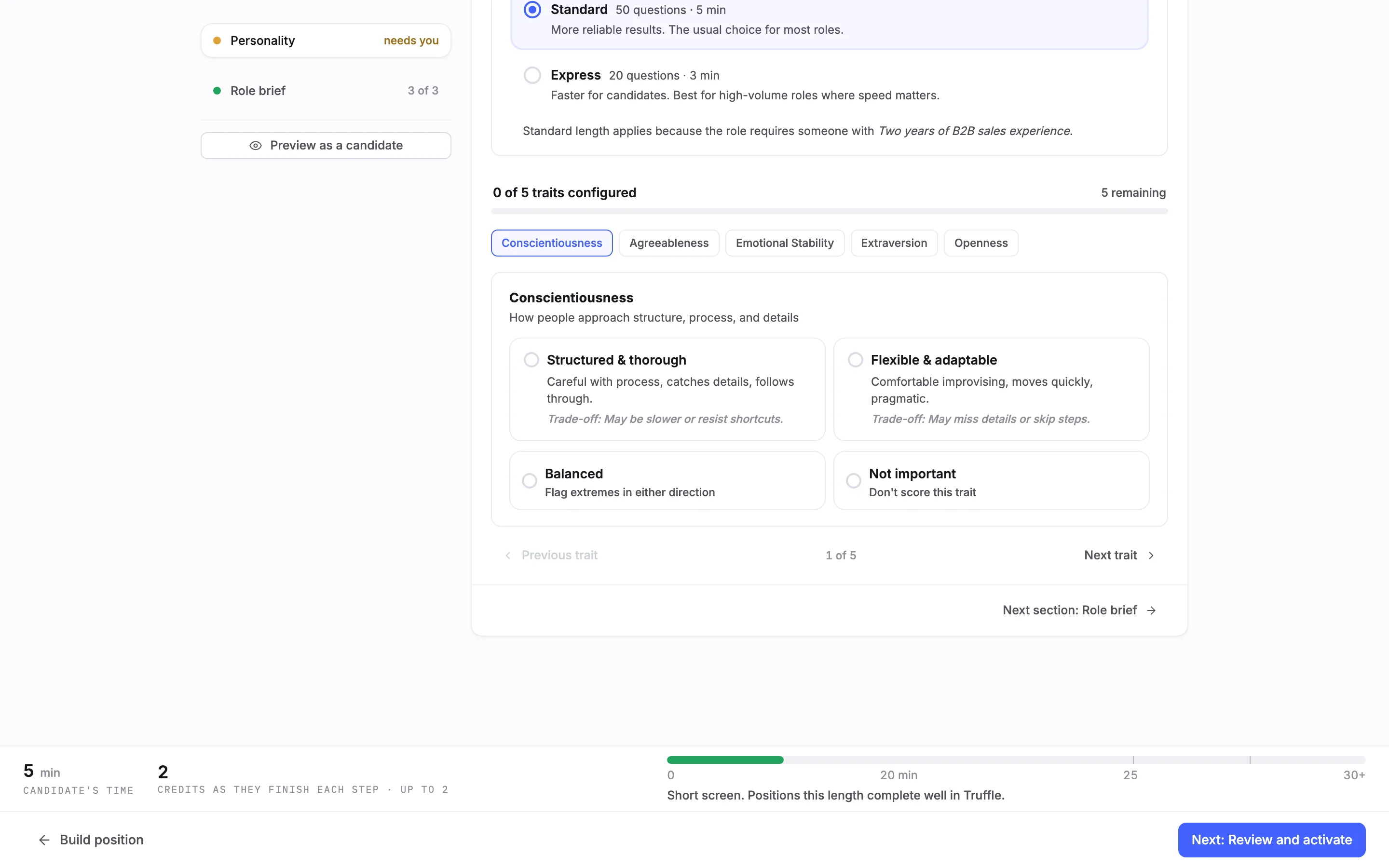
Configure screening opens on Personality, marked needs you in the list of sections on the left. Under Assessment length, Standard is 50 questions · 5 min: More reliable results. The usual choice for most roles. Express is 20 questions · 3 min: Faster for candidates. Best for high-volume roles where speed matters. Truffle adds a line on which length fits the role. Here it suggested Standard. This guide keeps Standard.
5Set a direction for each trait
Below the length are five traits: Conscientiousness, Agreeableness, Emotional Stability, Extraversion and Openness. Truffle never suggests these. You choose. Each trait card offers two directions, each with its trade-off. For Conscientiousness, Structured & thorough carries Trade-off: May be slower or resist shortcuts. and Flexible & adaptable carries Trade-off: May miss details or skip steps. Balanced (Flag extremes in either direction) scores the trait without picking a side. Not important (Don't score this trait) leaves it out. Choosing an option moves you to the next trait.
6Finish all five traits
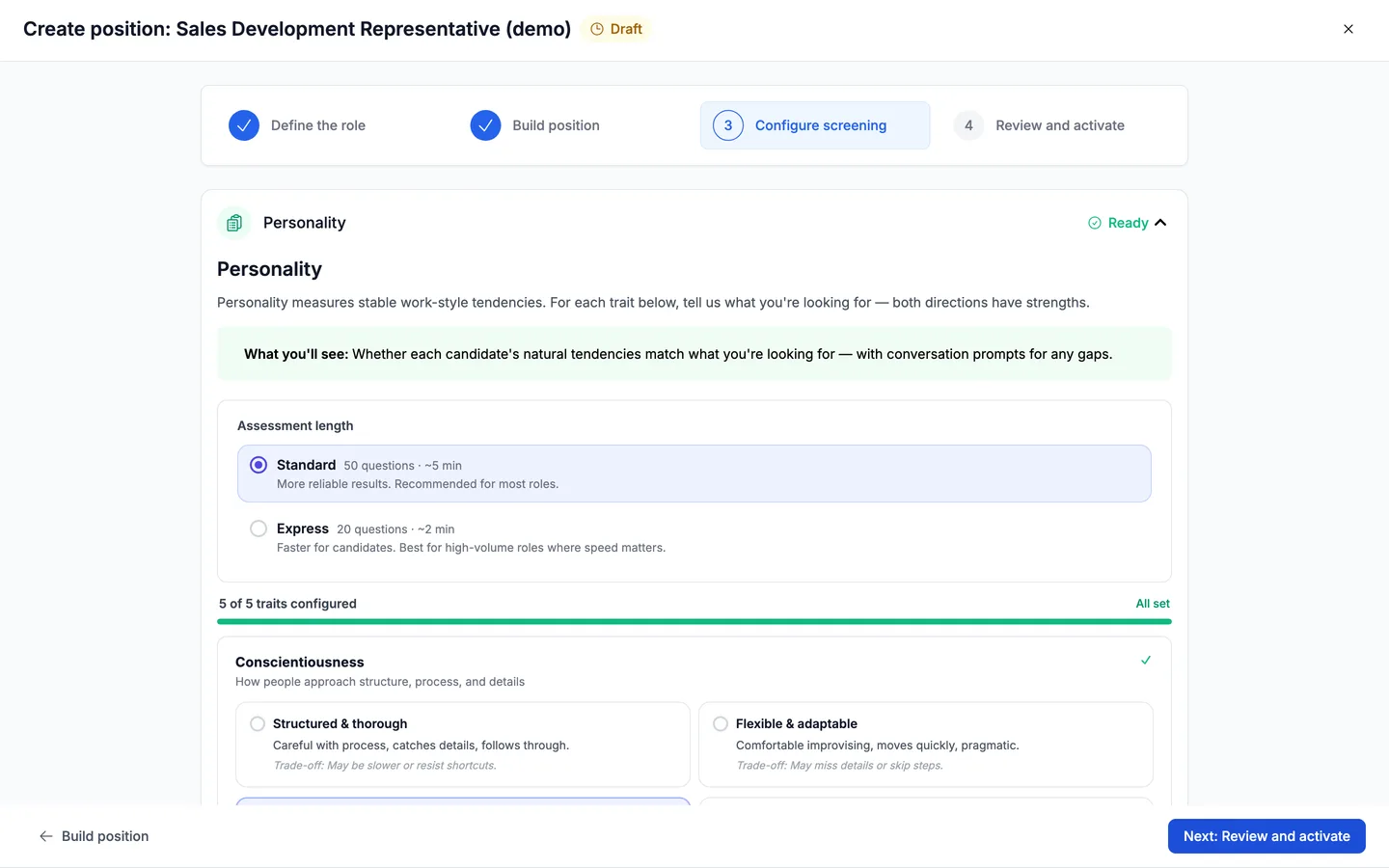
The counter runs from 0 of 5 traits configured to 5 of 5 traits configured and All set, and the section turns Set. For this Sales Development Representative we chose Structured & thorough, Balanced on Agreeableness, Calm & steady, Outgoing & assertive, and Not important on Openness.
Note. Every trait needs a choice. If you move on early, the section reads, for example, 4 traits still need your selection before saving. At least one trait must be scored: with all five on Not important, it reads At least one trait must be set to something other than "Not important."
7Review and activate
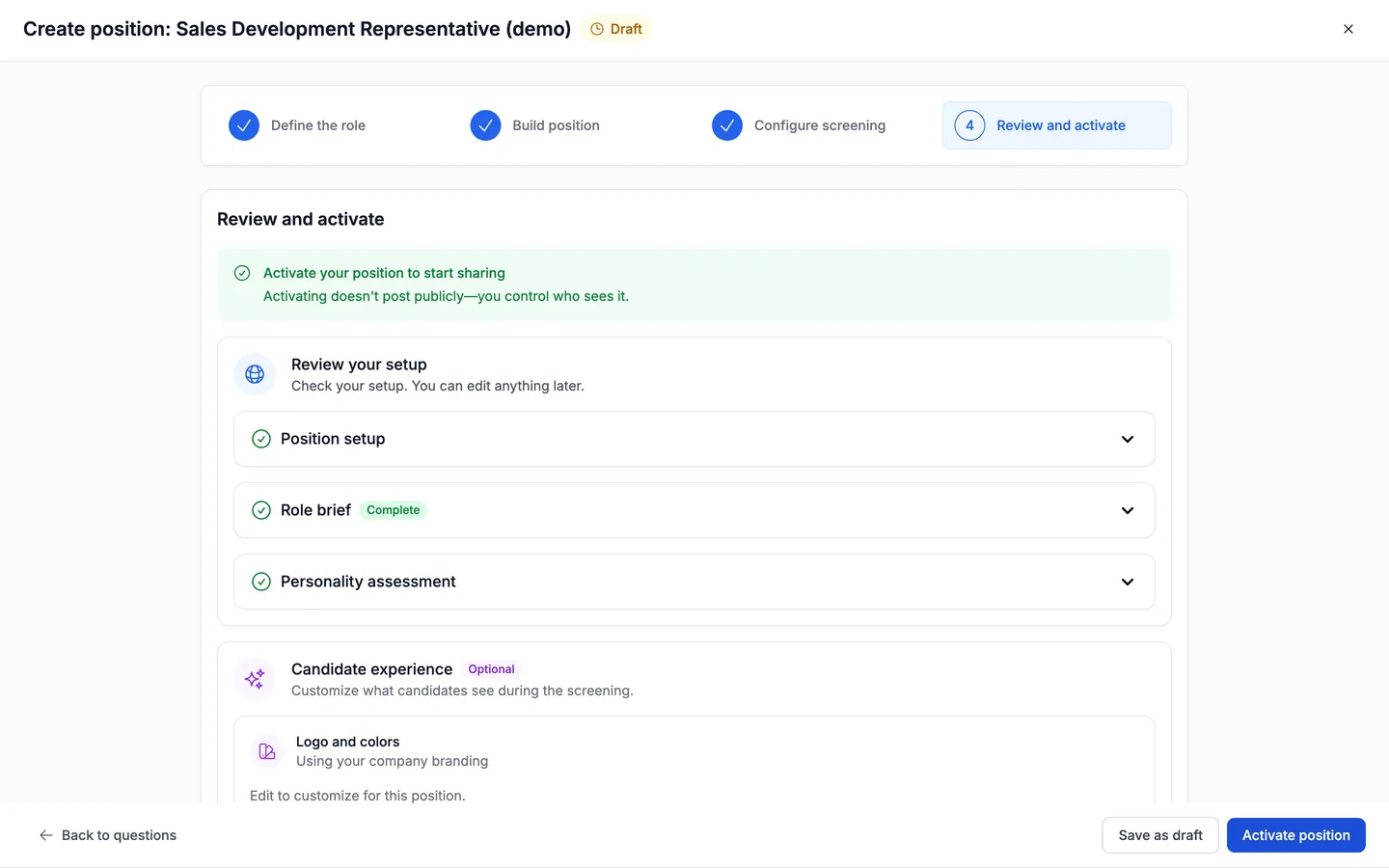
Choose Next: Review and activate. Under Review your setup, Personality assessment reads Set. Choose Activate position, or Save as draft to finish later. Activating opens Get candidates, which reads Your position is live, with a Shareable link to send to candidates.
8What candidates see first
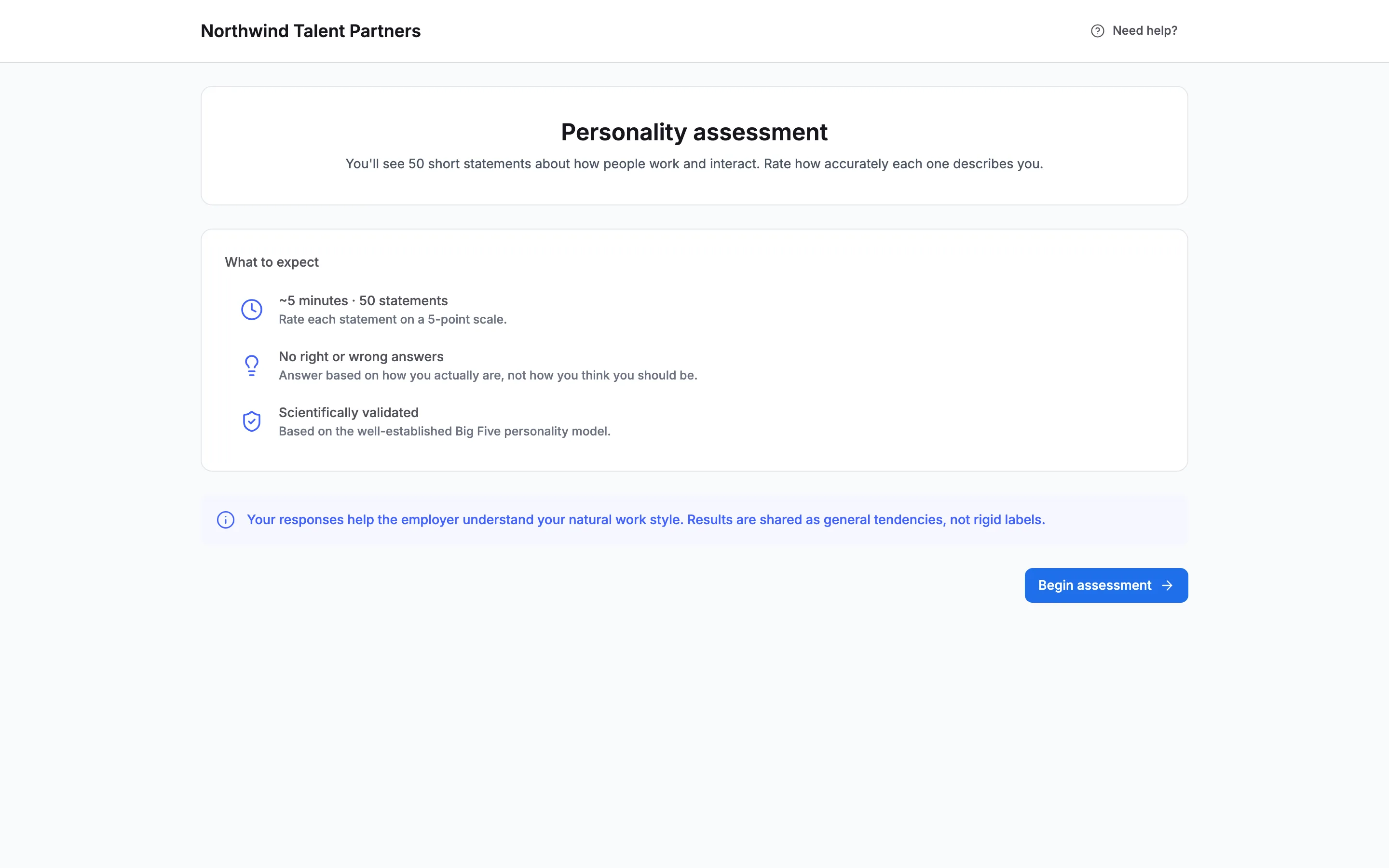
The welcome page lists Personality assessment, Rate statements about your work style., and ~5 minutes. After their details, candidates see an intro: ~5 minutes · 50 statements, Rate each statement on a 5-point scale., and No right or wrong answers. It tells them their responses help the employer understand their natural work style, and that results are shared as general tendencies, not rigid labels. They choose Begin assessment.
9How candidates answer
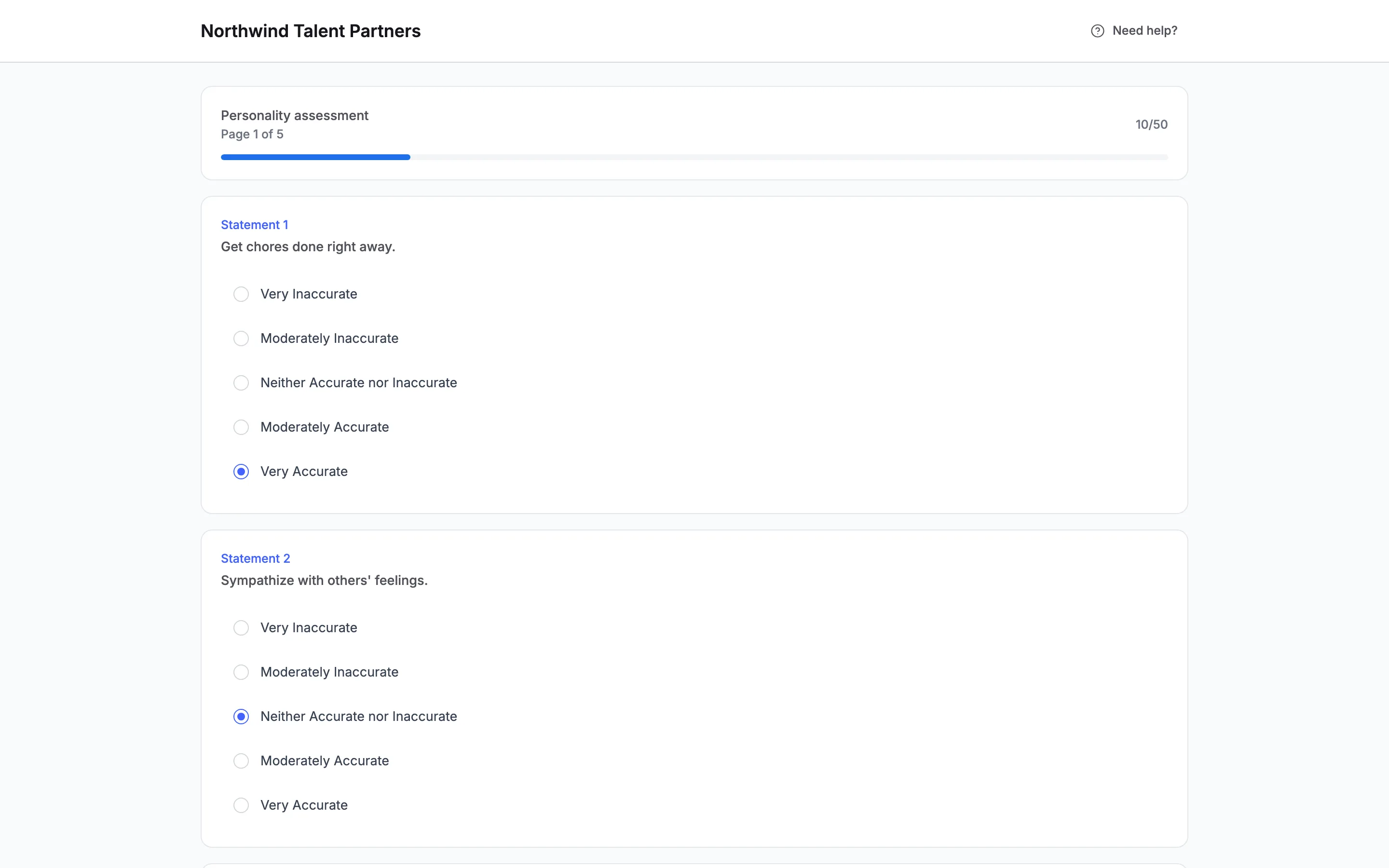
Candidates rate each statement from Very Inaccurate to Very Accurate, ten statements to a page, with a progress bar (Page 1 of 5). They move on with Next and finish with Complete. Finish later saves their answers so they can come back with the same link and email address. When they finish, they see Screening complete and Personality assessment completed.
10Read the result on the candidate
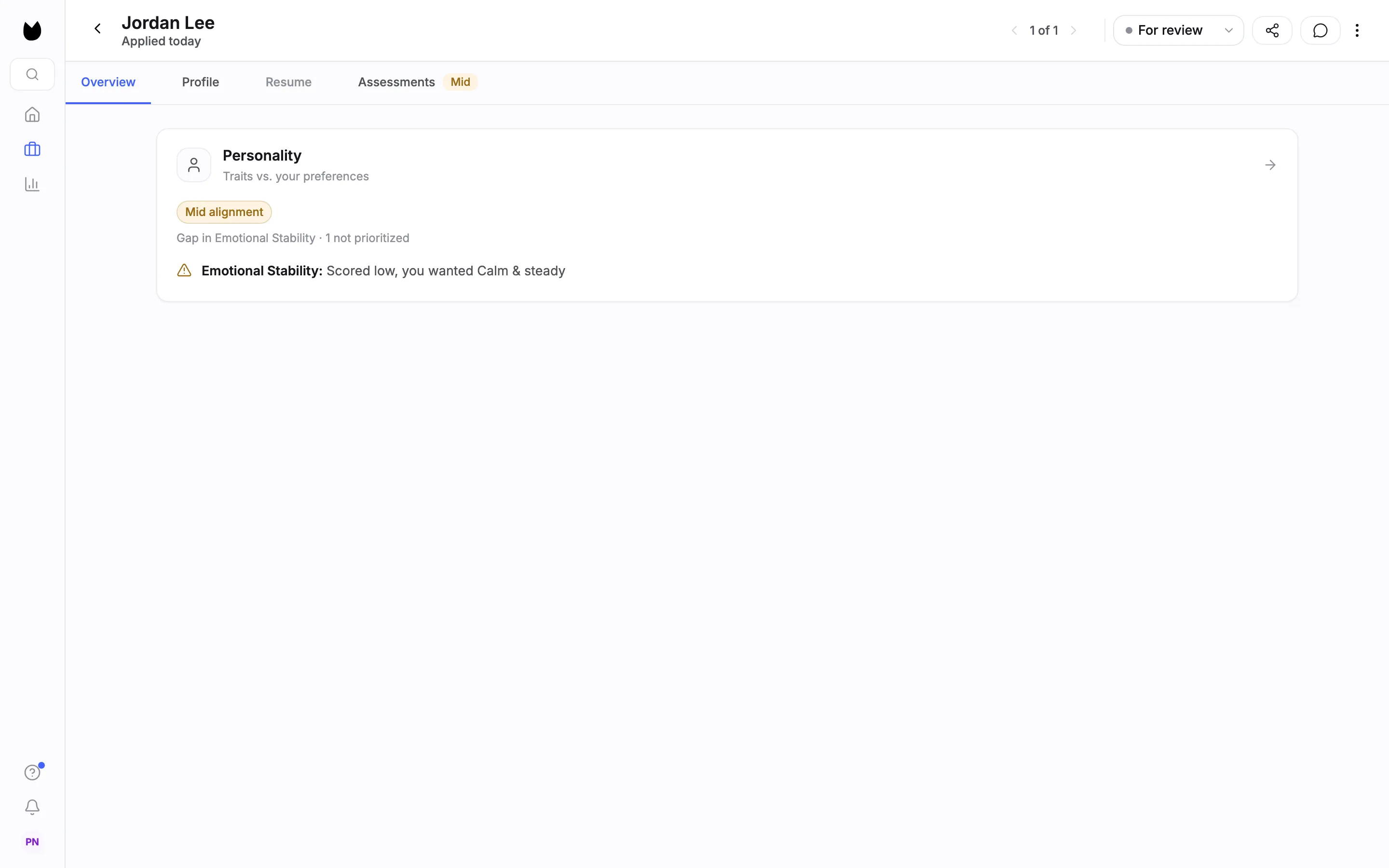
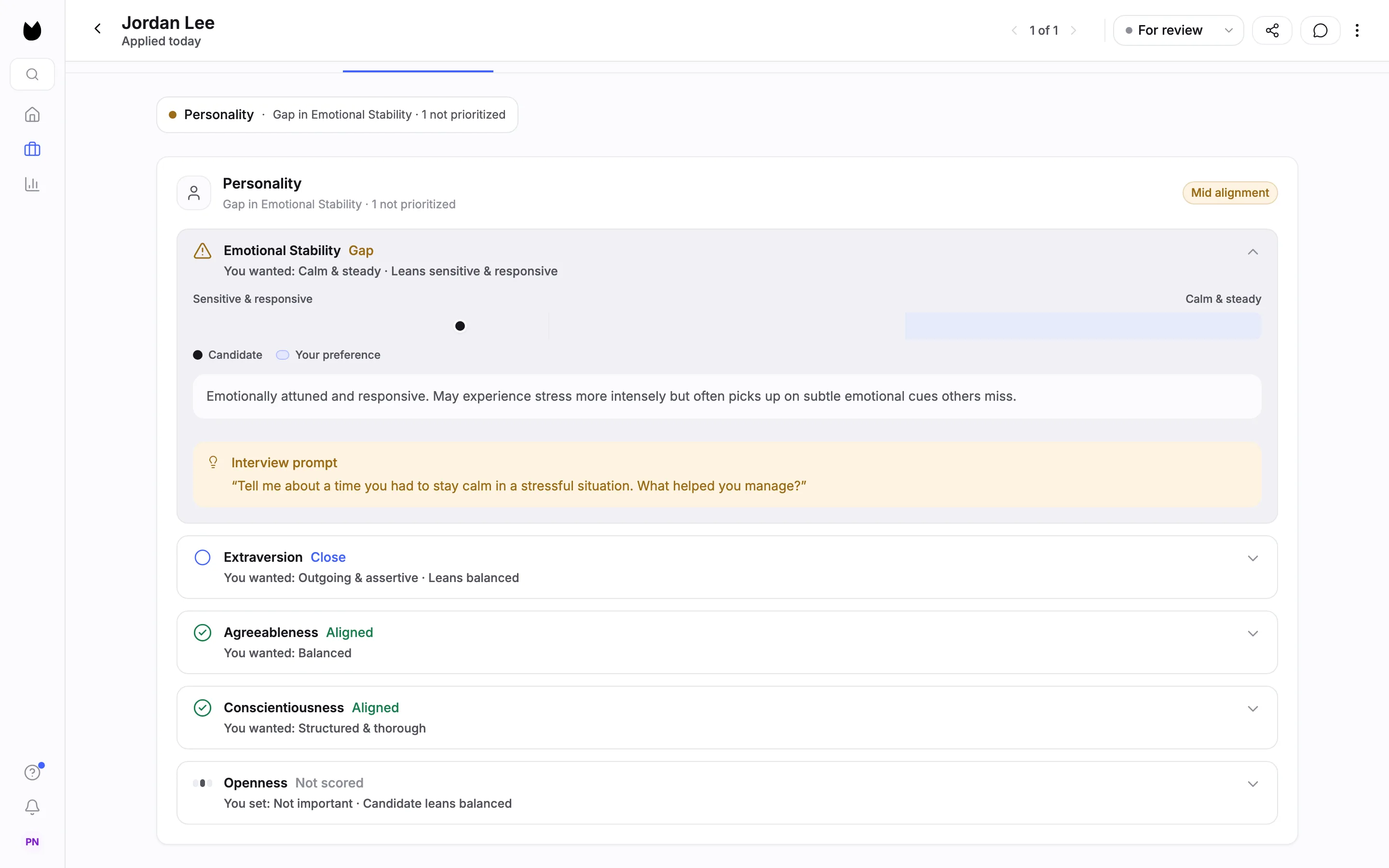
Results appear as soon as a candidate completes the assessment. Open the candidate. On Overview, the Personality card reads Traits vs. your preferences, with how closely the candidate matches what you chose (here Mid alignment), the traits that are a gap, and a line for each gap, here Emotional Stability: Scored low, you wanted Calm & steady. The Assessments tab carries the assessment signal, High, Mid or Low (here Mid).
11See each trait against what you chose
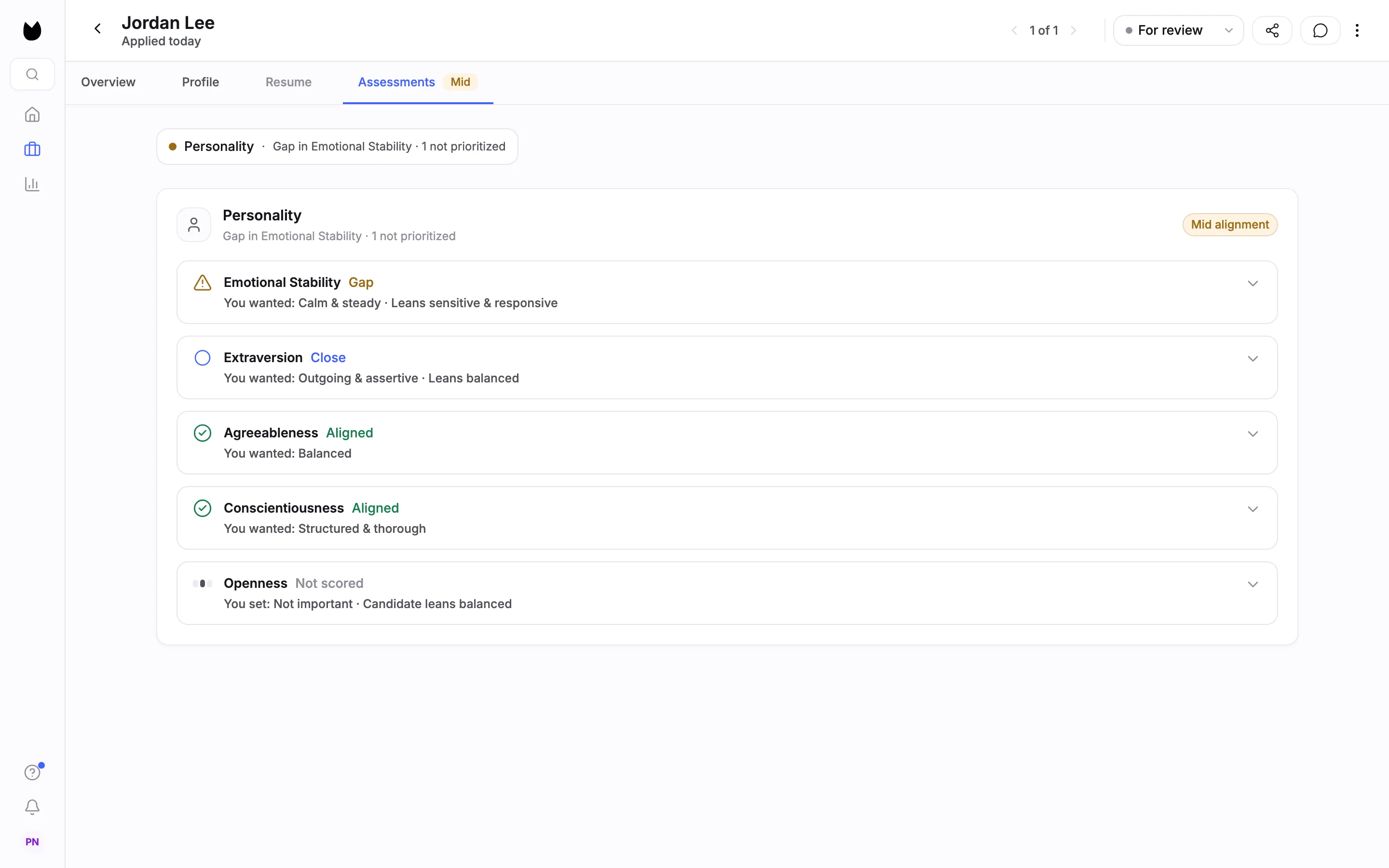
Open the Assessments tab. Each trait you scored gets a row: Gap, Close or Aligned, with You wanted: and where the candidate leans, such as You wanted: Calm & steady · Leans sensitive & responsive. A trait you set to Not important reads Not scored, with where the candidate leans anyway.
12Use a gap as an interview question
Open a trait row. A bar runs between the trait's two directions and marks the Candidate against Your preference. Below it is a plain description of the tendency. Gaps and close calls add an Interview prompt, here Tell me about a time you had to stay calm in a stressful situation. What helped you manage? Use it to talk the gap through. The result is one input to your decision. It rejects no one.
Note. On the position's candidate list, the ASSESS column shows the same signal for every candidate, so you can compare them.
Questions
Does Truffle choose the traits for me?
No. Truffle can suggest switching Personality on and which length fits, but it never suggests a trait direction. You choose a direction, Balanced or Not important for each of the five traits.
Should I pick Standard or Express?
Standard is 50 questions and about 5 minutes, and the product describes it as more reliable and the usual choice for most roles. Express is 20 questions and about 3 minutes, for high-volume roles where speed matters.
What do Balanced and Not important do?
Balanced scores the trait without preferring a direction and flags extremes either way. Not important leaves the trait out of the result, which shows it as Not scored. You need a choice on all five traits, and at least one must be something other than Not important.
Does a personality result reject candidates?
No. The result shows how a candidate's tendencies line up with what you chose, with interview prompts for the gaps. It rejects no one. The only automatic rejection in Truffle is a qualification check you set to Reject automatically.
How long does it take candidates?
Personality takes about 5 minutes at Standard length (50 statements) and about 3 minutes at Express (20). Build position lists Work Scenarios at 6 minutes and Environment Fit at 2, so all three assessments together take about 12 to 13 minutes.
What does it cost?
Assessments cost 2 credits per candidate, charged when a candidate completes them. A candidate who never starts costs nothing. The 7-day free trial includes 30 credits, with no credit card.
Can I run Personality without a resume screen or video interview?
Yes. A position can run Personality on its own, as this guide does, or alongside resume screening, a one-way interview and the other assessments.
Is the Personality assessment validated?
It is built on the Big Five personality model, using validated, public-domain research. Candidates rate statements about how they work. Results describe tendencies and how they compare to your preferences. They do not label a candidate with a personality type.
Related
See something here that doesn't match what you see in Truffle? Tell us and we'll fix the page.