The 7 best AI recruiting software tools in 2026, with prices
We first published this roundup in 2024, at the height of the AI recruiting gold rush. Two years on, here are the 7 AI recruiting tools worth your money, with every starting price sourced and a plain account of what the AI actually does.

AI summary
- Price is the fastest way to tell AI recruiting tools apart. A $15 per seat ATS and a $50,000 enterprise contract are not the same product, so every tool here leads with its starting price and billing model.
- Truffle is the pick for screening a large number of applications with resume criteria, one-way interviews and assessments in one workflow, from $49 a month with a 7-day free trial, 30 credits and no credit card.
- Workable and Manatal are the ATS options with AI added, Juicebox is for sourcing, and Greenhouse, Paradox and HireVue are enterprise contracts that start in five figures before implementation.
We first published this back in 2024 at the height of what I’ll call “the great AI recruiting software gold rush”. It was a frothy time where everyone was launching tools and buying tools and there was a lot of hype and misconceptions about what AI could and couldn’t do.
Fast forward two years and things have settled down (a bit). People still debate the merits of AI in recruiting, but they mostly (begrudgingly) accept that it’s here to stay.
So it seems like a good time to revisit our best AI recruiting software roundup. Like before we lead with both price and capabilities because:
- A $15 per seat ATS and a $50,000 enterprise contract for an AI-powered screening tool are not the same.
- “AI” on a website can mean a dumb keyword filter or a chatbot that takes your name, hacks the Pentagon and knows what your dog had for dinner (I’m joking, kind of).
Buckle up buttercup.
How we evaluate and test recruiting software
AI made listicles the thing to do. And anything that is suddenly an in vogue tactic becomes an ideal target for slop. We do things a little differently.
Our reviews are written by real people who have spent years using, testing, and buying hiring tools. Where possible we sign up for trials and we hold every product to the same criteria: what it does, what it costs, time-to-value, and whether it solves the hiring problems we know small teams face every day (because we talk to them).
Truffle is our product, and we are upfront about that. We describe every tool, ours included, by what it actually does and who it fits best.
Competitor pricing comes from each vendor’s current pricing page or from verified buyer contract data, checked regularly, and where a figure is reported rather than published it is labeled as an estimate.
The 7 best AI recruiting software tools in 2026
- Truffle for screening a large number of applications with resume criteria, one-way interviews and assessments in one workflow, from $49 a month
- Workable for an all-in-one ATS with AI sourcing, from $299 a month on annual billing (1-20 employees)
- Manatal for the cheapest ATS with AI candidate recommendations, from about $15 per user a month
- Greenhouse for structured hiring at mid-size companies, custom quoted with a median contract near $26,600 a year
- Juicebox for natural-language candidate sourcing, from $99 per user a month
- Paradox for conversational scheduling and engagement in high-volume enterprise hiring, now part of Workday, contact sales pricing
- HireVue for enterprise video interviewing and assessments, no published price (Vendr puts the median buyer at about $20,900 a year)
AI recruiting software at a glance
| Tool | Starting price | Billing model | What the AI does | Best for |
|---|---|---|---|---|
| Truffle | $49/month (Starter, 200 credits); $99/month billed annually (Core) | Credit pool, unlimited users | Reads resumes, one-way interviews and assessments against your criteria and ranks with reasons shown | Lean teams screening high applicant volume |
| Workable | $299/month (Standard, billed annually, 1-20 employees); $360 monthly | Flat tier, scales with headcount | AI sourcing from a 400M profile database, screening and job ad writing with Workable Agent | Teams that want a full ATS with sourcing built in |
| Manatal | About $15/user/month billed annually | Per user | Recommends candidates from your database and job boards against each role | Small agencies and in-house teams on a budget |
| Greenhouse | Custom quote; median tracked contract about $26,600/year | Annual contract by headcount | Talent Matching ranks applicants against the job; AI report filters and scorecard help on higher plans | Mid-size companies that want structured hiring |
| Juicebox | $99/user/month billed annually ($119 month to month) | Per user | Plain-language search across 800M+ profiles with AI sourcing agents | Finding passive candidates without Boolean strings |
| Paradox | Contact sales; review sites report from about $1,000/month | Annual contract | Olivia chatbot screens, answers questions and books interviews by text | Enterprise and franchise hiring at scale |
| HireVue | Contact sales; Vendr median about $20,900/year | Custom contract | Structured video interviews with AI scoring and game-based assessments | Enterprises interviewing thousands of candidates |
Published prices were checked against each vendor’s pricing page as of October 2026. (These are the days of Mad Max style pricing as AI changes the math on a daily basis.)
What AI recruiting software does
What is AI recruiting software? A question even the ancient Greeks pondered. Or maybe it was the ancient VCs of Silicon Valley from 2024. We’ll forgo a very complicated and long-winded explanation and try to keep it succinct:
- Sourcing. Finding people who have not applied for your job but seem like a good fit, by searching profile databases and running outreach. Juicebox, hireEZ and Workable’s sourcing suite live here.
- Screening and ranking. Reading the people who did apply, scoring them against what the role needs, and putting the strongest matches at the top. Truffle, Greenhouse’s Talent Matching, and Manatal’s recommendations live here.
- Interviewing and assessing. Recording one-way video answers or running assessments, then analyzing them. HireVue and Truffle live here.
- Engagement and scheduling. Chatbots that answer candidate questions and book interviews. Paradox lives here.
What AI recruiting software you need really depends on what problem you’re solving. Can’t find anyone with a library card and a heartbeat to apply? You probably need sourcing. If you open a job and you’re flooded with applications you probably need the middle two. And if recruiting admin for frontline roles is crushing your spirit then you probably would benefit from a chatbot.
Best for screening a large number of applicants
Truffle
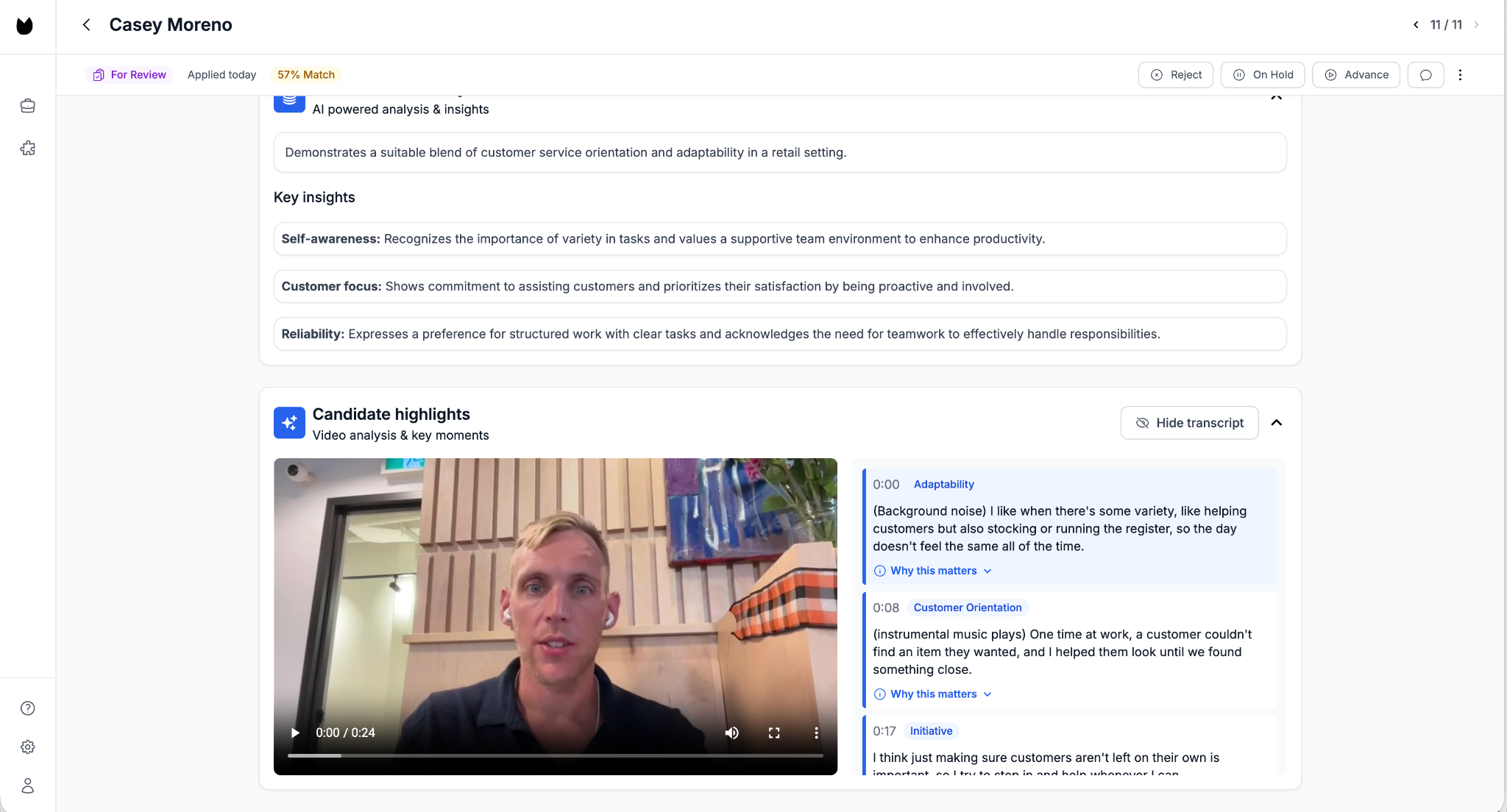
Truffle is an AI screening platform for small teams doing high-volume hiring.
If you read the start of the blog you’ll remember we don’t just try to cram Truffle down your throat. (God that’s a violent metaphor, apologies!)
But this is our list, and so it seems fair given the work that goes into researching and writing this that we go first.
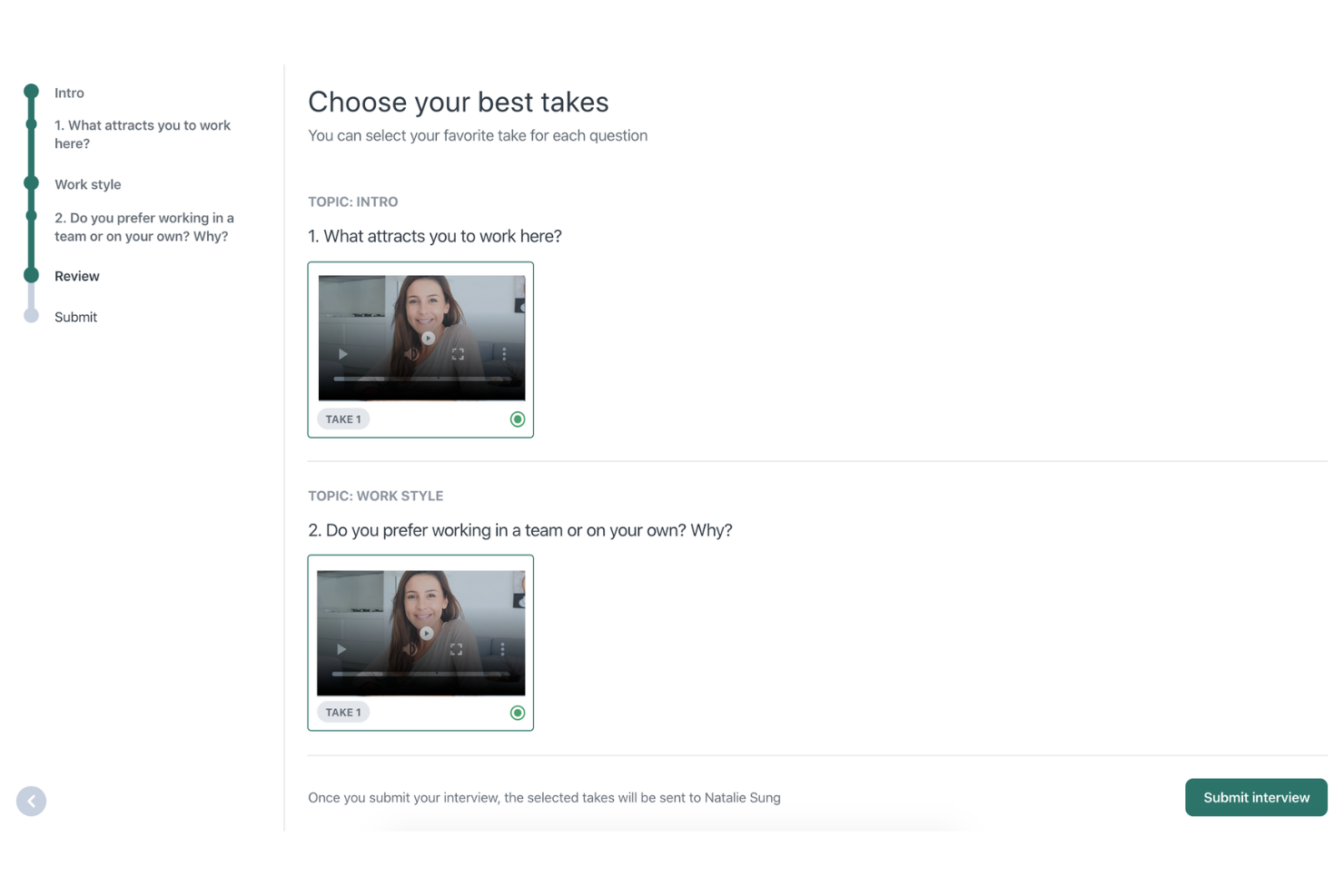
With Truffle you decide what each role is screened on. You can mix and match resume screening, one-way interviews, and what we like to call “AI-proof assessments.”
The neat part of Truffle is that it reads the results/output of these various things against criteria that you set when you’re creating a position. You get very useful summaries and analysis that help you pinpoint who fits and doesn’t. That said, and it’s not because our lawyers told us to write this, AI never makes any decisions.
While we’re as AI-pilled as they come, we think of it more as a helpful assistant helping to highlight things, but it’s not quite almighty enough to identify the nuances and complexities of a decision as important as who to interview and who to reject.
Ohla US, a one-person team, went from screening about 30 applicants a day by hand to reviewing 600 a week, and from 10 hires a week to 70.
Key features
- Resume screening, one-way video interviews and talent assessments in one tool, every feature on every plan
- AI Match scores with visible reasoning per candidate and per response
- Candidate Shorts, a 30-second highlight reel per interview
- Personality, situational judgment and environment fit assessments
- A role goes live in about 10 minutes: paste the job description, accept or edit the suggested questions and criteria, share the link
Works alongside
- The ATS you already have, or no ATS at all. Truffle handles screening and ranking; your ATS keeps the pipeline. Every position also gets a hosted job page with a built-in apply flow.
- Job boards like Indeed. Share the Position Link, or add the position’s import address in Indeed’s job settings so every application imports. Every candidate gets screened against your criteria.
Pricing.
Credit based, with one pool spent across all three methods: a screened resume is 1 credit, an assessment is 2, a completed one-way interview 5.
Starter is $49 a month for 200 credits, roughly one or two roles. Core is $119 a month, or $99 billed annually, for 600 credits. Team is $239 ($199 annually) for 1,500 and Scale is $599 ($499 annually) for 4,000.
Unused credits roll over on Core and up. Unlimited team members on every plan, so the bill doesn’t grow because a colleague logs in. 7-day free trial, 30 credits, no credit card. Rated 4.9 out of 5 on G2.
Best for an all-in-one ATS with AI sourcing
Workable
Workable is one of the OG ATS platforms and something I personally used for several years while working at SimpleTexting.
It’s a pretty complete product if you’re looking for the whole enchilada. It does automatic job posting, sourcing, and some screening too. (I wrote a more detailed breakdown of their AI screening capabilities which are kind of weak and expensive.)
So for the purpose of this article I’ll focus on two other elements of its AI recruiting offering: AI sourcing and Workable’s AI agent. Its AI sourcing searches a database of 400 million profiles against your job and surfaces people to contact, and its Workable Agent writes job ads, screens applications and answers candidate questions. The Agent runs on AI credits on any paid plan, not just the higher ones.
One of my major gripes with the ATS category is the way these platforms price. Workable prices by your employee headcount, not by how much you hire, so a 60-person company that posts three roles a year pays more than a 20-person company that posts thirty.
Seems kind of whacky that you’re not paying based on usage.
Key features
- Full ATS with unlimited active jobs, careers page and one-click posting to 200+ job boards
- AI sourcing from a 400M profile database with contact details
- Video interviews, assessments and texting bundled on Premier
- 290+ integrations
What to consider
- Standard does not include video interviews or assessments. They’re add-ons there ($109 and $59 a month on annual billing at 1-20 employees) and come bundled from Premier at $599 a month, billed annually only.
- AI screening (Workable Agent) scores applicants 0-100 with reasons per criterion, but it runs on paid AI credits, works in English only and isn’t in the free trial.
- The bill tracks headcount, so it rises as you grow even if hiring volume does not.
Pricing. For companies with 1-20 employees, Standard is $299 a month billed annually ($3,588 a year) or $360 month to month. Premier is $599 a month and Enterprise $719 a month, both annual only, and all three rise with headcount. Moving to a paid plan grants a one-off 3,000 Workable Agent credits that expire after a year; more are sold in packs. Full breakdown in our Workable pricing guide.
Best for the cheapest ATS with AI recommendations
Manatal
If Workable is like the Outback Steakhouse of ATS (mid-range), Manatal is the budget option.
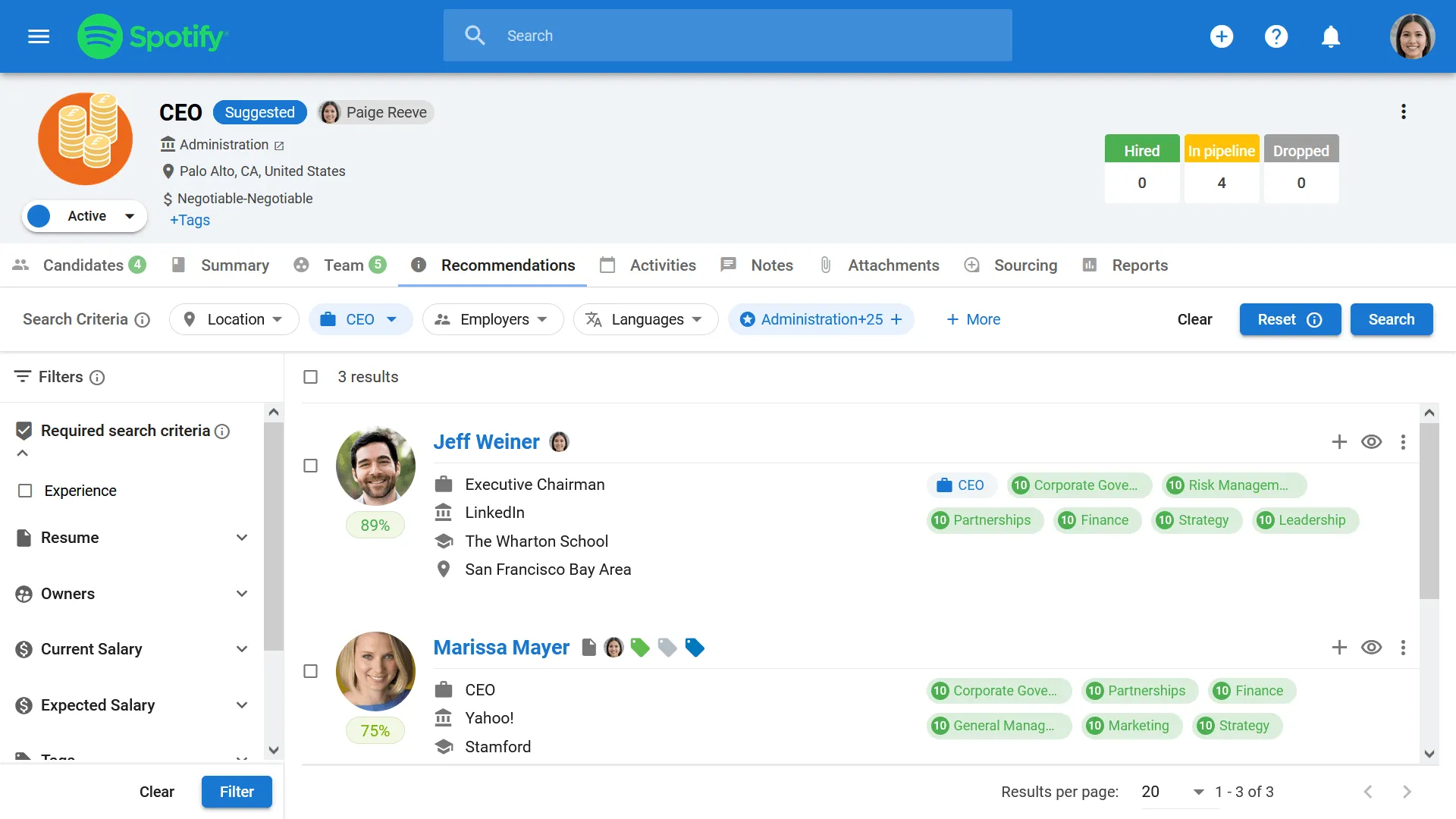
Their AI recommends candidates for each job from your own database and from the job boards you post to, builds profiles by pulling in public social data, and runs a Kanban pipeline that is nice and clean. They also added an AI interviewer recently which I tried to try out but couldn’t due to it being behind a paywall on their trial.
Its recommendations are a little basic though, they’re a match on skills and keywords rather than a read of each applicant against your criteria. For a team who just needs to get organized and doesn’t get a ton of candidates, that’s mostly fine.
Key features
- AI candidate recommendations per job from your database and job boards
- An AI interviewer
- Profile enrichment from public social profiles
- Posting to 2,500+ job boards, careers page, client portal for agencies
- Email integration and reporting
What to consider
- Per-user pricing adds up for a bigger team, and the AI features sit on the higher tiers.
- No one-way interviews or assessments. Screening stops at the resume unless you pony up for the AI interviewer.
- Support is email and chat. There’s no implementation team at this price, which is also fair enough. But I have heard anecdotal evidence that they don’t look after customers as well who have fewer seats.
Pricing. From about $15 per user a month billed annually ($19 month to month) on the Professional plan, rising to about $35 and $55 per user for the Enterprise tiers, per Manatal’s pricing page in October 2026. 14-day free trial.
Best for structured hiring at mid-size companies
Greenhouse
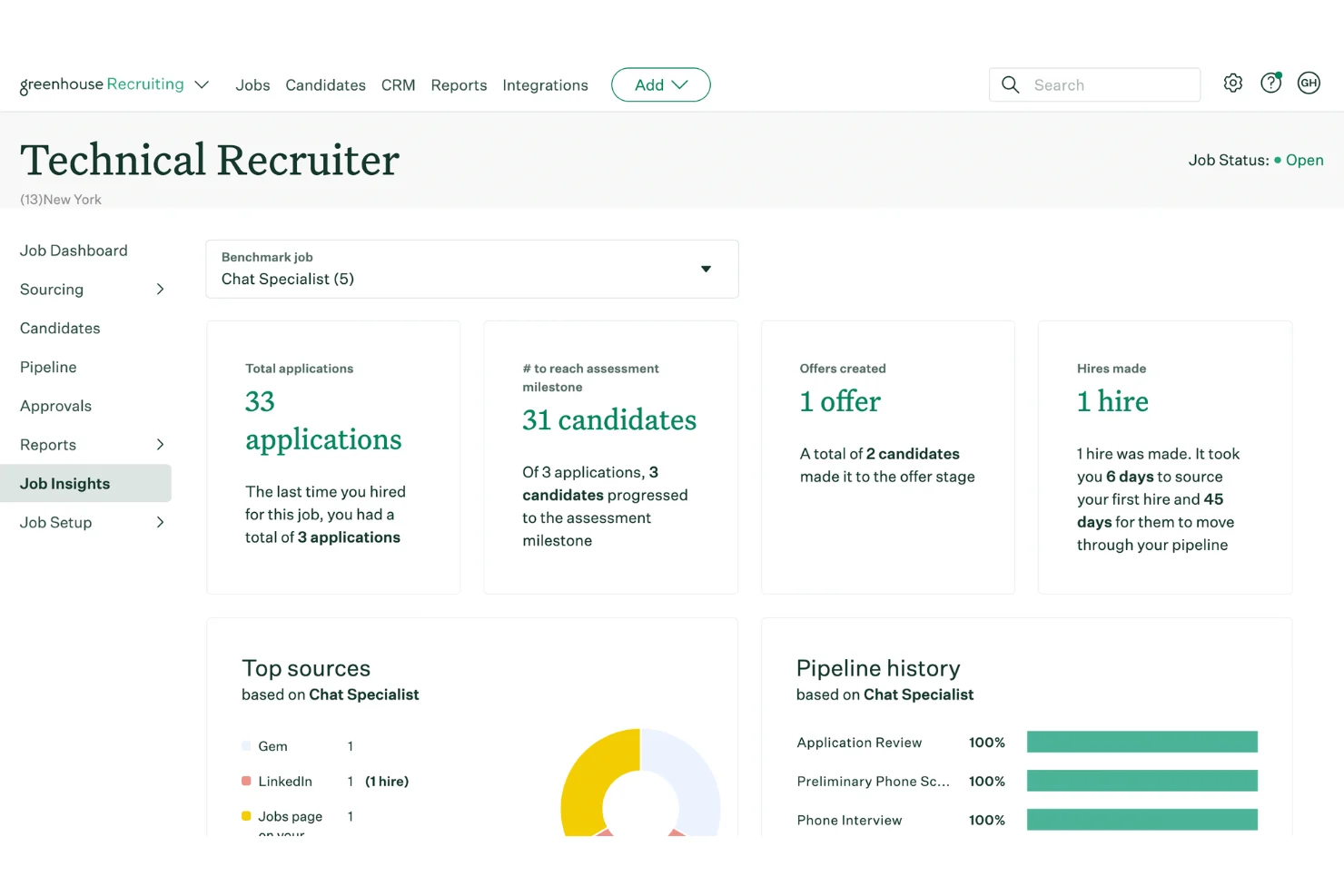
Greenhouse is often described as an ATS teams graduate to: scorecards for every interview, structured interview kits, and reporting that tells you about your hiring funnel.
Greenhouse’s AI helps you run hiring behind the scenes but doesn’t do the screening. Its one screening feature reads only resumes and comes as an unpriced add-on.
There are no video interviews or assessments, so the AI only joins once you’re on a live call. That’s fine for cautious enterprises, but small teams buried in applicants get no help. (Their fraud detection is strong, though.)
Key features
- Structured hiring with scorecards and interview kits on every plan
- Talent Matching ranks applicants per job, and Pro adds anonymization and audit logs
- 500+ integrations, including screening tools like Truffle
- Real Talent suite (fraud detection, ID verification) as a separate add-on since February 2026
What to consider
- No published price, and implementation runs $1,000 to $15,000 on top of the subscription.
- Annual contracts scaled to headcount, so the entry point is five figures.
- No one-way interviews or assessments. Those come from the integration marketplace.
Pricing. Custom quoted in three plans (Core, Plus, Pro). Vendr’s data across 865 tracked purchases puts the median contract near $26,600 a year, ranging roughly $10,200 to $75,200.
Our Greenhouse pricing guide has the full breakdown.
Best for natural-language candidate sourcing
Juicebox
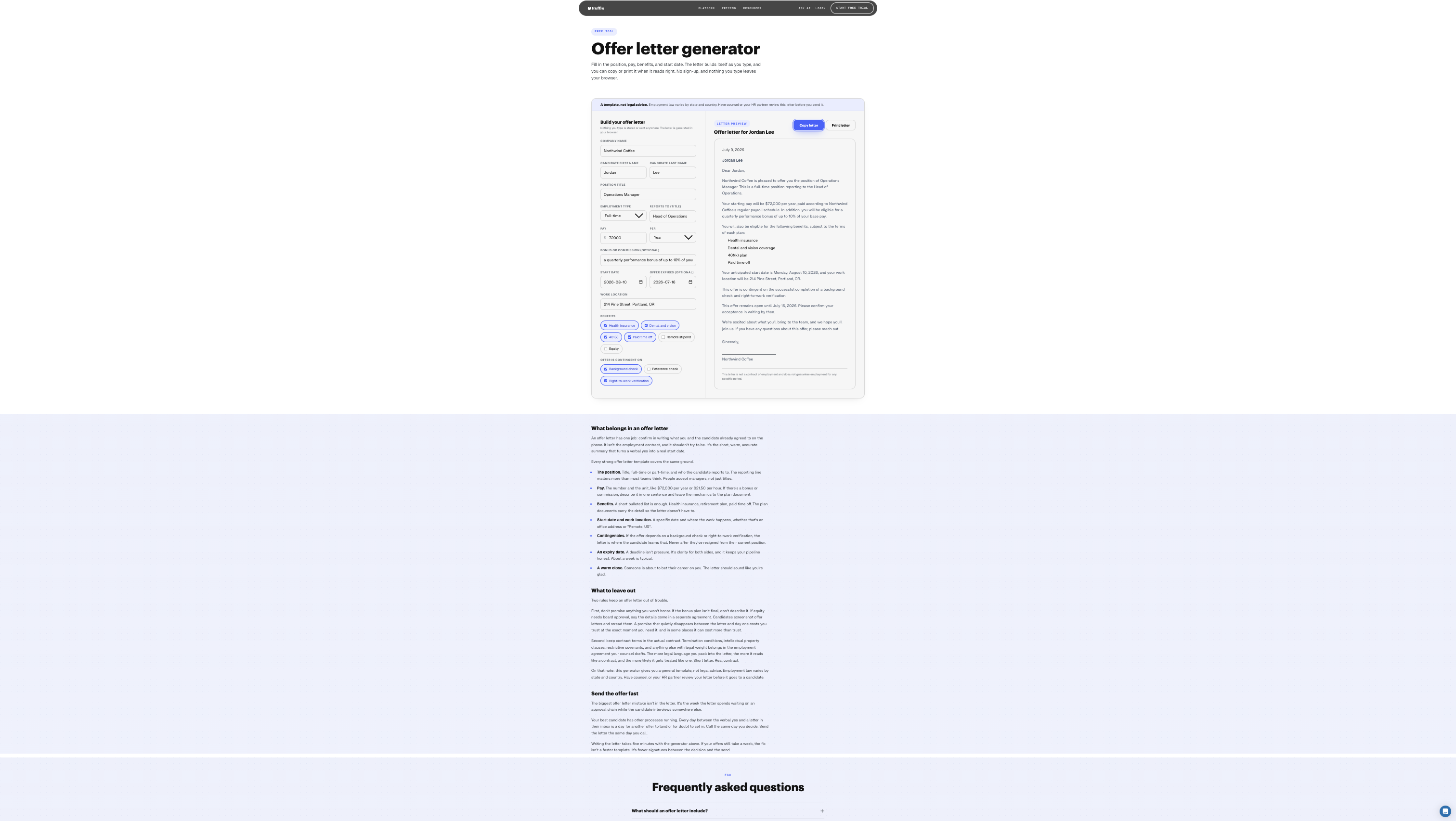
Juicebox raised a lot of money to solve the problem of sourcing. You describe the person in plain English (“SDR with two years in SaaS, based in Denver, has sold to healthcare”) and PeopleGPT searches more than 800 million profiles across 30+ sources to return ranked matches with verified contact details. Its AI sourcing agents then run the repetitive discovery and first-touch outreach.
It does one job and does it faster than Boolean search, which is why it belongs here.
Key features
- Plain-language search across 800M+ profiles with contact lookup
- AI sourcing agents for discovery, filtering and outreach drafts
- Pushes sourced candidates into leading ATS and CRM platforms
What to consider
- Per-user pricing, so a three-person sourcing team pays three seats.
- Sourcing only. Screening, interviews and assessments happen somewhere else.
Pricing. $99 per user a month billed annually, or $119 month to month, with a higher tier at $179 to $199, per Juicebox’s pricing page in October 2026. A free plan with limited searches exists.
Best for conversational scheduling in enterprise high-volume hiring
Paradox
Paradox is the Olivia chatbot: candidates apply by text, answer screening questions in chat, and get an interview booked without a human touching the calendar. McDonald’s, Chipotle and 7-Eleven run it. Workday bought Paradox in October 2025 for a reported $1 billion, and Olivia is being folded into Workday’s talent suite which creates a degree of uncertainty.
It’s here because it’s one of the most cited names in the category, not because it fits a small team. The pricing and the implementation are built for a franchise system or an enterprise, and in June 2025 security researchers accessed applicant chat data through a Paradox test account secured with the password “123456,” which is worth reading about before you sign.

Key features
- Text and chat-based application, screening questions and FAQ answers
- Automated interview scheduling against manager calendars
- Native Workday integration post-acquisition, plus SAP, Oracle, iCIMS and Greenhouse
What to consider
- No published price. Setup and integration are reported at $15,000 to $35,000.
- Olivia screens on knockout questions, not on a read of resumes, interviews or assessments.
- Product direction now sits inside Workday.
Pricing. Contact sales. Independent review sites put the starting point around $1,000 a month, with mid-size deployments estimated at $30,000 to $95,000 a year. Our Paradox pricing guide has the sources.
Best for enterprise video interviewing and assessments
HireVue
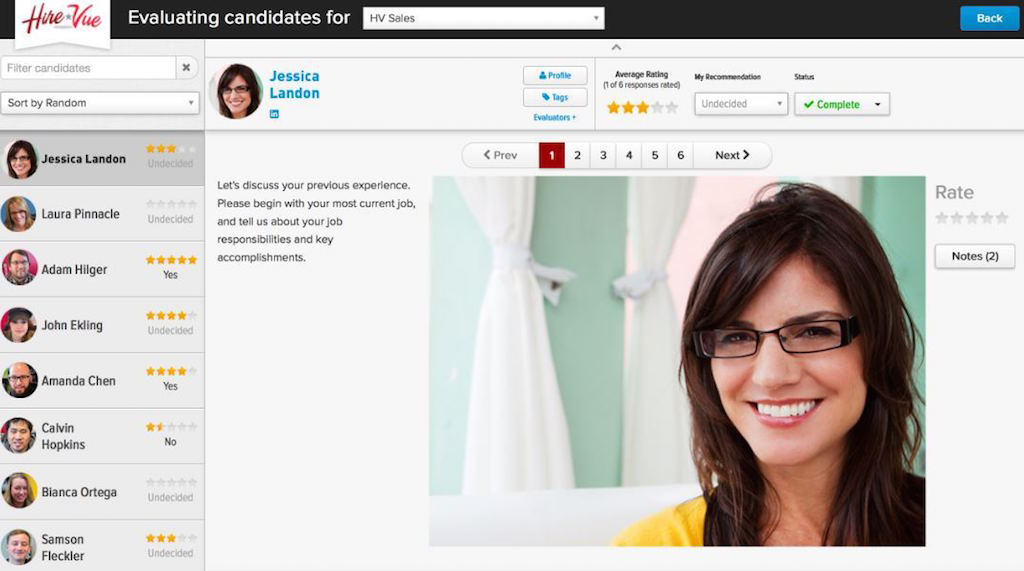
HireVue is a lot like Truffle, but just for giant enterprises who can afford a five-figure annual contract. It has done structured video interviewing longer than anyone and still does it at a scale nobody else matches: one-way and live video, AI scoring of responses, game-based and cognitive assessments, coding tests, deep ATS integrations. For a company interviewing 100,000 candidates a cycle, it’s the best choice.
For everyone else the issue is the buying motion. There is no pricing page, implementation is measured in weeks to months, and Vendr’s community notes say auto-renewal needs 60 days’ notice to opt out.
Key features
- One-way and live video interviewing with structured question banks
- AI response scoring, plus game-based and coding assessments
- Integrations with Workday, Greenhouse, SAP SuccessFactors, Oracle HCM and iCIMS
What to consider
- Quote-only pricing, so you can’t budget without a sales call.
- No resume screening layer. It assumes an enterprise ATS handles that.
- Candidates and journalists have raised fair questions about how its scoring models work. Whatever tool you pick, you should be able to see why someone ranked where they did.
Pricing. Contact sales. HireVue doesn’t publish pricing. Vendr’s marketplace data puts the median buyer at about $20,900 a year (range roughly $9,800 to $41,000). Our HireVue pricing guide and HireVue alternatives cover the pricing and the options.
If you came here for AI sourcing tools
A fair chunk of people land on this page having googled “AI sourcing tools” or “AI candidate sourcing platforms”, which is a slightly different question. Sourcing is for when nobody is applying. Screening is for when everybody is.
If it’s the first problem, two tools on this list do it: Juicebox, if you want to type a sentence and get a shortlist of strangers back, and Workable, if you’d rather have sourcing bolted onto the ATS you’re already paying for. If you’ve got a whole team whose job is outbound, hireEZ is the enterprise version of Juicebox. It didn’t make the cut here mostly because it won’t tell you what it costs.
What none of the screening tools will do is conjure candidates out of thin air. So be honest about which problem you’ve got. Too few applicants, buy sourcing. Too many applicants, buy screening. In my experience most small teams have too many, they just don’t realize it until they open the inbox.
Frequently asked questions about AI recruiting software
What is the difference between AI recruiting software and an applicant tracking system?
An ATS stores applicants and moves them through stages. AI recruiting software does work on them: finding, reading, ranking, interviewing or scheduling. Workable, Manatal and Greenhouse are ATSs with AI added. Truffle, Juicebox, Paradox and HireVue are AI tools that sit beside an ATS or a job board.
How much does AI recruiting software cost?
From about $15 a user a month (Manatal) to tens of thousands a year (HireVue). Self-serve tools for small teams run $15 to $300 a month: Manatal from about $15 a user, Truffle from $49 a month, Juicebox from $99 a user, Workable from $299 (annual billing, 1-20 employees). Enterprise contracts (Greenhouse, Paradox, HireVue) mostly run five figures a year, and Greenhouse and Paradox add implementation on top. Our AI recruiting software pricing guide goes deeper.
Are AI recruiting tools biased?
Any tool can be. What a good one does is apply the same criteria to every applicant and show you the reasoning, so inconsistency drops and you can audit a decision after the fact. Be skeptical of any vendor that claims its AI has no bias. Ask instead to see the scoring explanation, who can change the criteria, and how long data is kept.
Can AI recruiting software detect candidates using ChatGPT in their answers?
Some tools flag patterns that suggest a response was AI-assisted. Truffle shows the full transcript and recording next to every score, so you can judge the answer yourself and ask a follow-up question. No tool should auto-reject on a flag like that, and you should not either.
How long does AI recruiting software take to set up?
Self-serve tools are live the day you sign up. A Truffle role goes live in about 10 minutes. ATS migrations like Workable or Greenhouse take days to weeks depending on how much history you move. Enterprise platforms like HireVue and Paradox run implementation projects measured in weeks to months.
Does AI recruiting software work with Indeed and LinkedIn?
The ATSs on this list post to both. Screening tools take applicants from them: Truffle, for example, screens Indeed candidates through a Position Link or an import address added to the Indeed job, and connects to an ATS like Ashby natively. Check the specific integration before you buy, because “works with Indeed” can mean a native connection, a Zapier recipe or an email forward.