Product guide
How to add work scenarios to a position in Truffle
By the end you'll have a position that puts every candidate through the same set of realistic work situations, scored against the approach you said you wanted — not against a hidden answer key — with the result sitting alongside everything else you know about them.
Copy as markdown
Before you start
- A Truffle account. The free trial works. 7 days, 30 credits, no card required.
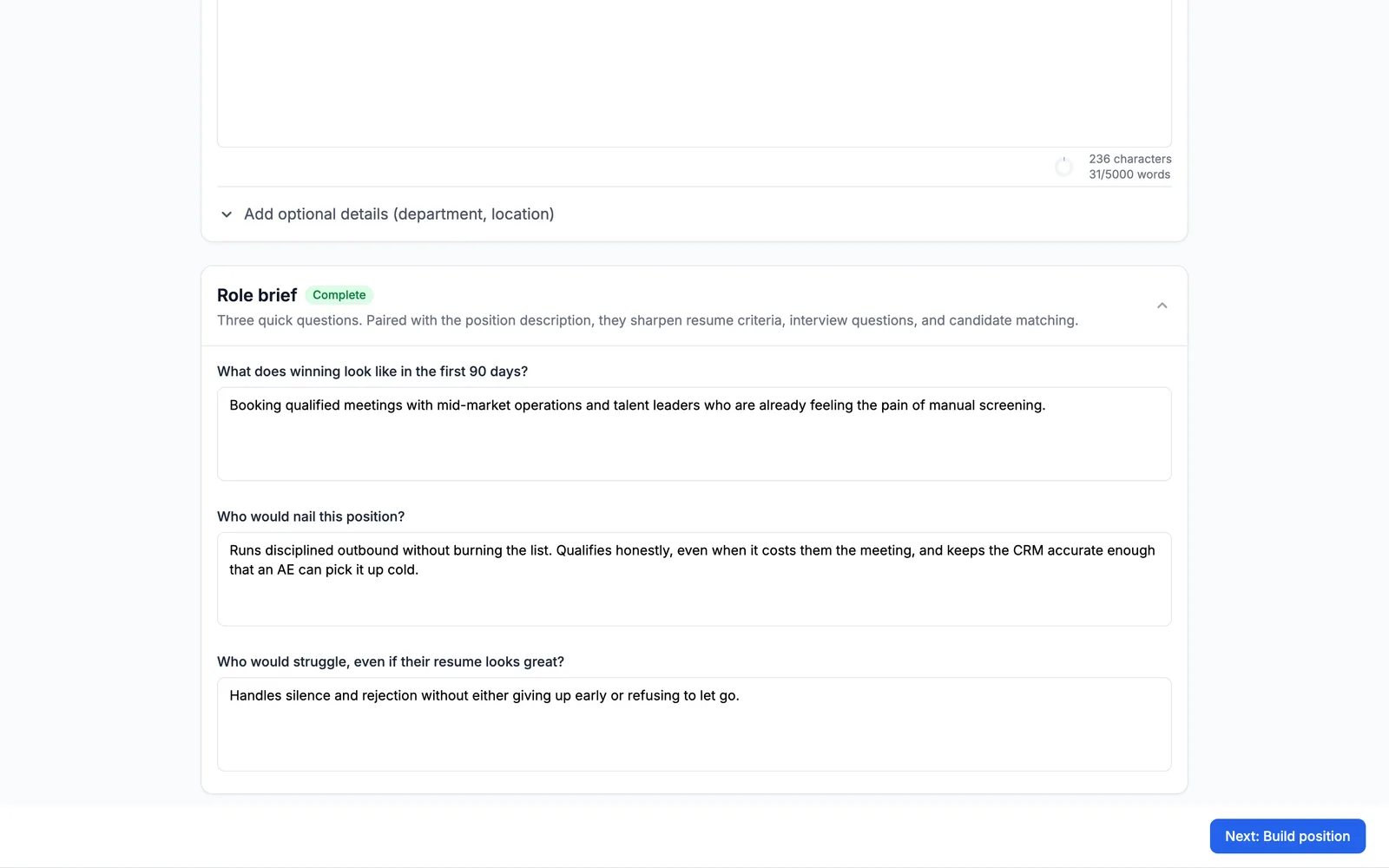
- A filled-in role brief. Truffle drafts the scenarios from what you write about the role, so a thin brief gets you generic situations and a specific one gets you the arguments this job actually has.
- 1
Write the role, and mean it
Work scenarios are drafted from the role and its brief, so this step does more work here than it does anywhere else in the wizard. Describe what the job actually involves and where it gets hard — the pressure, the judgement calls, the people who disagree. A brief that says "strong communicator, team player" produces scenarios about communication and teams. A brief that says the person has to qualify honestly even when it costs them the meeting produces a scenario about exactly that.
- 2
Open Assessments and pick Work scenarios
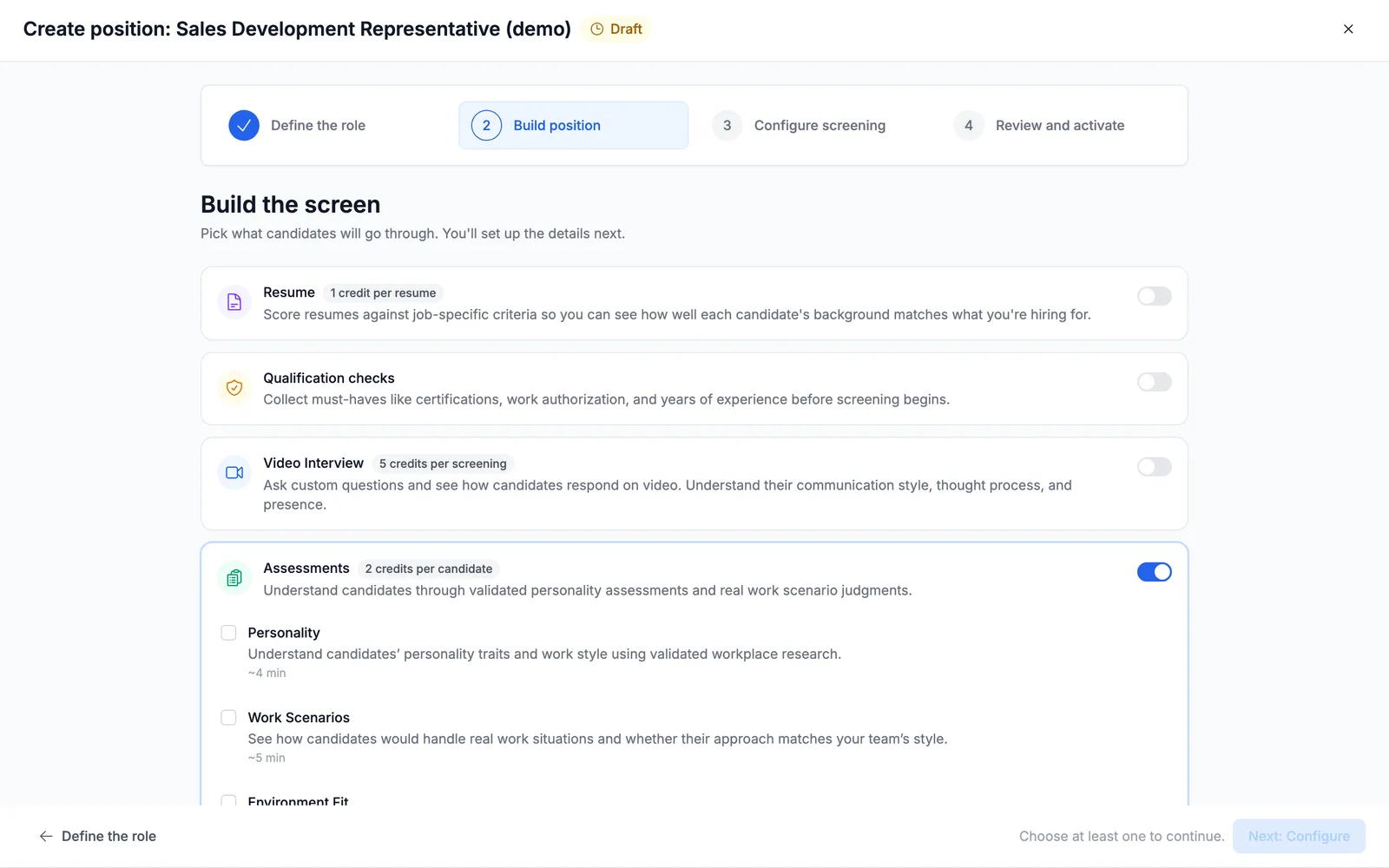
On Build position, switch on Assessments. Three types appear, each with what it measures and roughly how long it takes a candidate: Personality (~4 min), Work Scenarios (~5 min) — "See how candidates would handle real work situations and whether their approach matches your team's style" — and Environment Fit (~4 min). Tick Work Scenarios.
- 3
Nothing else has to be switched on
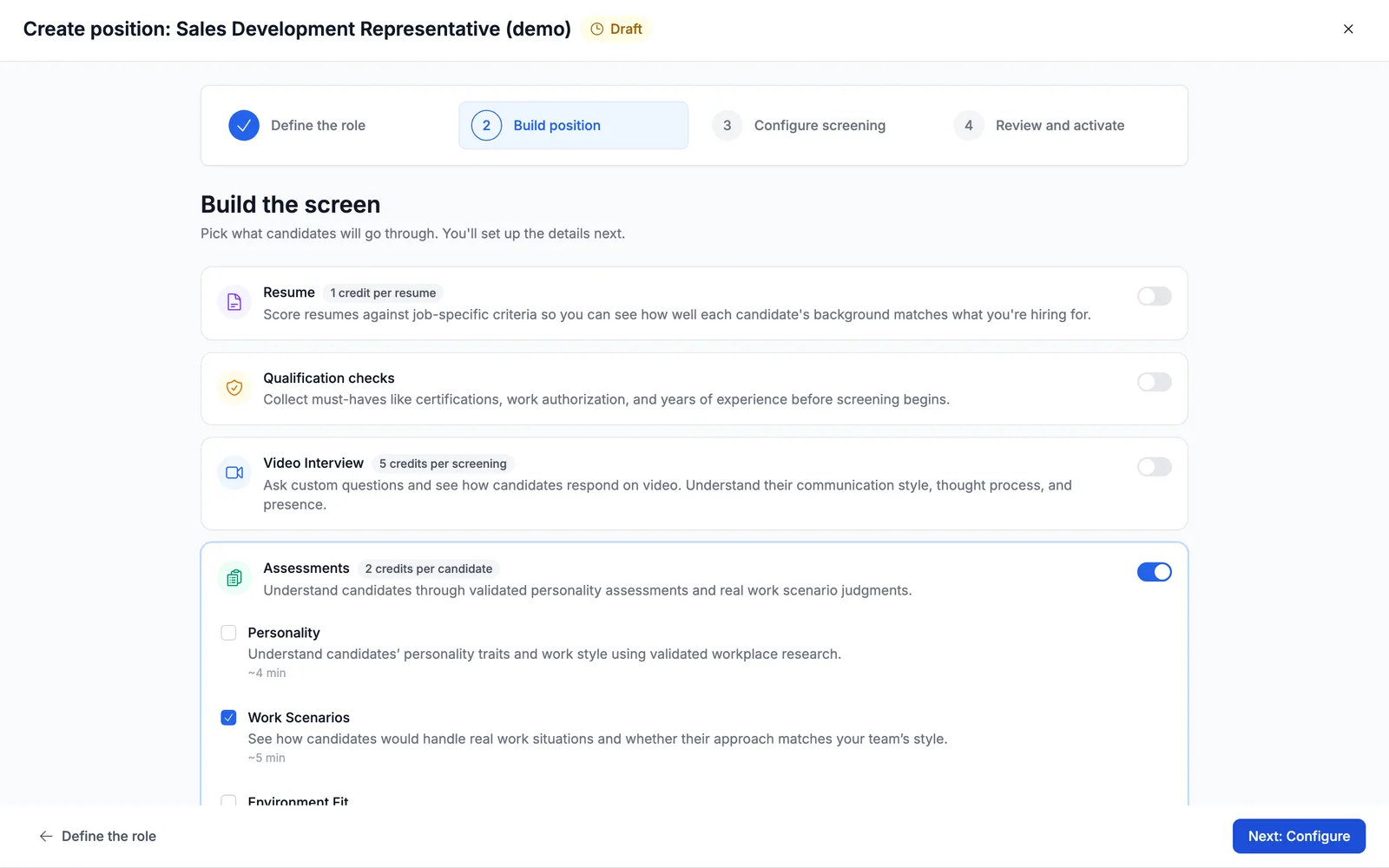
Work scenarios can carry the screen by itself. Next: Configure stays enabled with no resume screen and no video interview — unlike collecting resumes during the screening process, which does need something else alongside it. If a scenario assessment is all you want to run, that's a complete position.
- 4
Let Truffle draft the set
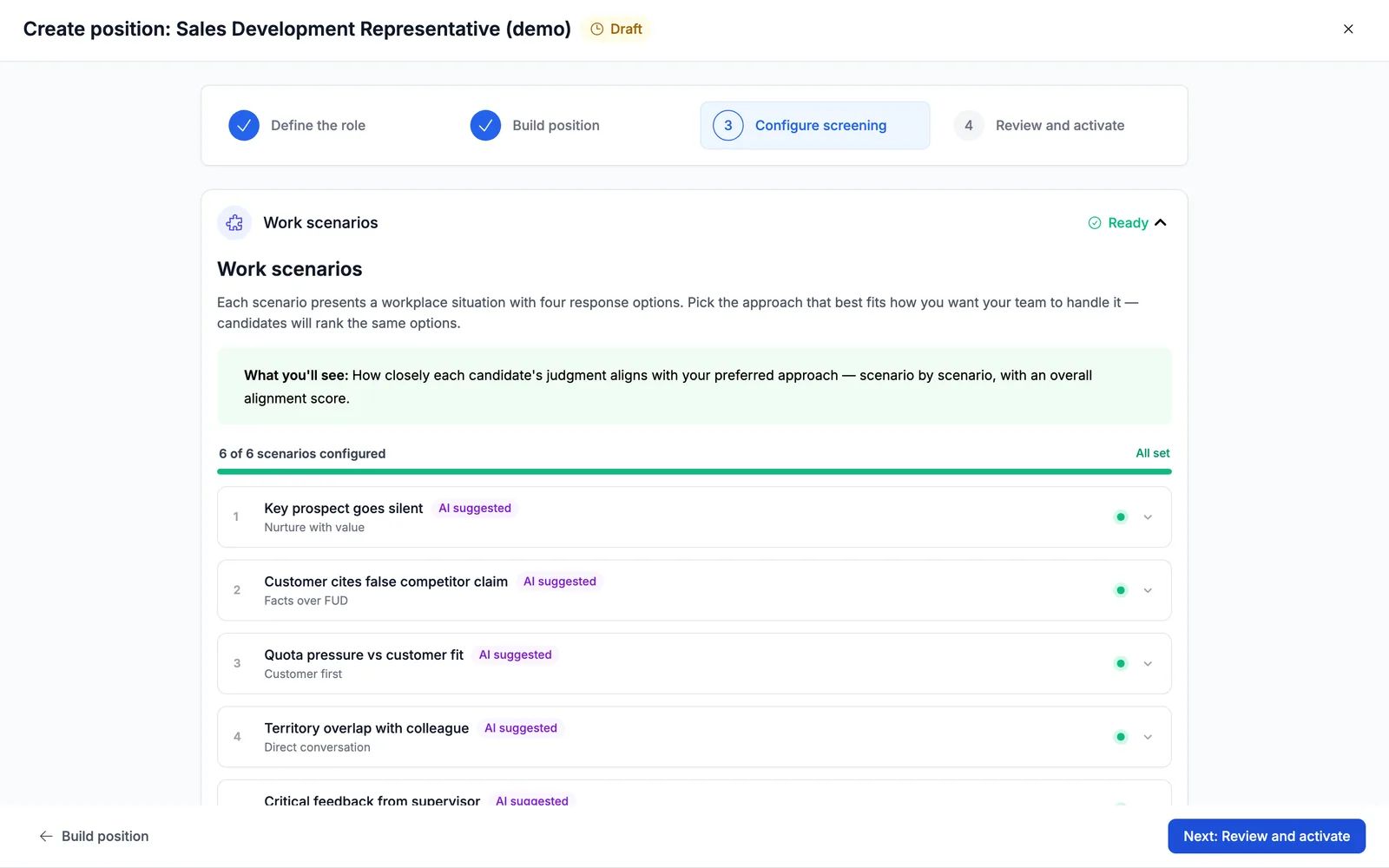
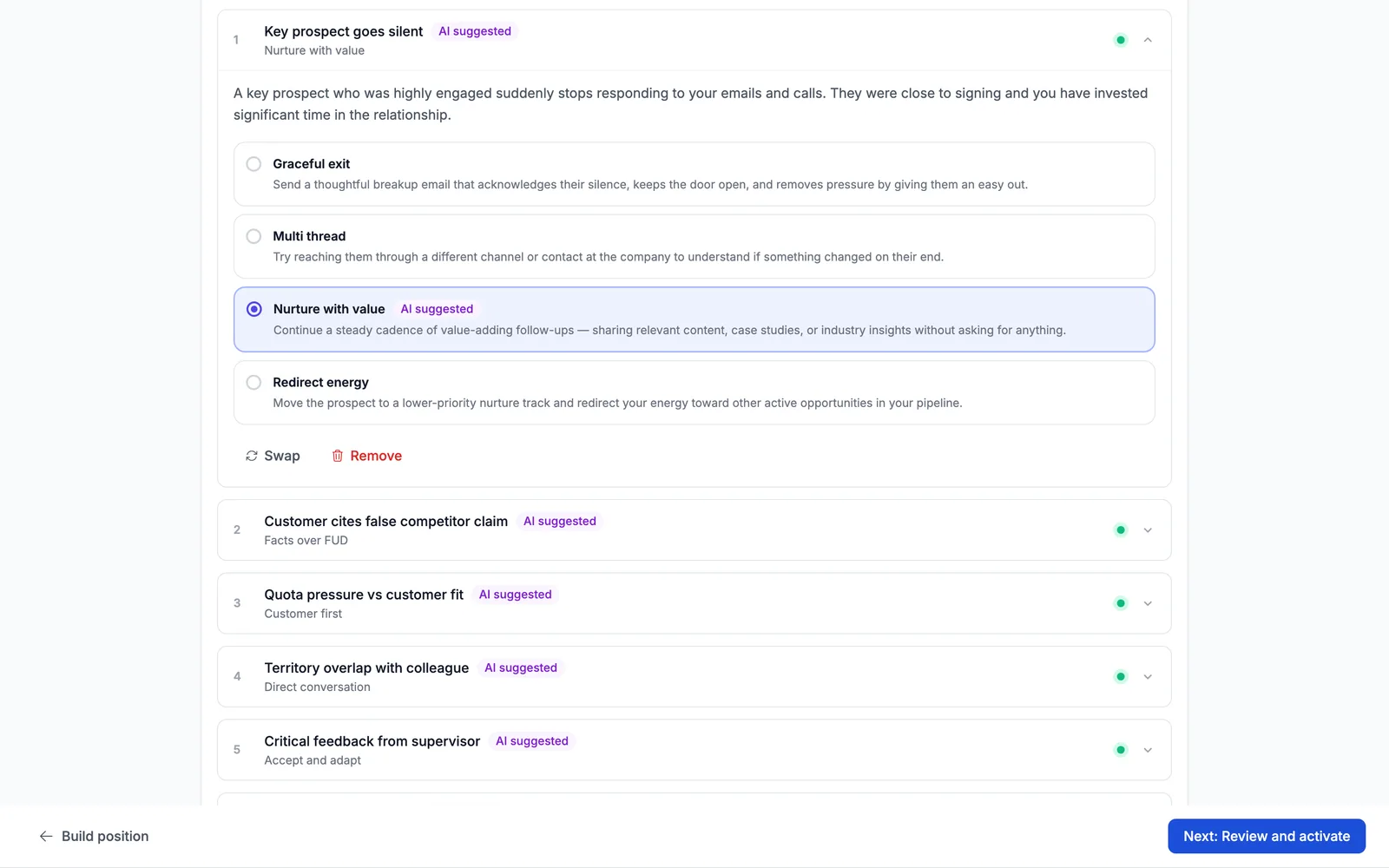
Move to Configure screening and Truffle reads the role — "Finding the best scenarios… AI is analyzing your position to suggest relevant work scenarios", which takes about fifteen seconds. What comes back is specific to the job, not a generic pack. For a sales development role that meant Key prospect goes silent, Customer cites false competitor claim, Quota pressure vs customer fit, Territory overlap with colleague, Critical feedback from supervisor and Sudden workload spike.
- 5
Open a scenario and set the approach you actually want
Expand any scenario and you get the situation plus four responses. For Key prospect goes silent: Graceful exit — "Send a thoughtful breakup email that acknowledges their silence, keeps the door open, and removes pressure by giving them an easy out"; Multi thread — "Try reaching them through a different channel or contact at the company"; Nurture with value — "Continue a steady cadence of value-adding follow-ups"; and Redirect energy — "Move the prospect to a lower-priority nurture track and redirect your energy toward other active opportunities." None of those is wrong. They're four defensible sales philosophies, and different teams genuinely want different ones. Pick yours.
- 6
Swap what you disagree with, add what's missing
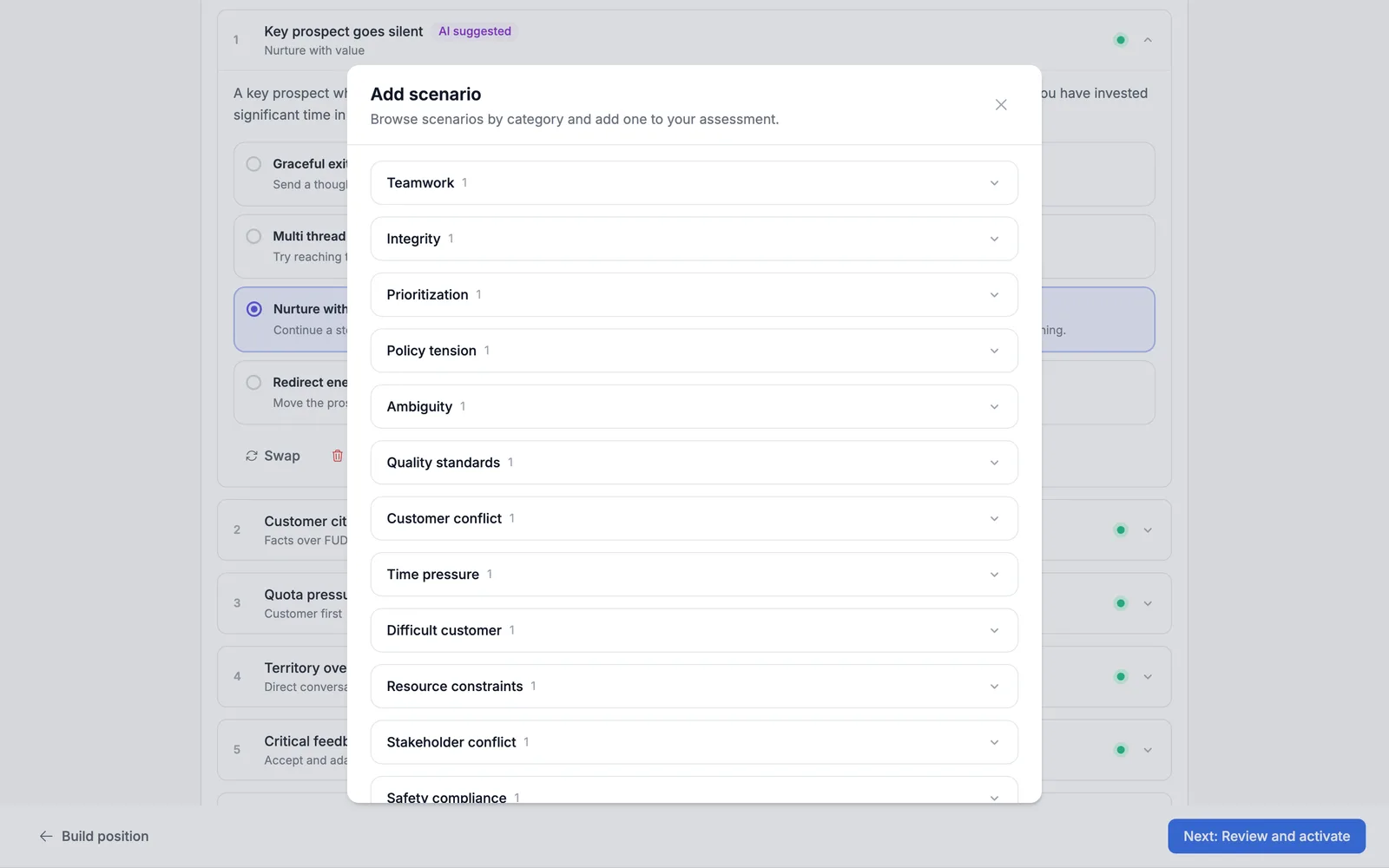
Each scenario has Swap and Remove beneath it, and Add a scenario opens the library — "Browse scenarios by category and add one to your assessment" — organised by category: Teamwork, Integrity, Prioritization, Policy tension, Ambiguity, Quality standards, Customer conflict, Time pressure, Difficult customer, Resource constraints, Stakeholder conflict, Safety compliance, Safety and Conflicting authority. Swap out a suggestion that doesn't fit your team, and add the situation the draft missed.
- 7
Activate, then read the result for what it is
Once every scenario shows a selection, take the position live from Review and activate. Candidates rank the same four options you saw, and what you get back is stated plainly on the page: "How closely each candidate's judgment aligns with your preferred approach — scenario by scenario, with an overall alignment score."
Questions
Is this a situational judgement test?
It's the same format — a workplace situation, four plausible responses, ranked. The difference is where the scoring comes from. A traditional situational judgement test scores candidates against an answer key set by the test publisher. Truffle scores them against the approach you selected, so the assessment reflects how your team actually works rather than a generic idea of good judgement.
How many scenarios does a position get?
Truffle suggests a set based on the role, and you can hold between three and ten. The suggested set isn't fixed — running the same role twice can return a slightly different draft, so treat it as a starting point and adjust it rather than expecting an exact number.
What if I disagree with the approach Truffle picked?
Change it. Every scenario arrives with an option pre-selected and tagged AI suggested, but it's just a default. Pick a different option, swap the whole scenario for another from the library, or remove it. The pre-selection exists so you're editing something rather than starting from a blank page.
Can candidates see which answer is right?
There isn't one. All four options are reasonable approaches a competent person might take, which is what stops the assessment from being a knowledge quiz. Candidates rank the options as they'd actually handle it.
Do work scenarios work on their own?
Yes. A position can run a work scenario assessment with no resume screen and no video interview. Most teams pair it with something else, but nothing forces you to.
What does a low alignment score actually mean?
That the candidate would approach the work differently from the way you said you wanted it approached. That's a prompt for a conversation, not a verdict — it's one signal among the resume, the interview and everything else you know. Truffle doesn't auto-reject on it.
Try it on your own role
Every plan includes resume screening, one-way interviews, and talent assessments.
Start free trial7 days · 30 credits · no card required