Product guide
How to screen resumes with AI criteria in Truffle
By the end you'll have a position that scores every resume it receives against criteria drafted from your own job description, with the reasoning shown next to each score, so you can compare candidates instead of skim-reading them.
Copy as markdown
Before you start
- A Truffle account. The free trial works. 7 days, 30 credits, no card required.
- A job description that says what the role actually needs. The criteria are drafted from it, so vague inputs produce vague criteria.
- 1
Describe what the role actually needs
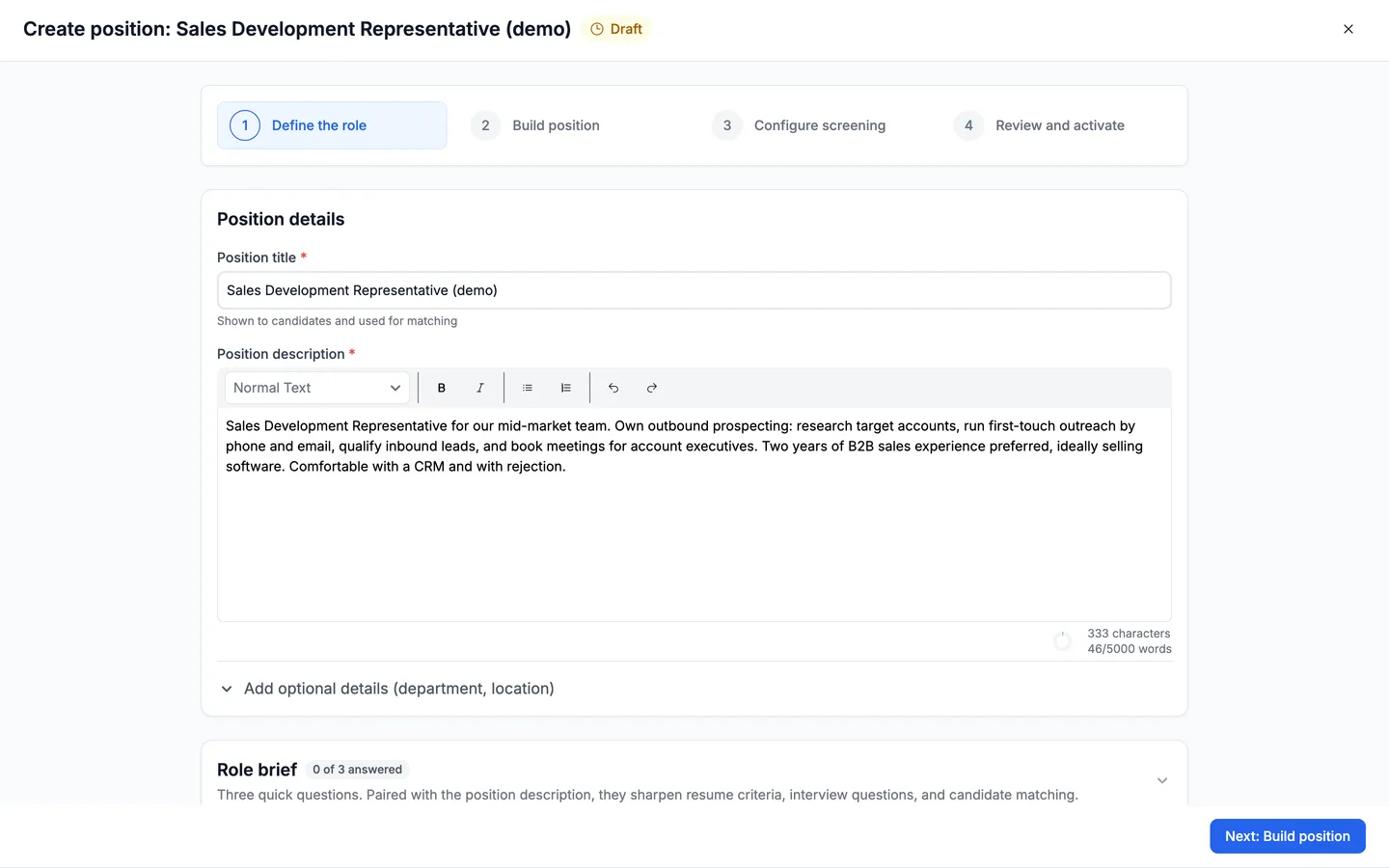
Everything downstream is built from this. On Define the role, give the position a title and write the description the way you'd brief a person taking over the hiring: the experience that matters, the setting it was earned in, the tools they'll touch. Truffle reads it to work out what a strong background looks like for this job specifically, which is why a generic description produces generic criteria.
- 2
Answer the three role-brief questions
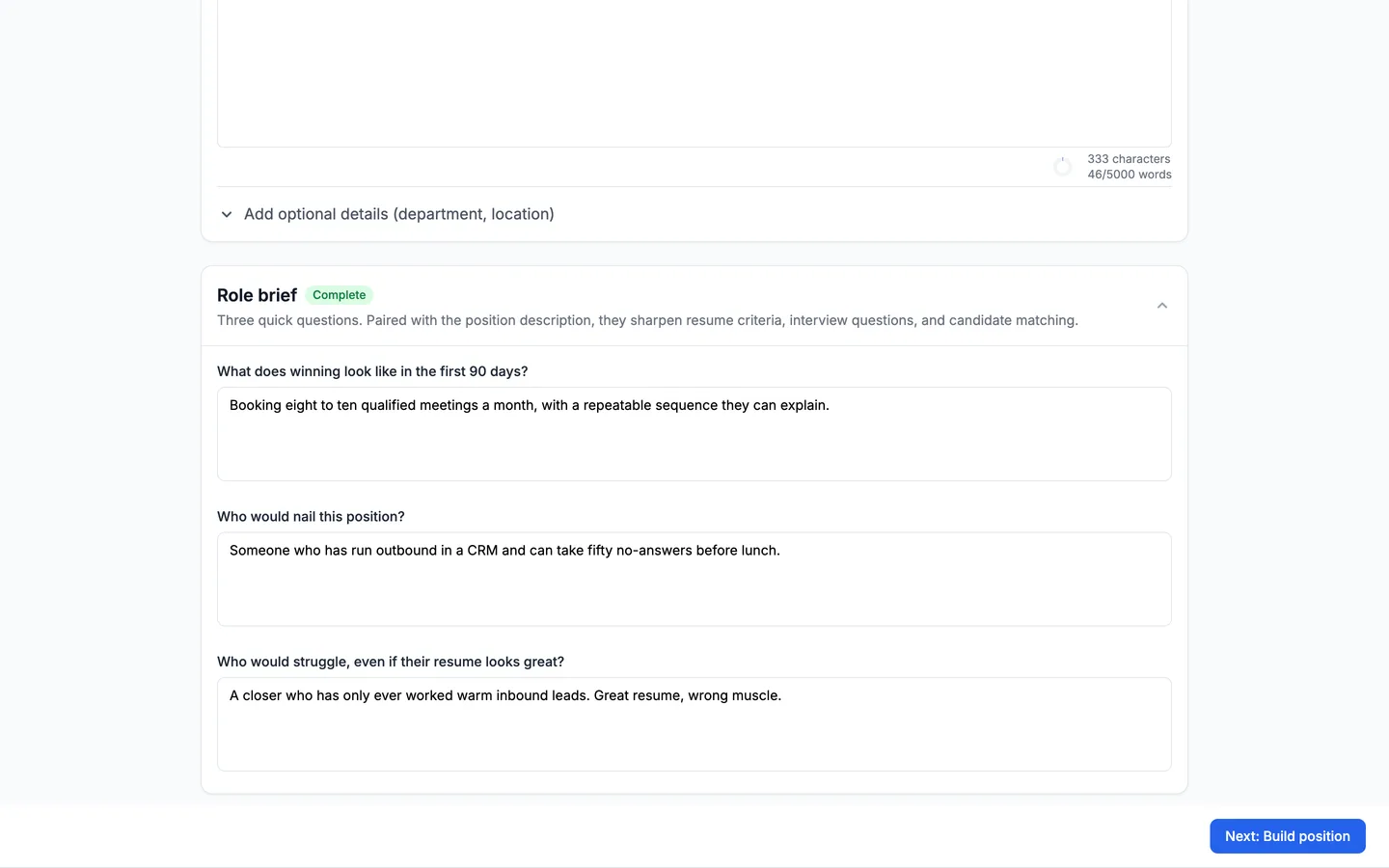
Under the description sits the Role brief: "Three quick questions. Paired with the position description, they sharpen resume criteria, interview questions, and candidate matching." They are What does winning look like in the first 90 days?, Who would nail this position?, and Who would struggle, even if their resume looks great? That third one is the one to spend time on — it is precisely what resume screening gets wrong on its own, and answering it shapes the criteria that follow.
- 3
Switch on Resume, and say where resumes come from
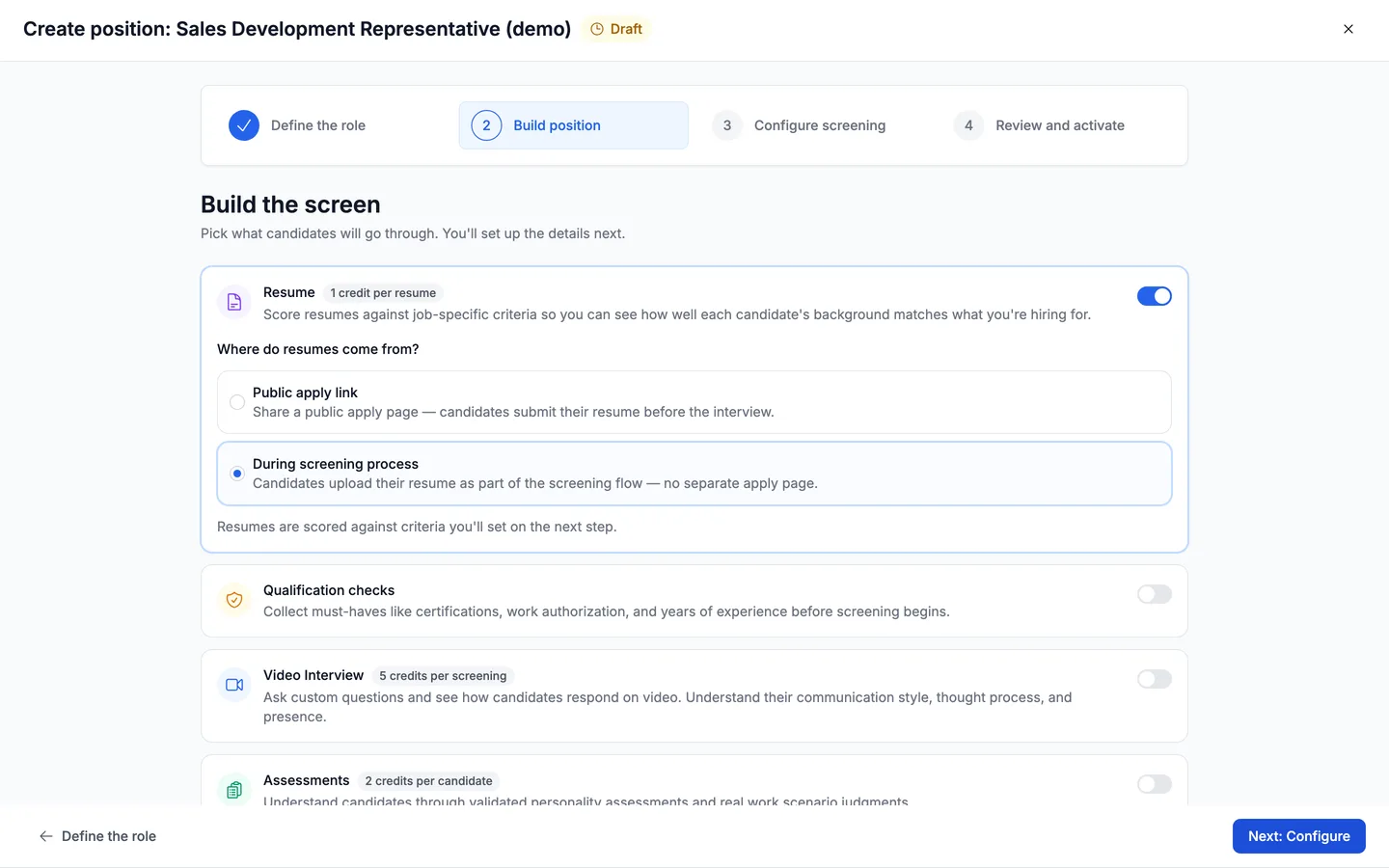
On Build position, switch on Resume. It immediately asks Where do resumes come from? and the answer changes how the position works. Public apply link gives you a shareable apply page where candidates submit a resume before anything else. During screening process collects it inside the screening itself, with no separate apply page. Either way, the step won't continue until you've chosen — the footer says "Choose how resumes are collected to continue."
- 4
Choose the public apply link to run resume screening on its own
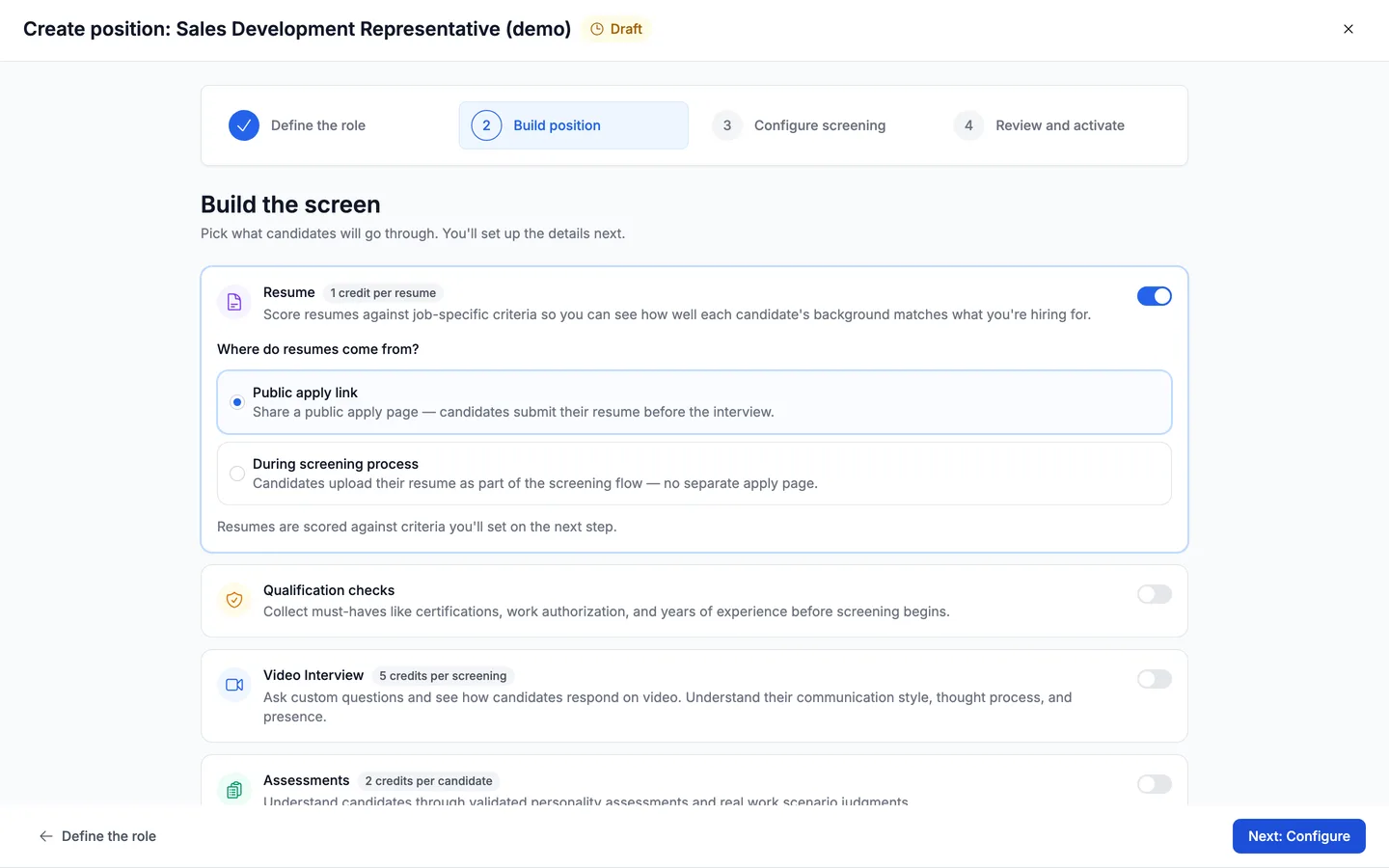
Pick Public apply link and resume screening stands alone — no interview, no assessment. Truffle gives you an apply page to share, and every resume that comes through it gets scored. Pick During screening process instead and resumes are collected inside a screening flow, which means the position also needs a video interview or an assessment for that flow to exist.
- 5
Read the criteria Truffle drafts
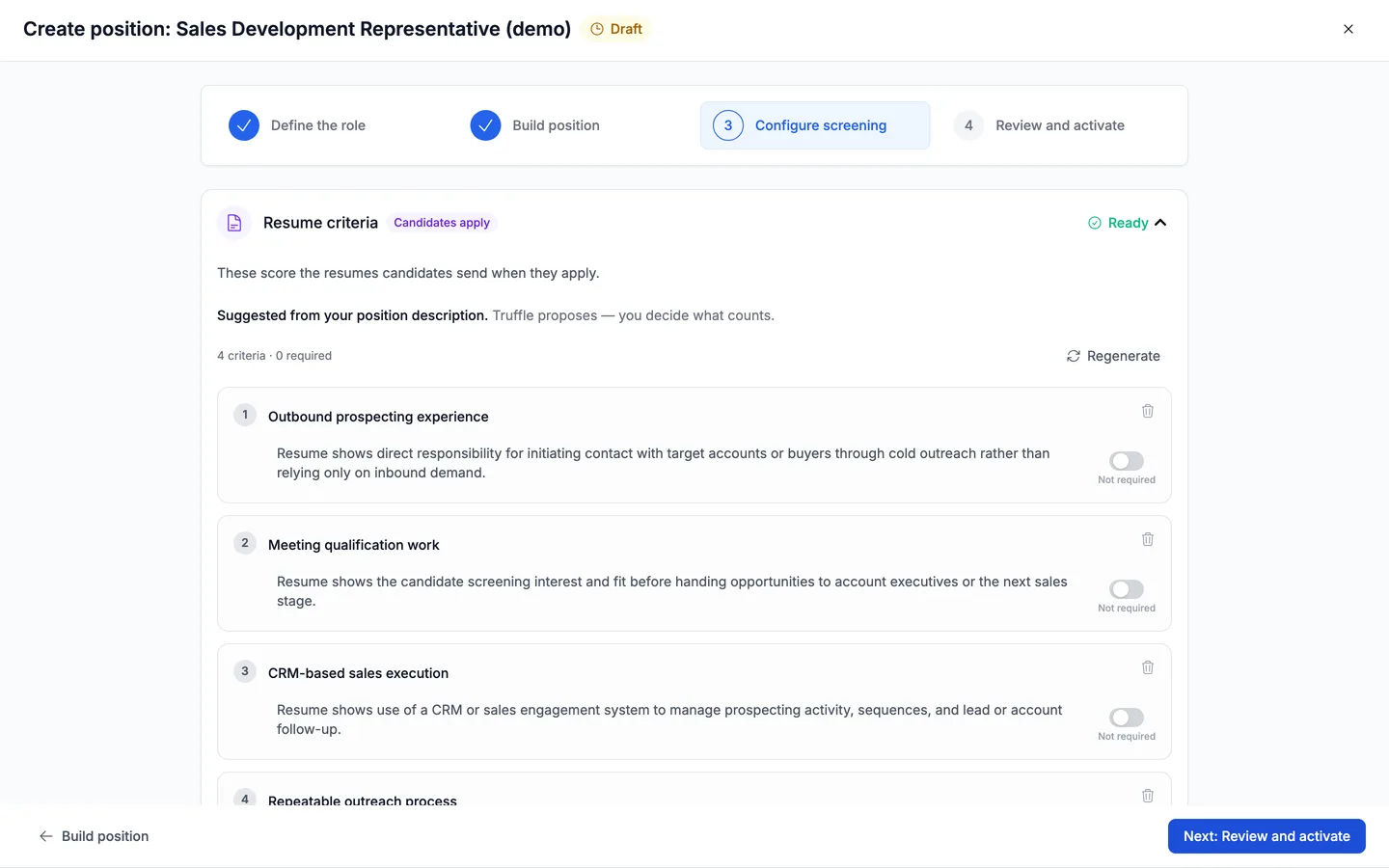
On Configure screening, the Resume criteria section drafts itself from your description — you'll see "Drafting criteria from your job description" for a few seconds, then Ready with a count like 4 criteria · 0 required. These are what every resume gets scored against, so read them the way a hiring manager would rather than accepting them on sight. Regenerate redraws the whole set, Add criterion appends your own, and there's a See examples of strong criteria link if you want a sense of what specific looks like.
- 6
Activate, and read the scores with their reasoning
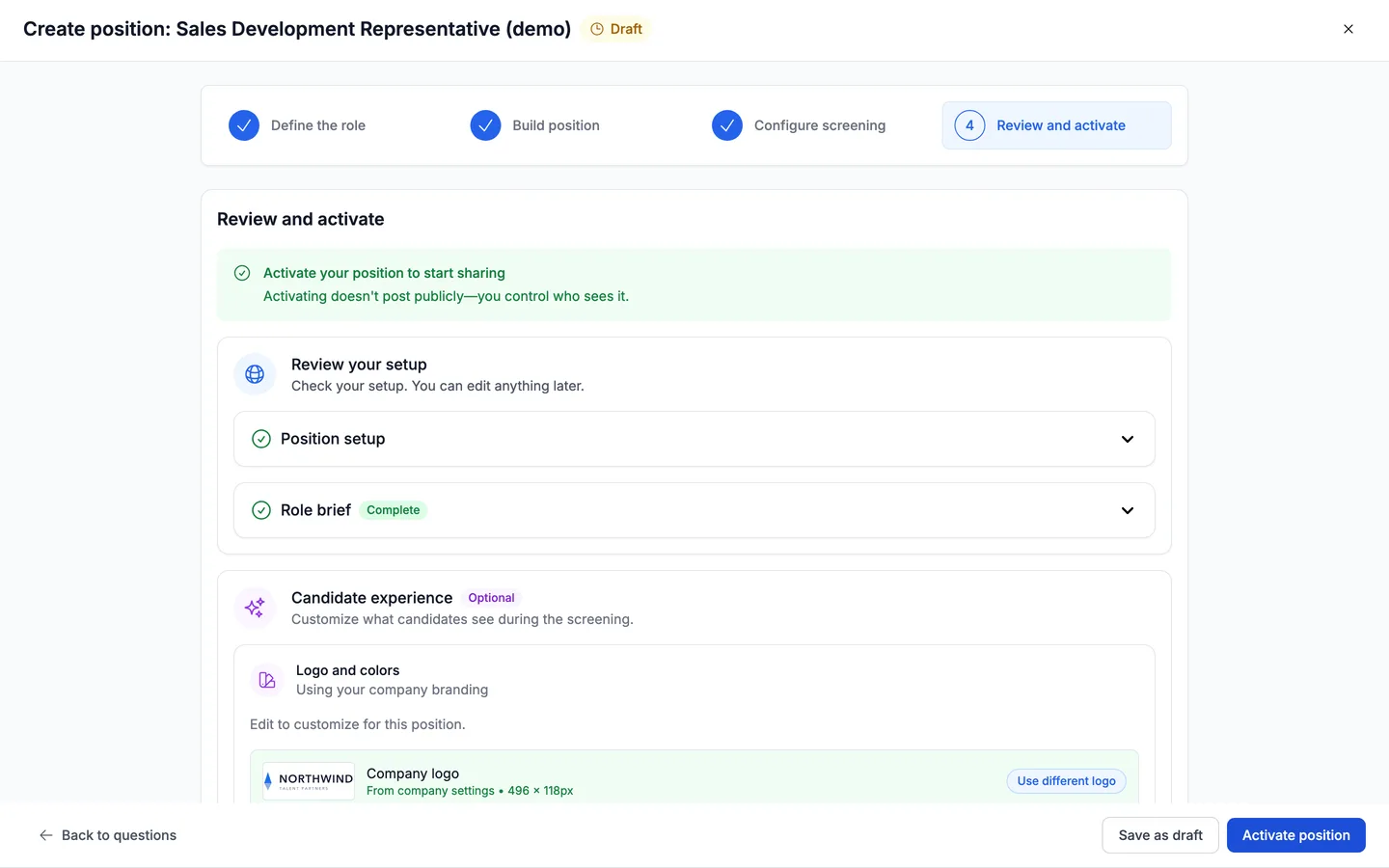
Move to Review and activate, check the setup, and activate the position. From then on every resume that arrives is scored against your criteria, and each score carries the reasoning behind it. That's the part worth using: the score tells you where to look, and the reasoning tells you whether to agree. Truffle never rejects anyone on its own — it puts the evidence in front of you and you make the call.
Questions
Does Truffle reject candidates based on their resume?
No. Resume screening produces a score against the criteria you set and shows the reasoning behind it. Nothing is auto-rejected — you review the evidence and decide who moves forward.
Where do the criteria come from?
Truffle drafts them from your job description when you reach the Configure screening step, then shows them as a set you can edit. You can regenerate the whole set, add your own criteria, or reword what it drafted. They're a starting point, not a verdict.
Can I use resume screening on its own?
It depends how you collect resumes. If you choose the public apply link, candidates submit a resume through the apply page. If you choose to collect during the screening process, the position also needs a video interview or an assessment — otherwise there's no screening flow for the upload to live in, and Truffle will tell you so.
What makes a good criterion?
Something a reader could verify from a resume. "Has managed outbound sequences in a CRM" can be checked; "strong communicator" can't be, and will score inconsistently. Truffle links to examples of strong criteria next to the list.
Can I change the criteria after the position is live?
You set them on the Configure screening step before activating. Decide them up front so every candidate is measured the same way — changing the yardstick partway through makes earlier and later scores incomparable.
Try it on your own role
Every plan includes resume screening, one-way interviews, and talent assessments.
Start free trial7 days · 30 credits · no card required