Product guide
How to create a job application in Truffle
By the end you'll have a branded apply page candidates can fill out on any device, collecting a resume plus the must-haves you care about, with every application scored against the criteria you set.
Copy as markdown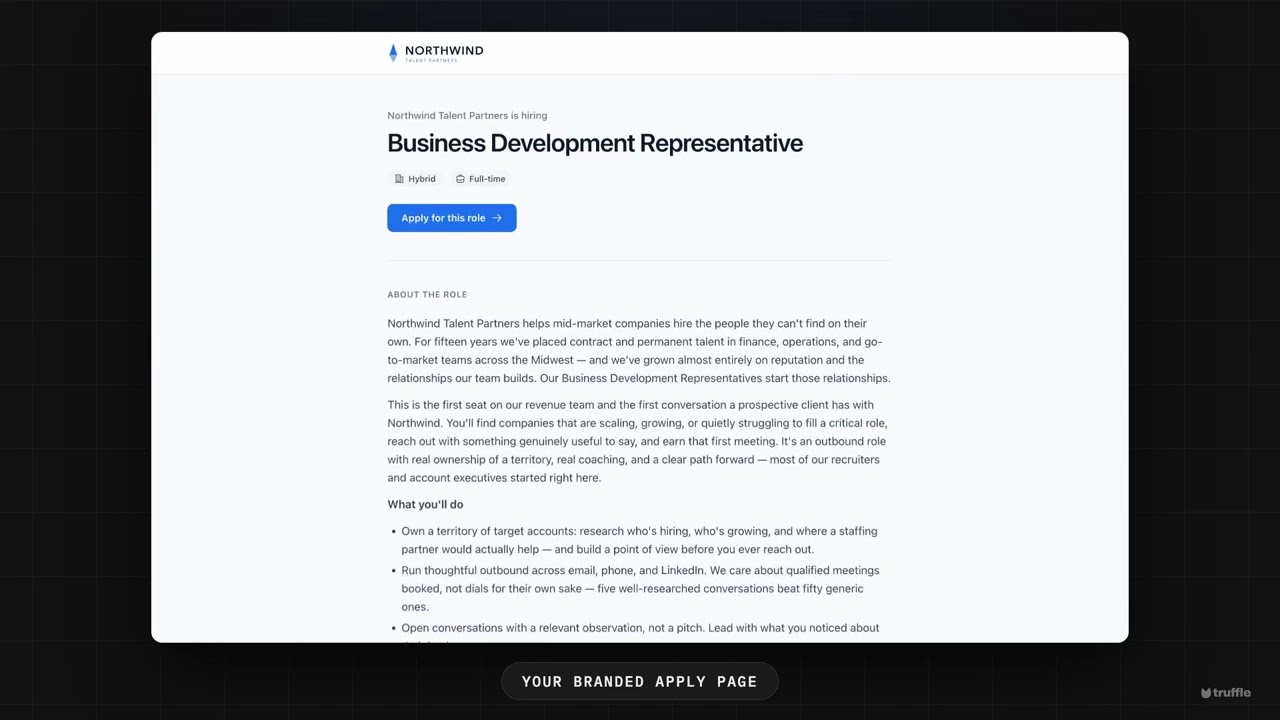
Before you start
- A Truffle account. The free trial works. 7 days, 30 credits, no card required.
- A short description of the role. Truffle reads it to suggest your scoring criteria and qualification checks, so a few honest sentences beat a polished spec.
- 1
Create a position and describe the role
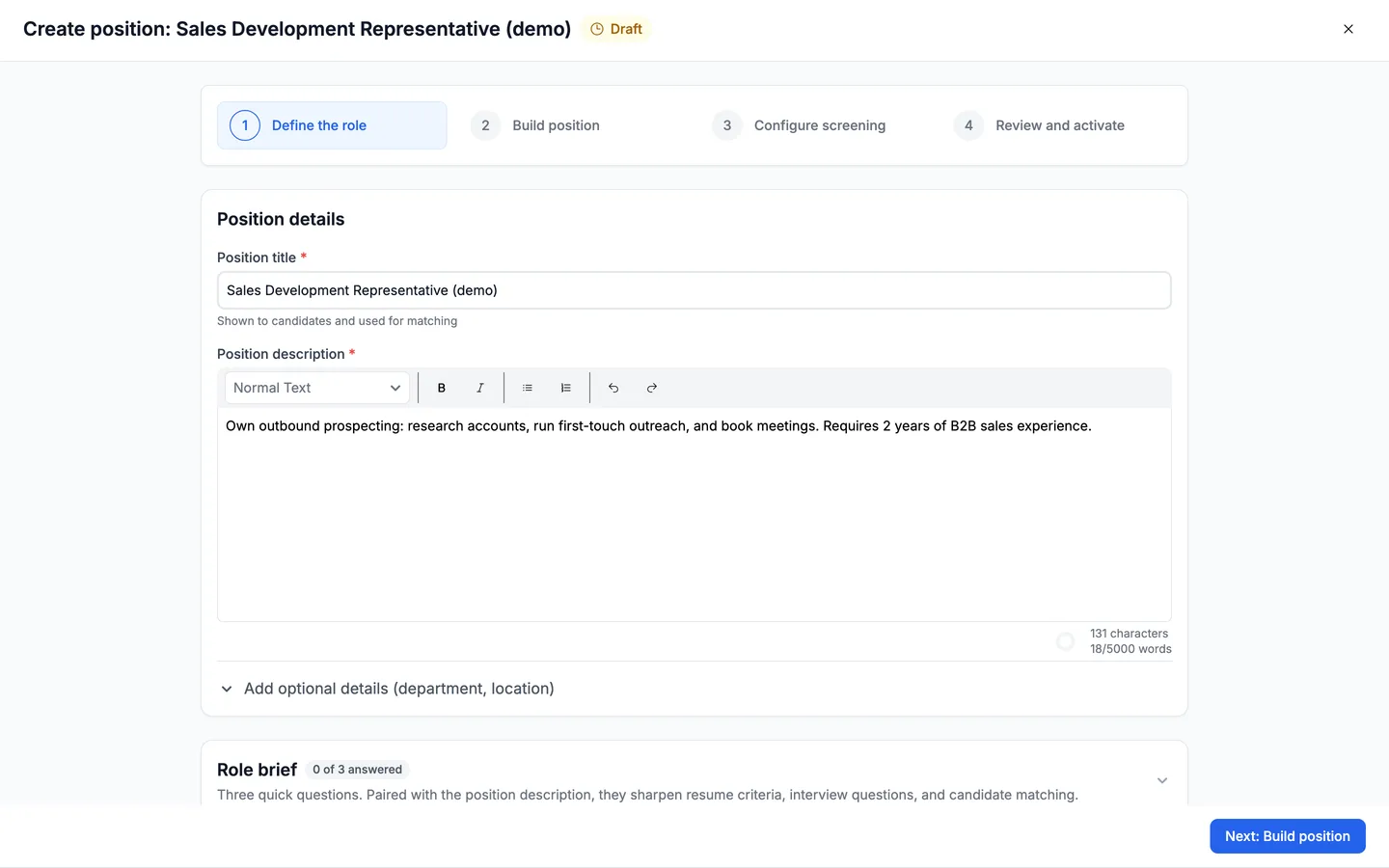
A job application in Truffle lives on a position. Create a new position and give it a title, then describe the role in plain language under Position details. Truffle reads this to score the applications you receive and to suggest your qualification checks, so write it the way you'd brief a person. Choose Next: Build position when it's filled in.
- 2
Choose what your application collects
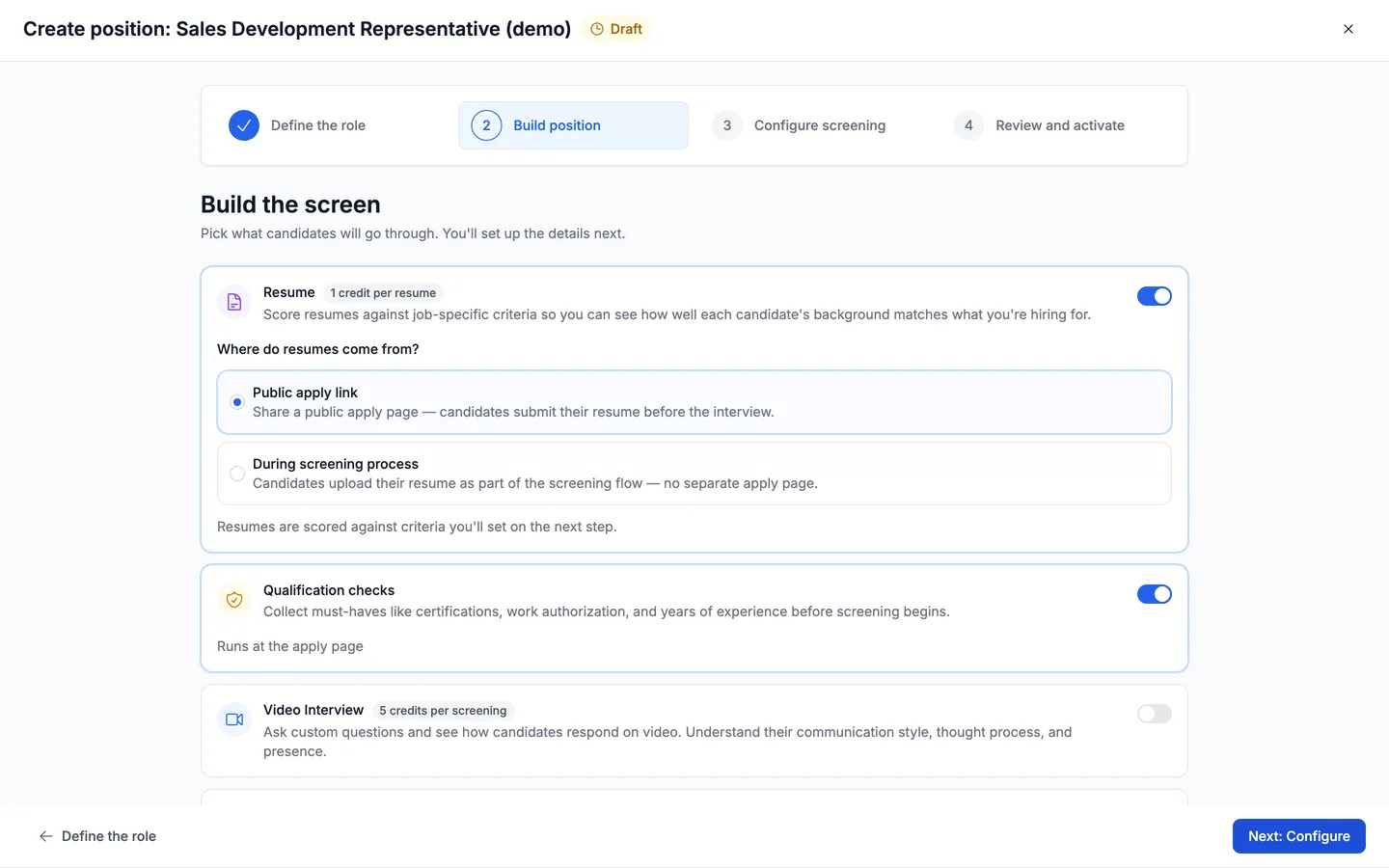
On the Build position step, turn on Resume so candidates submit a resume. Under "Where do resumes come from?", choose Public apply link so your application is a public page candidates fill out. Then turn on Qualification checks to collect your must-haves, like certifications, work authorization, or years of experience. Qualification checks run right on the apply page, before screening begins.
- 3
Set your criteria and questions
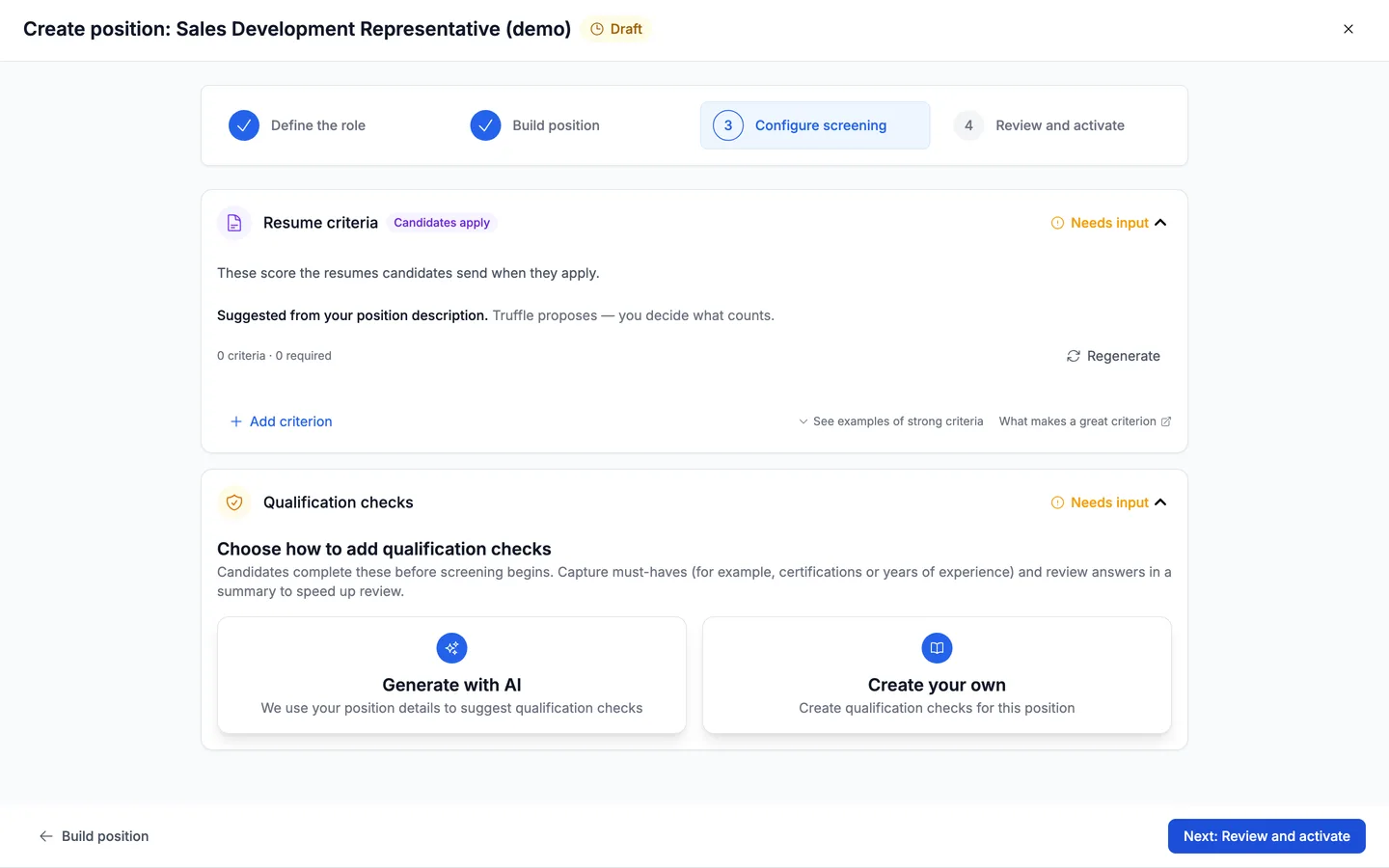
On Configure screening, you decide what the application measures. Resume criteria score the resumes candidates send. Truffle suggests them from your description, and you edit, add, or remove any of them. It proposes, you decide what counts. For Qualification checks, choose Generate with AI to have Truffle draft must-have questions from the role, or Create your own to write them yourself.
- 4
Share your branded apply page
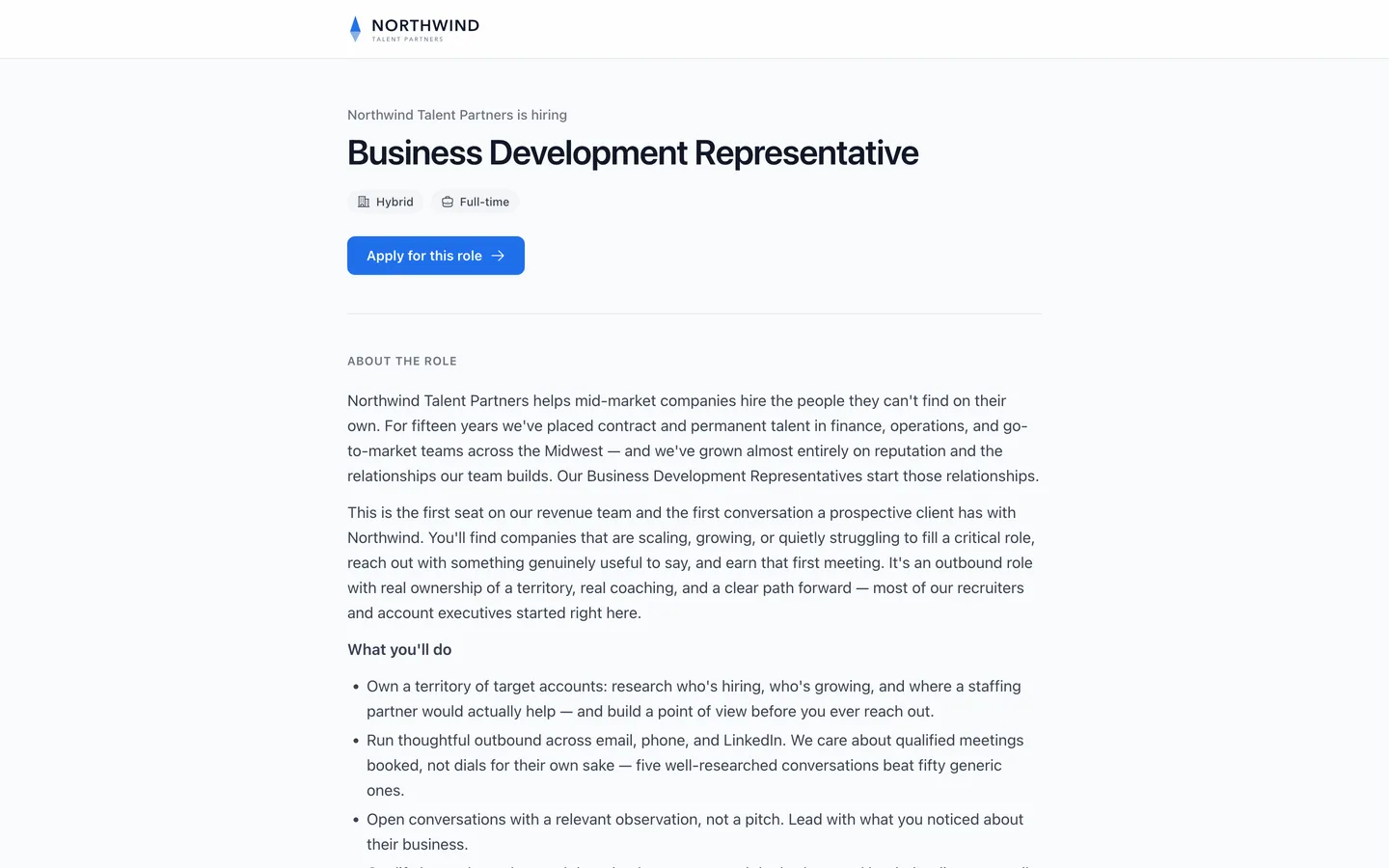
This is what candidates see: a clean, branded page with your name and logo, the role, and an Apply for this role button. Candidates apply on any device, with no account to create and nothing to install. Once your position is active, you share the apply link, and every application comes back with its resume scored against your criteria and its qualification answers in a summary, so review takes minutes.
Questions
Do candidates need an account to apply?
No. Candidates open your apply link and apply on any device, with no account to create and nothing to install. The page carries your branding, not Truffle's.
What are qualification checks?
Qualification checks are must-have questions candidates answer on the apply page, before screening begins, like certifications, work authorization, or years of experience. You can have Truffle generate them from the role or write your own. They help you set aside applicants who are missing a non-negotiable, and Truffle never auto-rejects anyone.
How are the applications scored?
Each resume is scored against the criteria you set on the Configure screening step, and the reasoning is shown alongside the score. Truffle suggests the criteria from your description, and you decide what counts. Qualification answers come back in a summary so review is fast.
Can I embed the application on my own website?
Yes. You can share the public apply link directly, or embed the apply form on your own careers page so candidates apply without leaving your site.
Try it on your own role
Every plan includes resume screening, one-way interviews, and talent assessments.
Start free trial7 days · 30 credits · no card required