Video assessment: How to screen candidates with real signal
Video assessments combine structured evaluation with recorded responses. Build a process that gives you real evidence candidates actually finish.


AI summary
- Video assessments help teams screen more candidates without turning the first stage of hiring into a scheduling nightmare
- The best setups use structured questions, clear scorecards, low-friction candidate experiences, and AI as a filter rather than a decision-maker
- One-way video assessments work best for scale, while live video interviews are better for later-stage depth and back-and-forth
There’s a version of hiring that works beautifully at small numbers. You call someone, you talk for fifteen minutes, you get a feel for them. It’s human and imprecise and honestly pretty good when you’re choosing between five people.
The problem is that nobody’s choosing between five people. A single LinkedIn post can pull in a thousand applicants in a weekend. Multiply that across every open role at a company that’s growing fast, and you’re not really running a hiring process anymore: you’re running triage and calling it one.
Video assessments exist because the part of hiring that felt most human was also the part that broke first at scale. Candidates record structured responses on their own time. You review them on yours. It’s less personal, sure, but the thing it replaced stopped being personal a long time ago.
What is a video assessment
A video assessment uses recorded video to evaluate candidates instead of phone screens or in-person meetings. Candidates answer questions on camera, and recruiters review responses on their own schedule.
There are two main formats. One-way (asynchronous) video assessments let candidates record answers to preset questions whenever it works for them. Live video assessments are real-time virtual conversations. One-way formats are built for scale. Live formats are built for depth.
Types of video assessments
Recruiters typically work with three formats, each designed for a different stage and purpose in the screening process.
One-way video interviews
Candidates record answers to pre-written questions on their own time, with a short preparation window and one attempt per question. This is the most common format for early-stage screening because it removes scheduling entirely. You post a link, candidates record, and you review when you’re ready.
Live video interviews
Real-time conversations conducted via Zoom, Microsoft Teams, or similar platforms. These work best for later-stage evaluation where back-and-forth dialogue matters, like assessing problem-solving or letting candidates ask their own questions.
Situational judgment tests
SJTs present candidates with realistic work scenarios and ask how they’d respond. The goal is to assess decision-making and job-relevant behavior. Because every employer defines “good” responses differently, these are harder to game than a standard interview question.
| Type | Format | Best for | Scheduling required? |
|---|---|---|---|
| One-way video interviews | Asynchronous | High-volume screening | No |
| Live video interviews | Real-time | Final-round evaluations | Yes |
| Situational judgment tests | Asynchronous | Role-specific scenarios | No |
Why recruiters use video assessments?
The pitch for video assessments is usually some version of “screen faster, hire better, reduce bias.” Which is fine. But the real reason teams adopt them is less aspirational and more practical: they just don’t have time to speak to everyone and don’t trust resumes as the sole output in a very important decision.
Here’s what video assessments solve.
- The scheduling problem is the obvious one. Asynchronous means no back-and-forth, no calendar holds, no fifteen-minute calls that run twenty-five because you’re both too polite to hang up. For a team screening a hundred-plus candidates per role, this compresses days of phone screens into a few focused hours of review. It’s not glamorous. It’s just math.
- The consistency problem is the one people underestimate. Phone screens drift. You ask different follow-ups depending on your energy level, skip a question because the candidate reminded you of something, compare one person’s polished answer to another person’s answer to a completely different question. Video assessments force the same questions in the same format for every candidate, which sounds rigid until you realize the alternative was barely a process at all.
- The bias problem is real but worth being precise about. Structured questions and scoring rubrics keep evaluation focused on what someone actually said rather than how you felt about them at 4 p.m. on a Thursday. Some platforms score every candidate against criteria you define, so reviewers start from the same baseline. That’s not eliminating bias entirely (nothing can), but it’s removing a few of the places where bias used to do its work unnoticed.
- The candidate experience thing is simpler than people make it. Candidates record on their own time, from whatever device they have, without coordinating across time zones. For someone juggling a current job and a job search, that flexibility isn’t a perk. It’s the difference between applying and not applying.
- The AI layer is the newest piece, and the most overhyped. Most platforms now transcribe responses, generate summaries, and score answers against your rubric. The AI isn’t making hiring decisions, it’s compressing the distance between “I have eighty recordings to watch” and “I know which five to call back.” Whether that compression is trustworthy depends entirely on the tool. More on that below.
How video assessments work
Here’s the typical workflow from setup to decision.
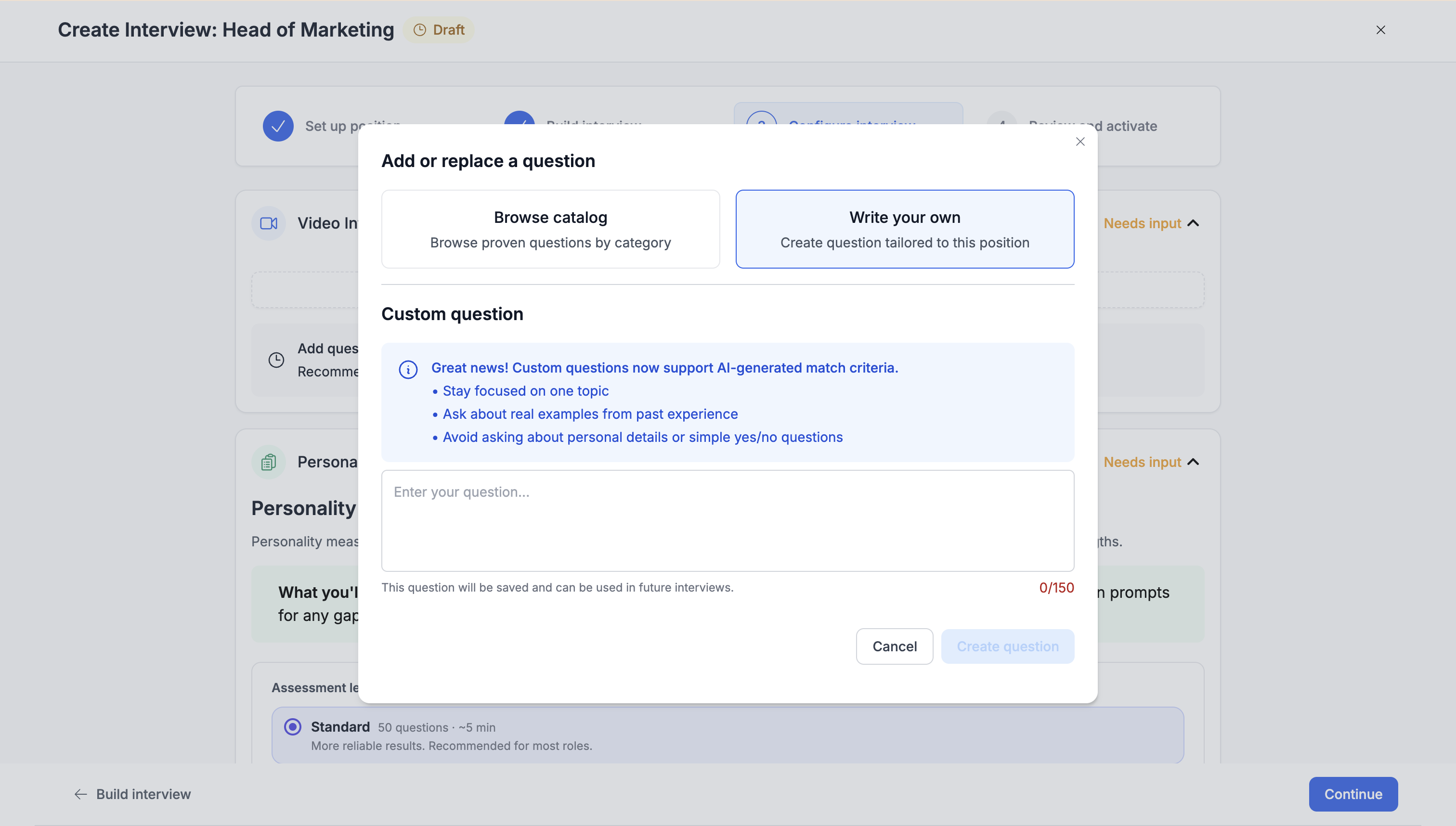
1. Create the interview
Write the questions, set time limits, and define scoring criteria. Some tools auto-generate a structured interview from a job description, getting you from open req to live assessment in minutes.
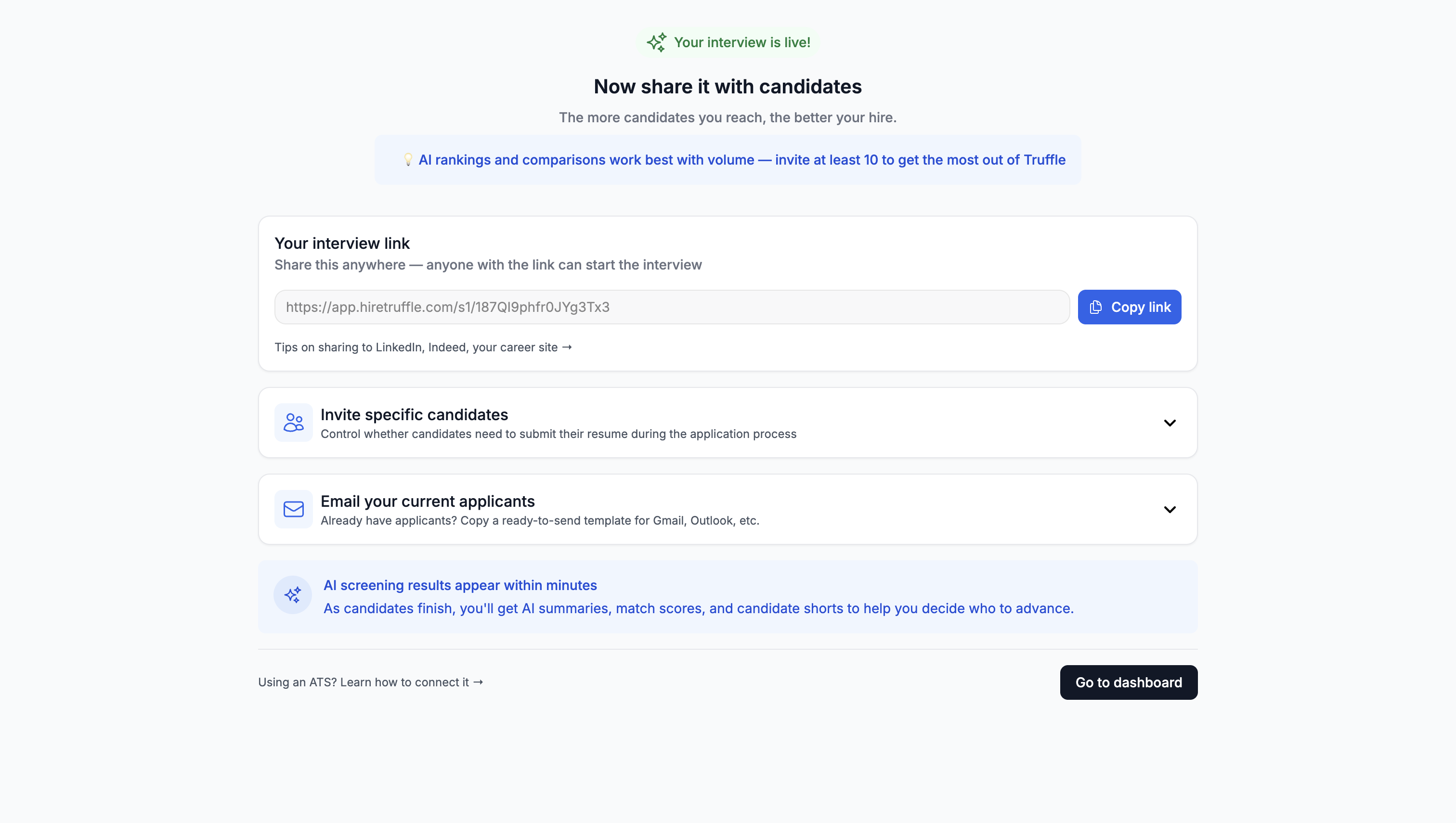
2. Share the interview link
One link, shared everywhere. Post it on job boards embed it in your ATS, text it to candidates. No downloads or account creation required.
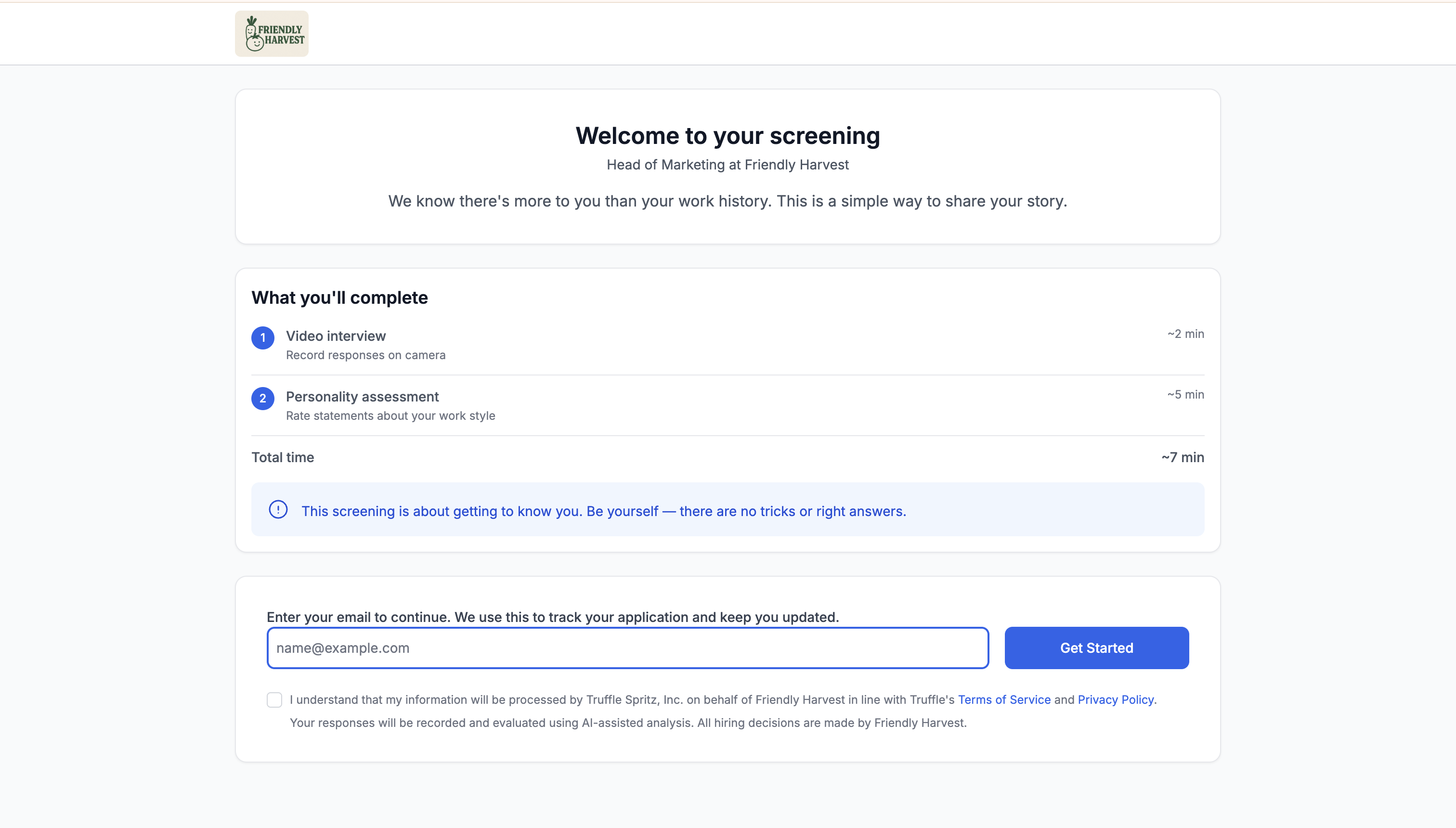
3. Candidates record responses
Candidates see one question at a time, get a brief preparation window, then record. One take per question. Works on any device.
4. Review and evaluate candidates
Watch responses, read AI-generated transcripts or summaries, and score against your rubric. Some platforms surface the strongest candidates automatically so you start with top matches.
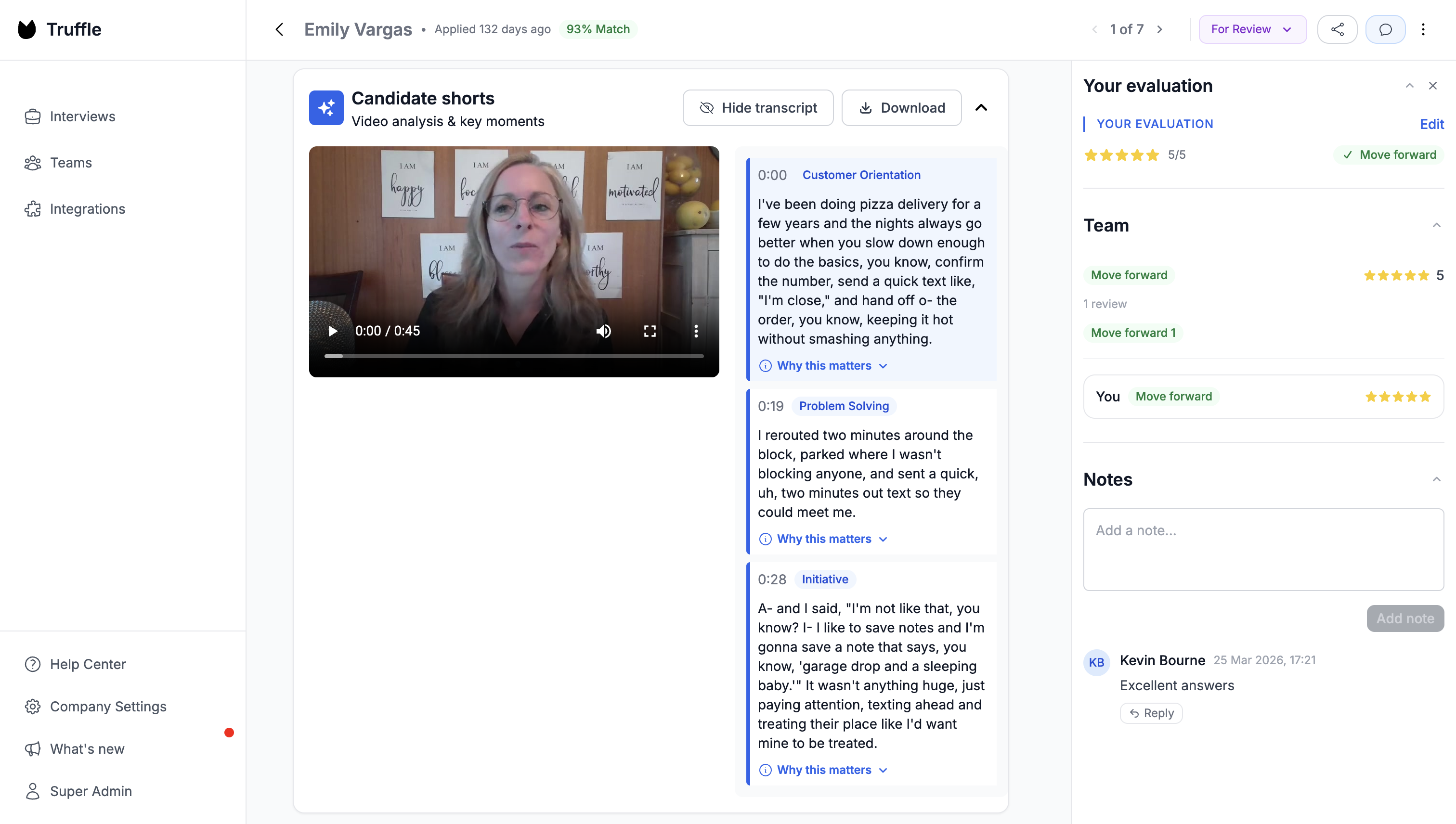
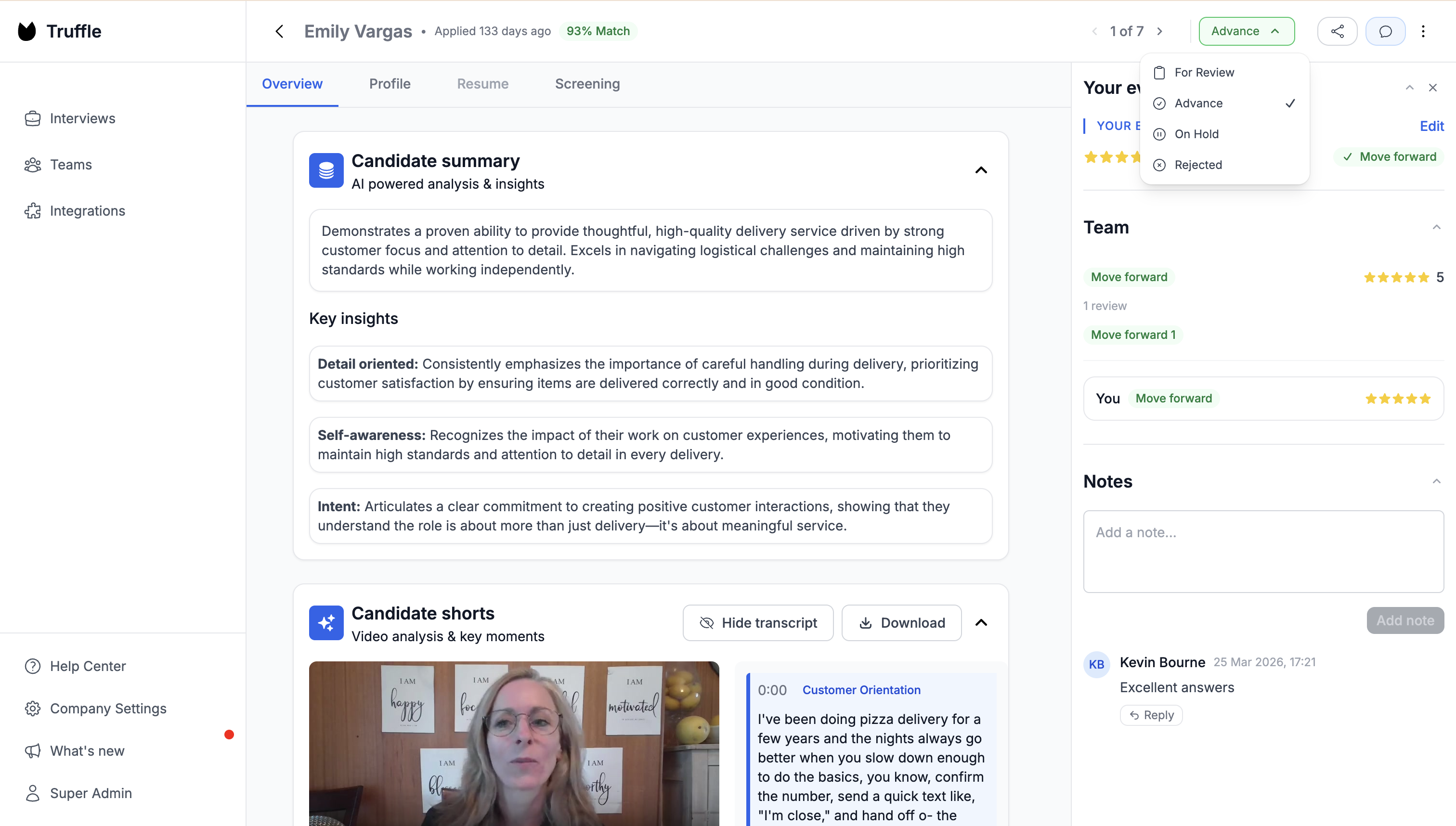
5. Advance top candidates
Move your best candidates to the next stage. Archive the rest, and send rejection notices if the platform supports automated feedback.
Best practices for video assessments (that are actually about the hard parts)
The format itself is simple. You send questions, candidates record answers, you review them. The part that determines whether you get useful signal or just a pile of video clips is everything around the format.
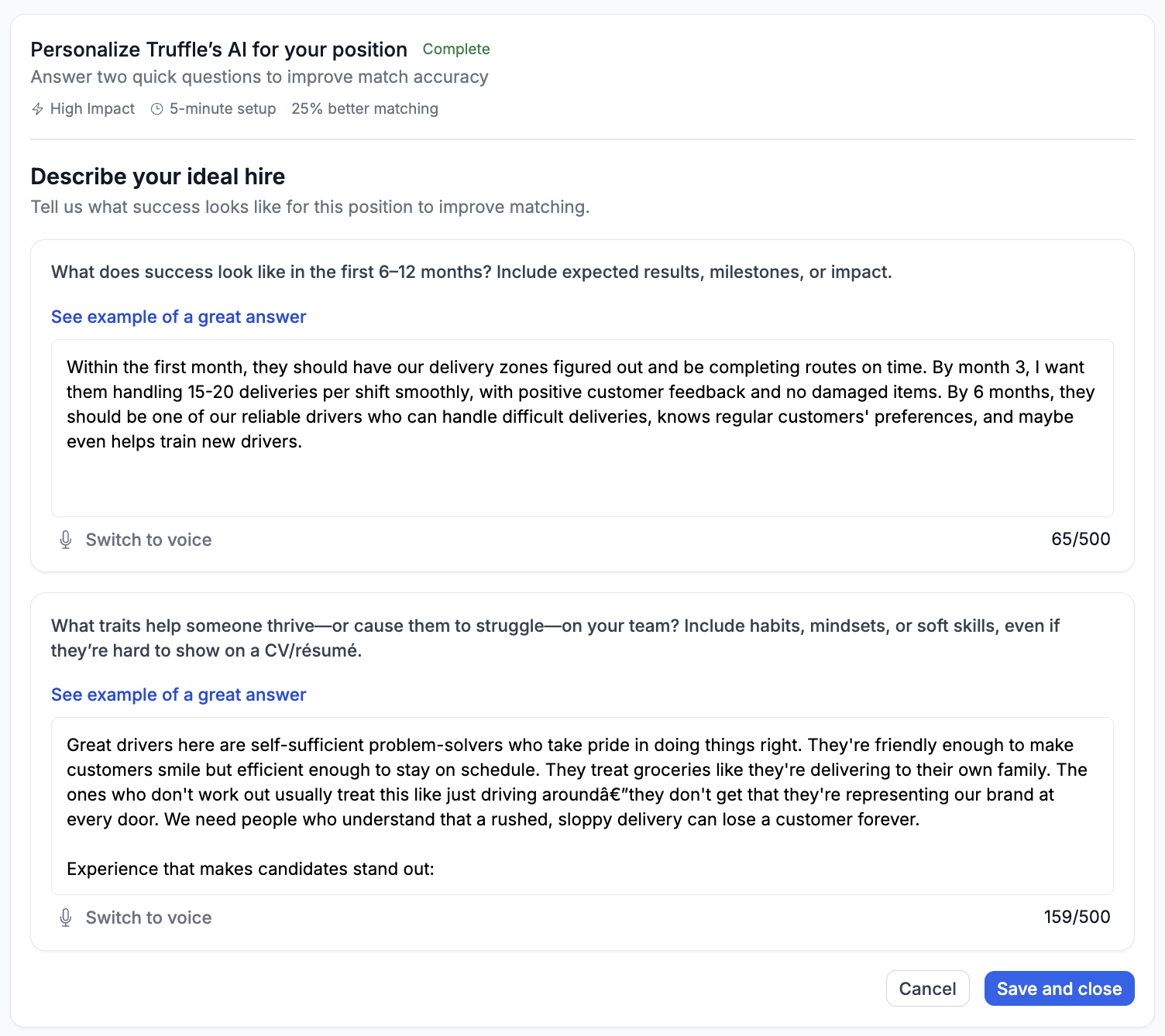
Define what you’re looking for before you write a single question
This sounds obvious, but most teams skip it or do it badly. “Communication skills” isn’t a competency. It’s a vibe. “Can explain a technical concept to a non-technical stakeholder in under two minutes” is something you can actually score. The specificity feels excessive until you’re comparing candidate forty-three to candidate forty-four and realize you have no idea what you’re measuring.
In Truffle, this happens during position creation. You paste your job description and define your must-haves, nice-to-haves, and red flags in intake. AI then suggests interview questions matched to your criteria, and each question gets a “Why We Ask This” and “What We Look For” explanation baked in. The rubric isn’t an afterthought. It’s built into the setup.
Create an interview scorecard
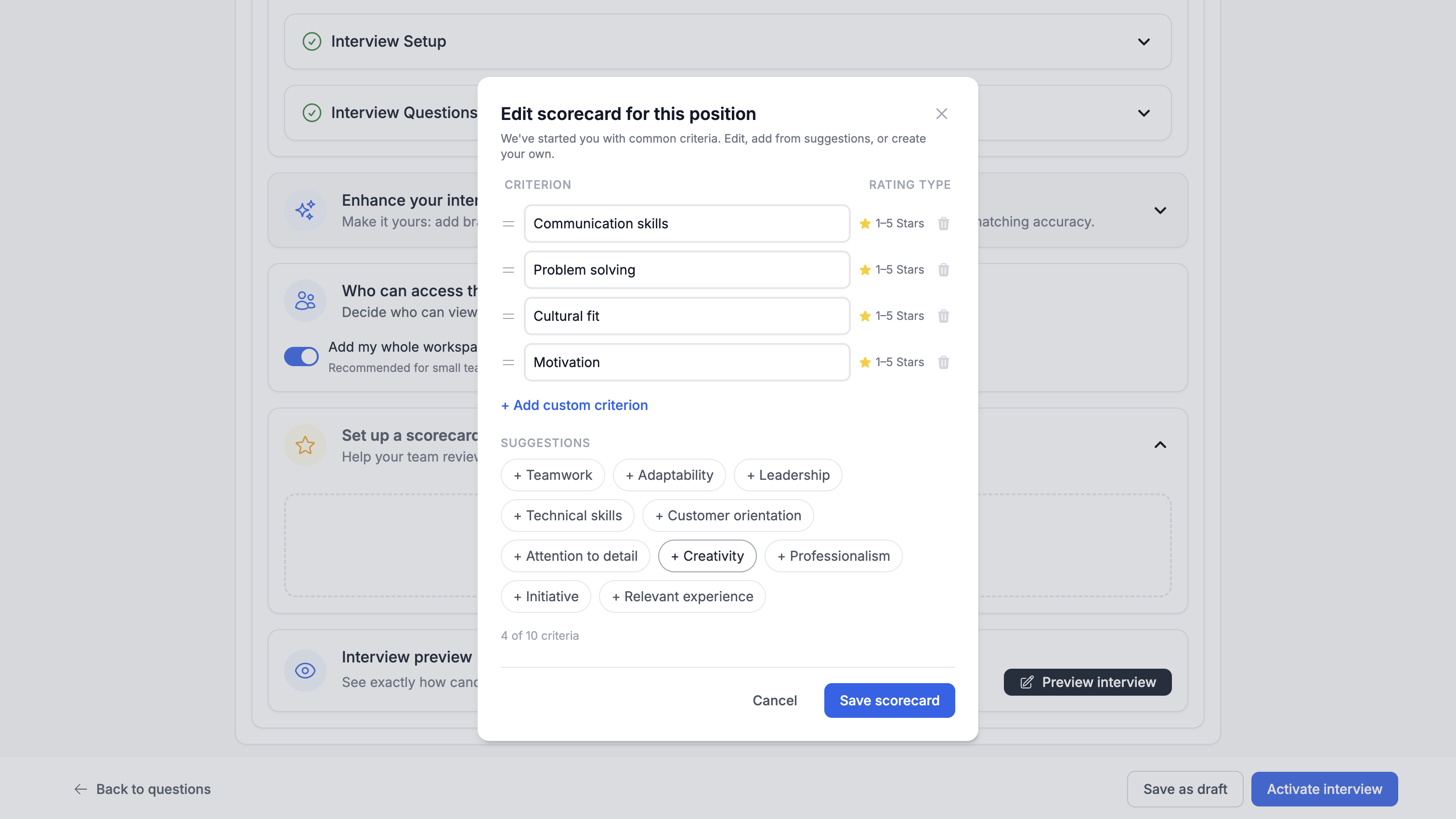
Use structured questions and a rubric, and actually use the rubric. Same questions for every candidate. Defined scoring criteria for each one. Without this, you’re not comparing candidates. You’re comparing how different reviewers felt on different days. A rubric doesn’t make evaluation objective. It makes it consistent, which is the more honest and more useful goal.
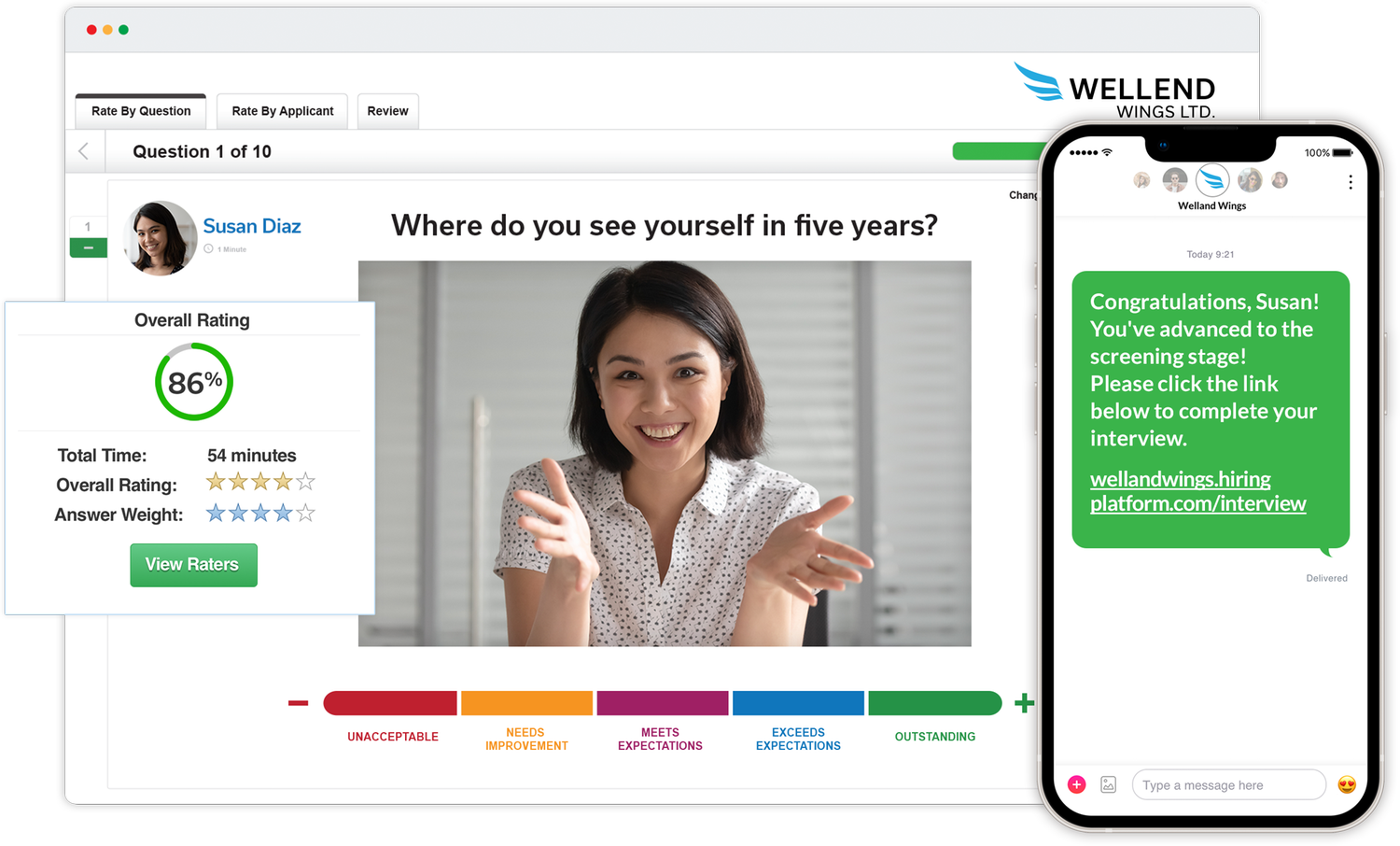
Truffle’s video assessment scorecard feature lets you define up to 10 custom evaluation criteria per position. Each reviewer rates candidates independently on a 1-5 star scale per criterion, and blind review means nobody sees the team’s ratings until they’ve submitted their own. The Team Evaluation roll-up then shows averages and consensus so you can see exactly where reviewers aligned and where they didn’t. When your hiring manager asks “why this person over that one,” you have structured data across every criterion, not “I just had a feeling.”
Remove every piece of friction you can find on the candidate side
Clear instructions. Reasonable time limits. A practice question so they can check their camera and hear their own voice and get the awkwardness out before it counts. Every small annoyance you leave in costs you completions, and the candidates you lose to friction are disproportionately the ones who have options elsewhere.
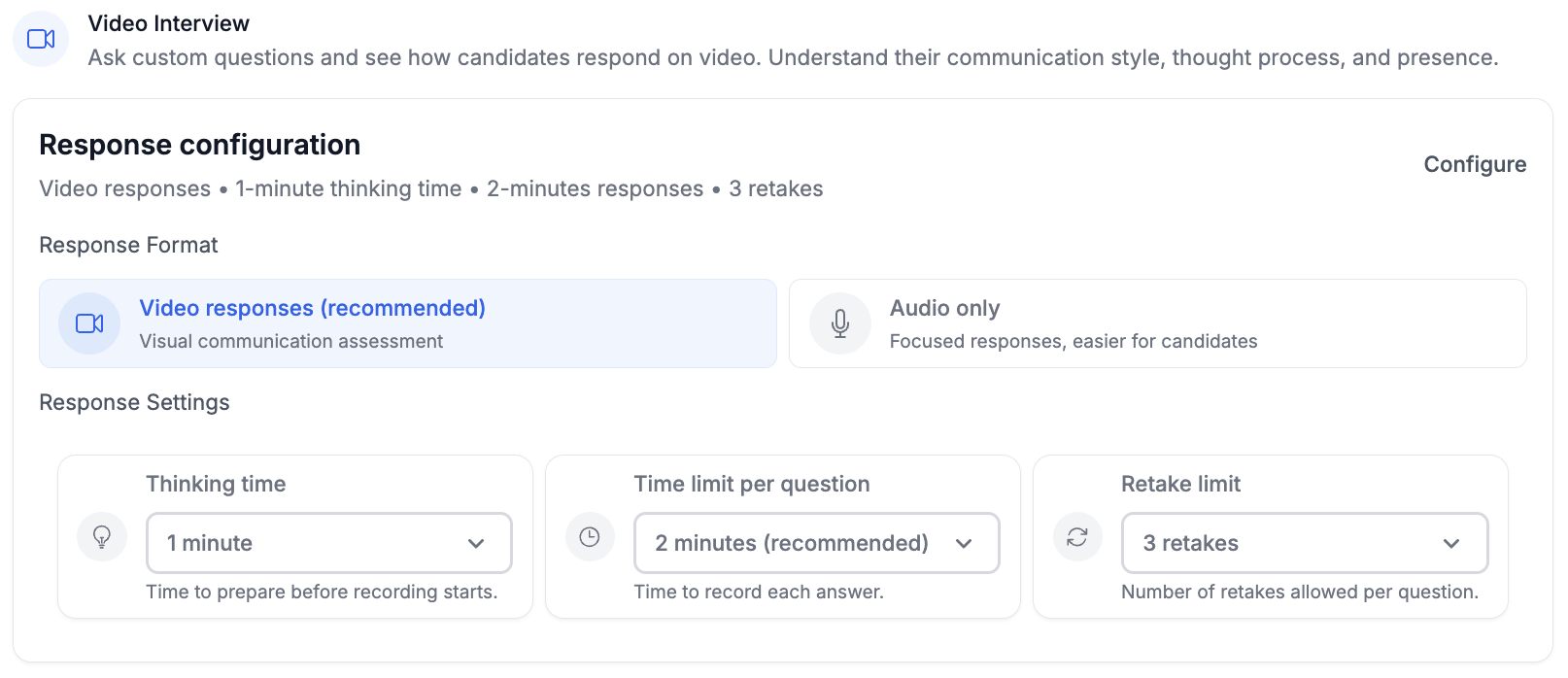
Truffle’s candidate experience runs on any device with no app download. Candidates get a mic and camera check before they start, configurable thinking time and response length for each question, and optional retakes if you allow them. Automated reminders go out at 24 and 72 hours for anyone who hasn’t finished.
Let AI handle the part of review that doesn’t require judgment
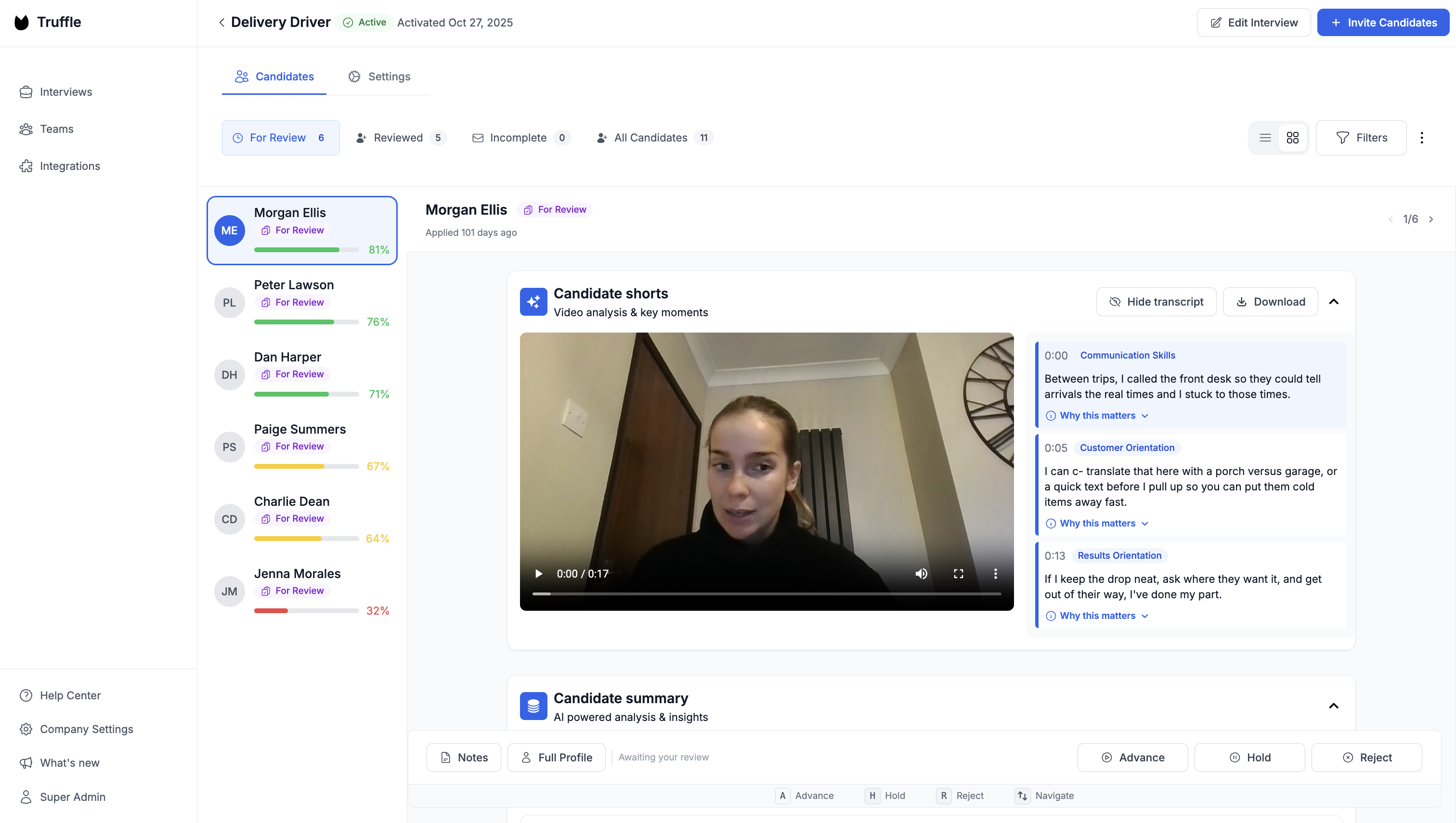
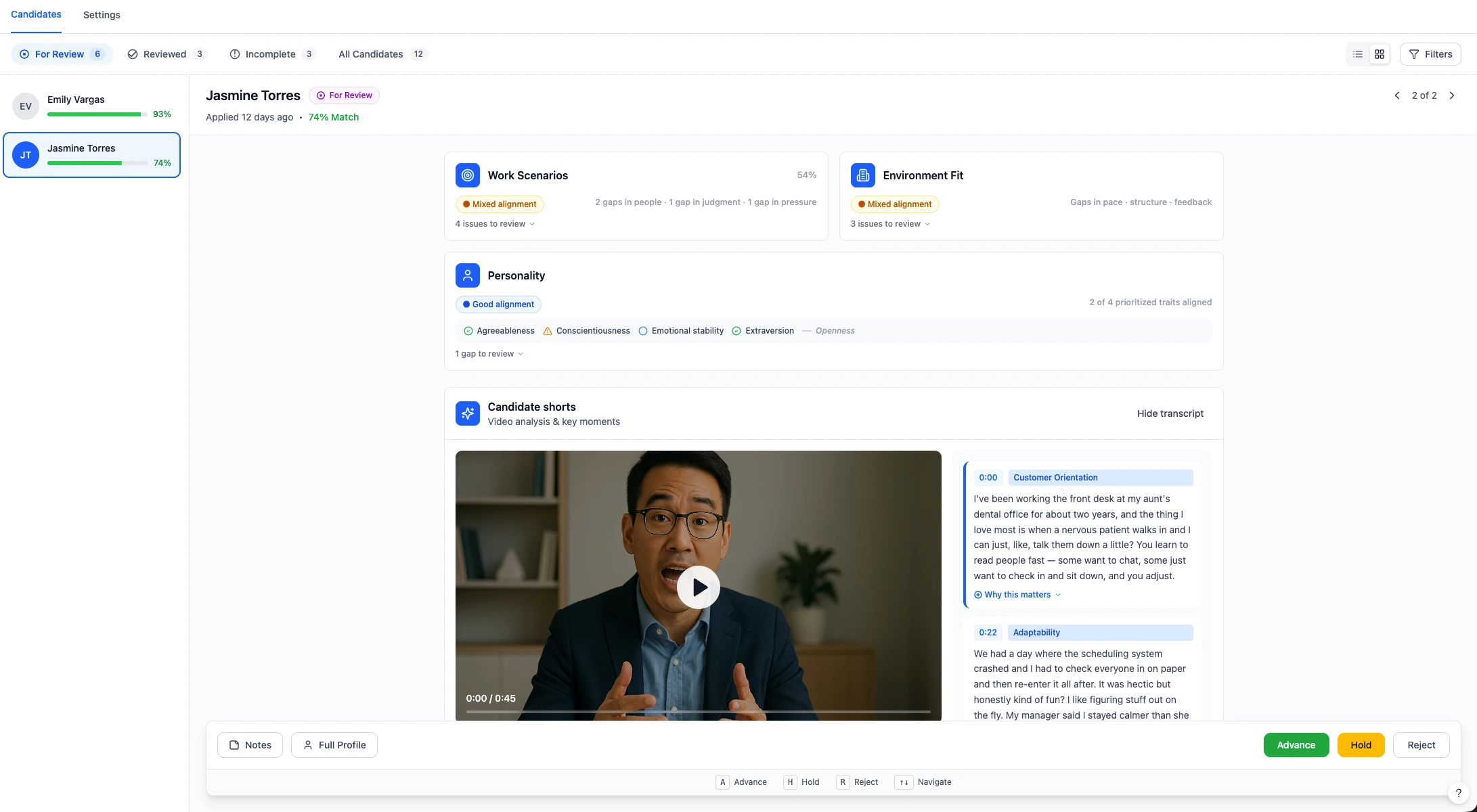
Transcripts, summaries, rubric-based scoring. This is compression, not decision-making. Instead of watching eighty recordings end to end, you read summaries and watch the ten that are borderline or interesting. The mistake is treating AI output as a verdict. The value is treating it as a filter. Truffle generates AI summaries, full transcripts, and 30-second Candidate Shorts that surface the most revealing moments from each interview. Magic Review lets you advance, hold, or reject candidates with keyboard shortcuts (A, H, R) so you can work through a full list in minutes instead of hours.
Move fast once you have results
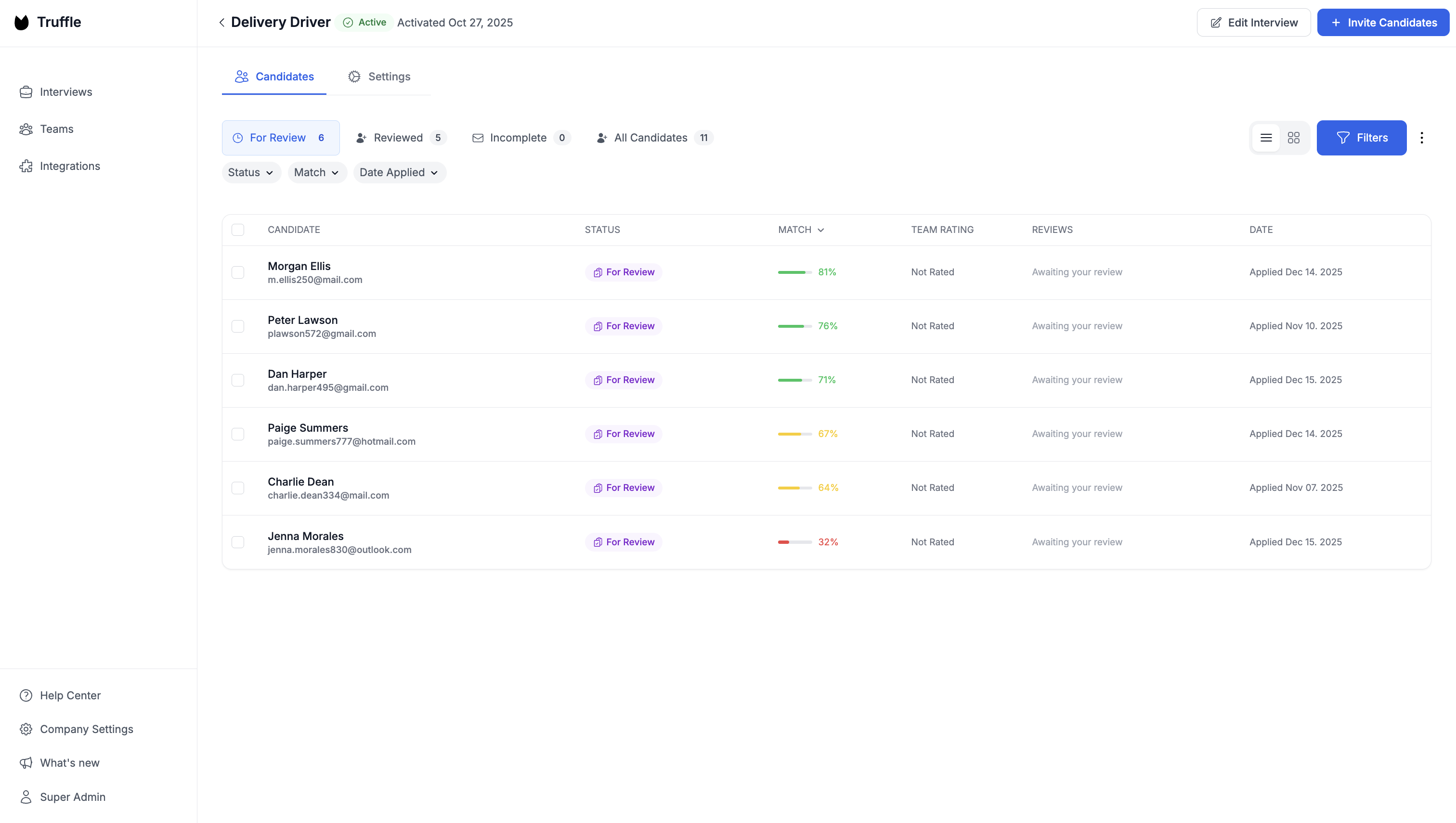
This one’s boring but it matters more than any of the above. The entire point of video assessments is that they buy you back time. If you sit on results for a week, you’ve just shifted the bottleneck from screening to follow-up, and your best candidates are already in someone else’s pipeline. Truffle’s Candidate Dashboard ranks everyone by match score, status, and date so your top fits are visible the moment they submit. Use Candidate Sharing to send a secure read-only link to your hiring manager so they can review without needing a login. The fewer handoffs between “this person looks strong” and “let’s bring them in,” the less time your competitors have to make the offer first.
Top video assessment tools and video interviewing companies
Here’s an overview of the most recognized video assessment tools and video interviewing companies available today.
Truffle
Truffle is an AI screening platform that combines video assessments with resume screening and talent assessments. It auto-builds interviews from job descriptions, scores candidates with transparent match percentages, and generates Candidate Shorts (30-second highlight reels). No training required. Integrates via native connections, Zapier, or API.
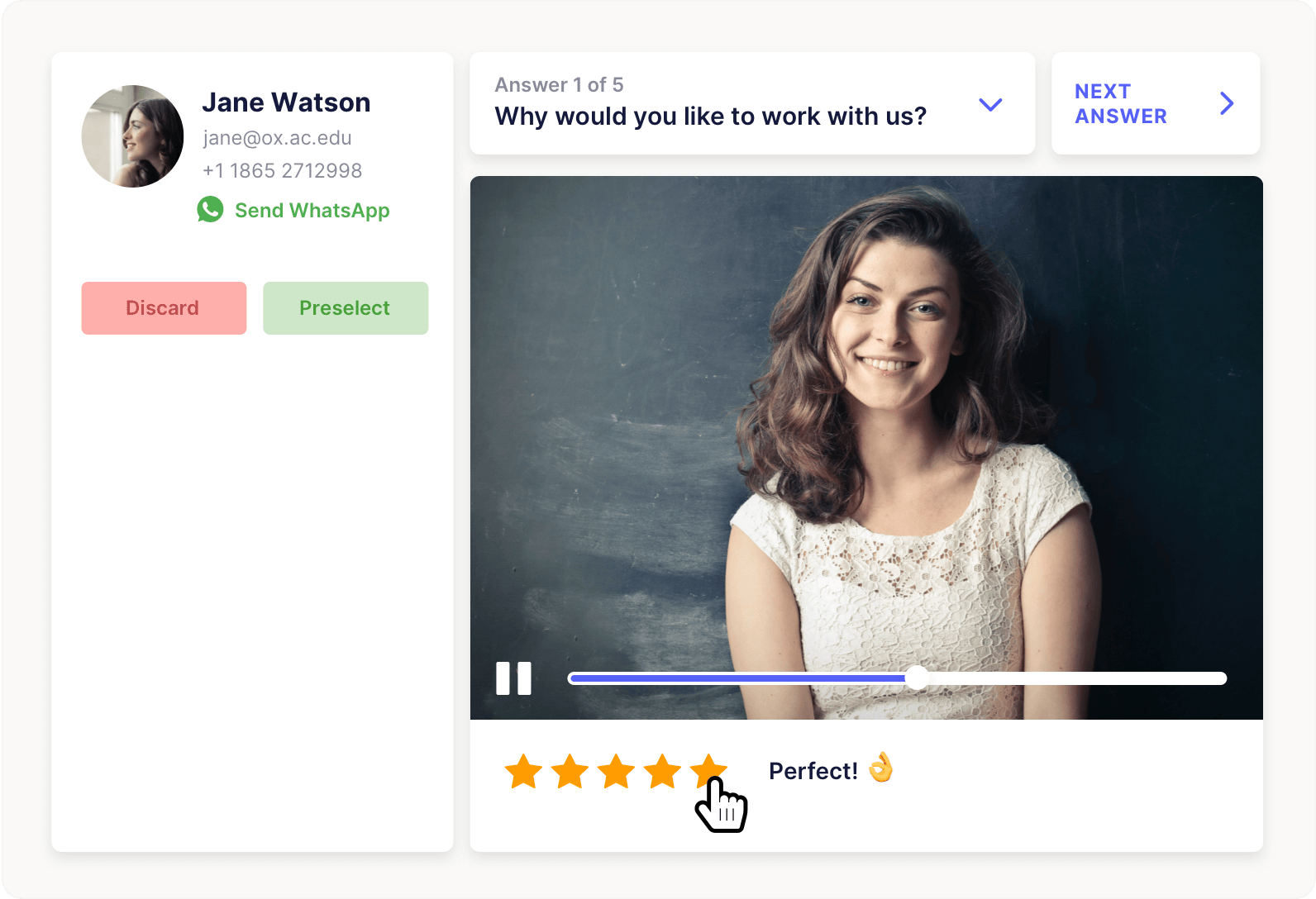
Hireflix
Simple asynchronous video interviewing with a clean candidate experience. Good for teams wanting a no-frills tool.
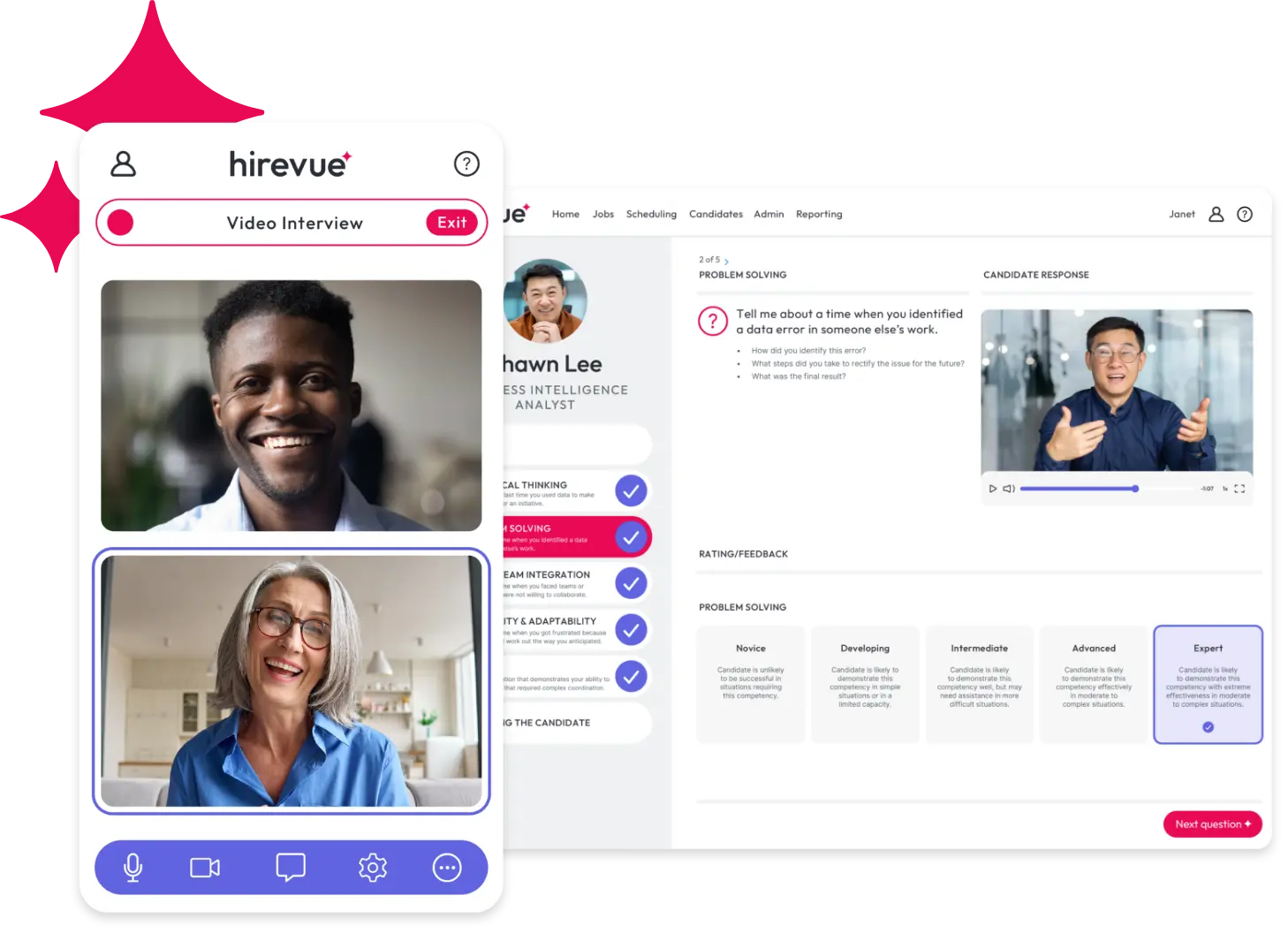
HireVue
Enterprise-grade platform with AI talent assessments and game-based evaluations. Common in large organizations with high-volume hiring.
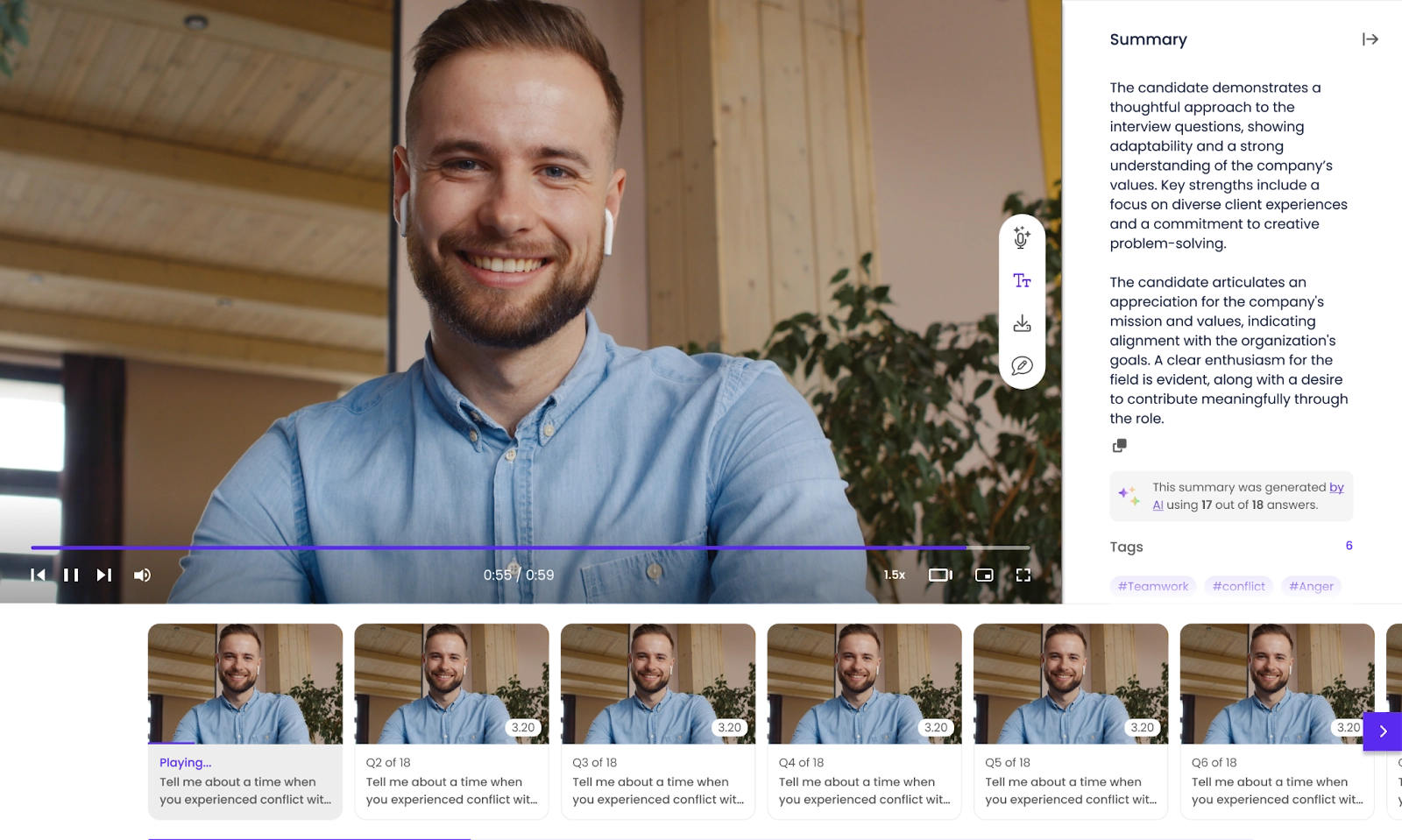
Willo
Async video interviews focused on candidate experience and global hiring. Unlimited interviews on paid plans.
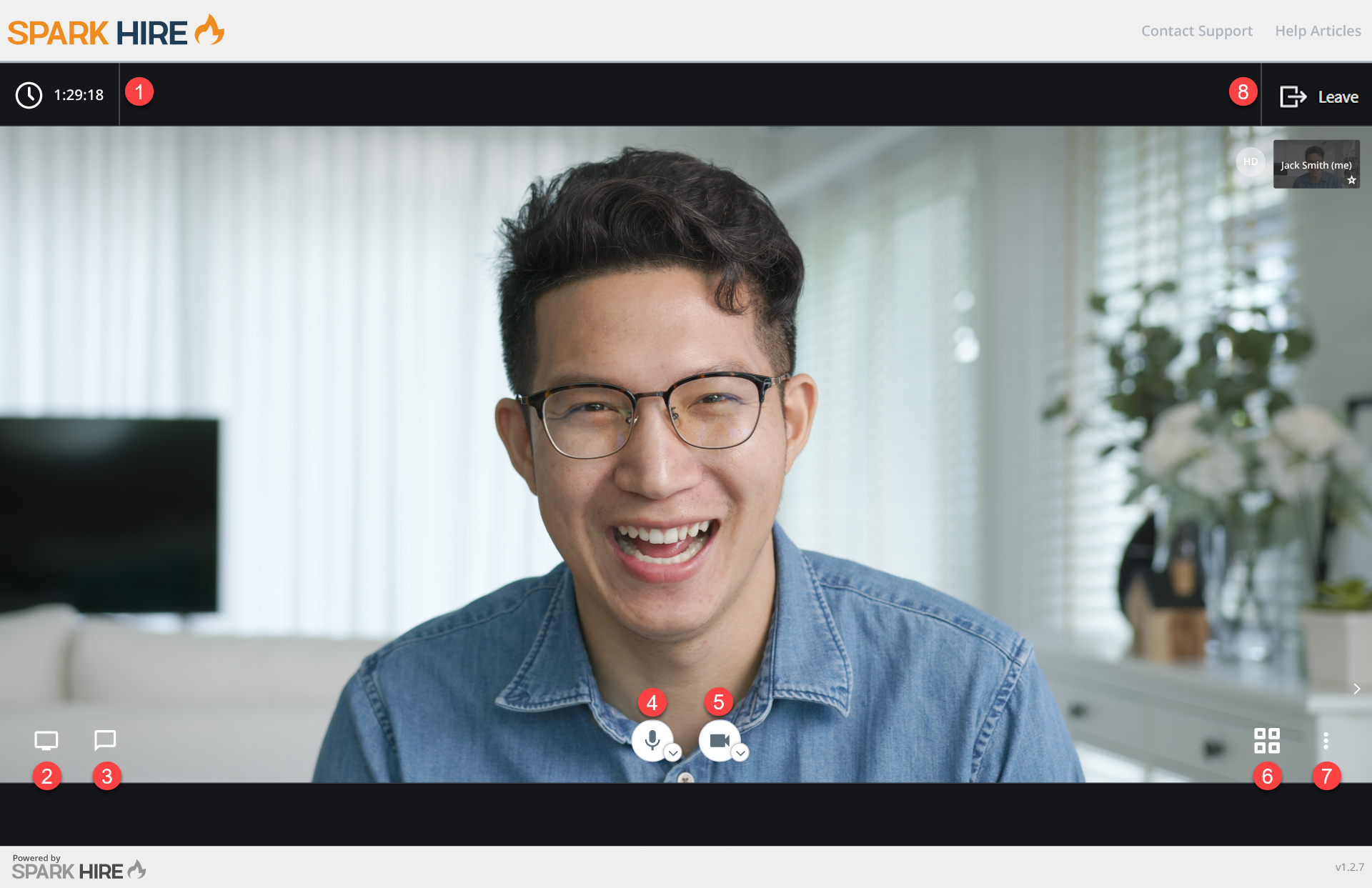
Spark Hire
Spark Hire offers one-way and live video interviews with broad ATS integrations. Established mid-market option.
VidCruiter
Structured video interviewing with strong compliance and accessibility features. Common in regulated industries.
Start using video assessments today
Video assessments aren’t a replacement for human judgment. They’re what make human judgment scalable. Instead of spending your week on phone screens that blur together, you get structured, comparable evidence on every candidate before you ever pick up the phone.
If you want to test a one-way video assessment tool for yourself, start a free trial with Truffle.
FAQs about video assessments
Do video assessments replace in-person interviews?
No. They replace phone screens and early-stage filtering, helping you narrow the pool before scheduling live conversations. Final-round interviews are still where deeper evaluation happens.
Are video assessments legal and compliant with hiring regulations?
Yes, provided you implement them correctly. Use structured questions, apply consistent criteria to every candidate, and choose platforms that score on job-relevant skills. The same EEOC principles that govern in-person interviews apply.
What is a good completion rate for video assessments?
It varies by industry, but well-designed assessments with clear instructions, reasonable time limits, and mobile-friendly access see strong participation. The biggest completion killers are app downloads, unclear instructions, and assessments that run too long.
Can video assessment tools detect AI-generated candidate answers?
Some platforms flag responses showing patterns of AI assistance. These work as context signals, not verdicts, giving you additional information to follow up on in a live interview.
How do candidates generally feel about video assessments?
Most candidates appreciate the flexibility to complete an assessment on their own schedule. Frustration typically comes from poor user experience: unclear instructions, technical issues, or assessments that feel excessively long. Keep the process simple, clear, and respectful of their time.