



This past year was a rollercoaster for hiring. Teams dealt with budget pressure, slower headcount growth, shifting candidate expectations, and a wave of AI recruiting tools all promising to make recruiting easier.
I'm hoping 2026 will be a little less exhausting, but who am I kidding? We need to be prepared for whatever comes our way.
And according to the fine folks at Ashby, we can expect open roles to receive a lot of applicants. This is why a lot of my recruiting peers are turning to async video interviews to help them deal with the surge in applications.
As a recruiter writing for Truffle, I spend a lot of time talking with other recruiters and customers about candidate screening tools like asynchronous interviews. So I thought it made sense to pull together everything I know about one-way interviews in one place, in the hope it helps anyone thinking about using them.
What is an asynchronous interview?
An asynchronous interview is a job interview that does not happen live. Instead of speaking with a recruiter or hiring manager in real time, the candidate answers a set of pre-recorded interview questions on their own schedule, usually by video, audio, or written response, and the employer reviews those answers later.
Asynchronous interviews are also called one-way interviews, one-way video interviews, pre-recorded interviews, or on-demand interviews. In most cases, employers use them at the top of the funnel to screen candidates more efficiently before moving the strongest applicants to live interviews.
How asynchronous video interviews work
Asynchronous video interviews are designed to make early-stage screening faster and more structured. Instead of coordinating a live call, employers send candidates a link to complete a one-way interview on their own time. Candidates record responses to pre-set questions, and the hiring team reviews those answers later.
From the employer side, the process usually starts with setting up the interview. The recruiter or hiring manager creates a question set, defines time limits, and chooses any rules around prep time, retries, or deadlines. Once the interview is ready, it can be sent to candidates as part of the application flow or shared after an initial resume review.
From the candidate side, the experience is straightforward. They receive a link, review the instructions, and record answers using their laptop or phone. Depending on the platform, they may get practice questions, preparation time before each answer, or the option to rerecord responses. After submission, their interview is saved for the hiring team to review.
Once interviews are completed, recruiters and hiring managers can evaluate responses on their own schedule. They can watch videos, read transcripts, compare answers side by side, and decide which candidates should move forward to the next stage.
What async interviews replace in your hiring process
Asynchronous interviews usually replace the most repetitive and time-consuming part of screening: the phone screen or first live video call.
Instead of spending hours on early conversations that cover the same basic questions, hiring teams can use async interviews to assess communication skills, motivation, and role fit before committing to a live discussion. This helps teams filter candidates earlier and spend interviewer time on the people most likely to progress.
That said, async interviews are a screening tool, not a replacement for the full interview process. They are best used at the top of the funnel to narrow the field, not to make final hiring decisions on their own.
What to expect from modern async interview platforms
Modern asynchronous interview platforms do much more than collect video responses. Most now include the core tools hiring teams need to run structured screening at scale.
Common features include:
- Shareable interview links that are easy to send to candidates
- Pre-recorded or written interview questions
- Time limits for prep and response length
- Candidate deadlines and completion windows
- Video hosting and response playback
- Automatic transcription for faster review
- Structured scorecards and team collaboration tools
- AI-assisted evaluation and candidate summaries
More advanced platforms also help reduce setup time. For example, platforms like Truffle can generate interview questions from a job description, helping recruiters build a structured screening flow faster. That makes it easier to launch interviews quickly while keeping the process consistent across every candidate.
Asynchronous interviews vs synchronous interviews
Asynchronous and synchronous interviews serve different purposes in the hiring process. One is built for speed and structure at the screening stage. The other is better for live discussion, follow-up questions, and relationship building later on.
In practice, most hiring teams do not choose one format over the other forever. They use async interviews to narrow the field, then move the strongest candidates into live conversations once it is worth spending that extra time.
Pros and cons of async interviews
Asynchronous interviews are not magic. They solve some hiring problems very well, but they also introduce tradeoffs. The real question is not whether they are perfect. It is whether they improve the parts of your process that are currently slow, inconsistent, or hard to scale.
Benefits of async interviews for employers
- Faster screening: Async interviews let recruiters review candidates in far less time than it takes to coordinate and run phone screens. Instead of waiting days to line up calendars, teams can start screening as soon as responses come in.
- Consistency: Every candidate answers the same questions under the same conditions. That makes comparisons easier and reduces the randomness that often creeps into unstructured first-round calls.
- Flexibility: Hiring teams can review responses whenever they have time, pause and replay answers, and move through interviews at a faster playback speed when appropriate. That makes screening easier to fit around the rest of the workday.
- Wider talent pool: Candidates can complete the interview from anywhere, in any time zone, without the usual scheduling friction. That is especially useful for remote roles or teams hiring across multiple regions.
- Better collaboration: Because interviews are recorded, multiple reviewers can assess the same candidate without needing to be on the same call. That creates a cleaner process for shared decision-making.
Potential drawbacks and how to address them
- No real-time rapport: Async interviews are more transactional than live conversations. One way to soften that is by adding a short welcome video from the recruiter or hiring manager so the experience feels more human from the start.
- Candidate discomfort: Some people find recording themselves awkward, especially if they have not done it before. Clear instructions, a simple interface, and practice attempts can make a big difference.
- Limited follow-up: You cannot ask candidates to expand on an answer in the moment. That is why async interviews work best for structured early screening, while live interviews are still the better place for deeper probing.
- Risk of overuse: If teams use async interviews too late in the process or ask too many questions, the experience can start to feel impersonal. Keeping them short and using them only where they add real value helps avoid that problem.
Why hiring teams are switching to async interviews
The shift toward asynchronous interviews is not happening because recruiting teams suddenly fell in love with one-way video. It is happening because the pressures around hiring have changed.
Application volumes are higher in many roles, especially for remote jobs. That means recruiters can end up buried in resumes and intro calls before they have even started the real evaluation process. At the same time, hiring teams are being asked to move faster, protect candidate experience, and make more consistent decisions with leaner resources.
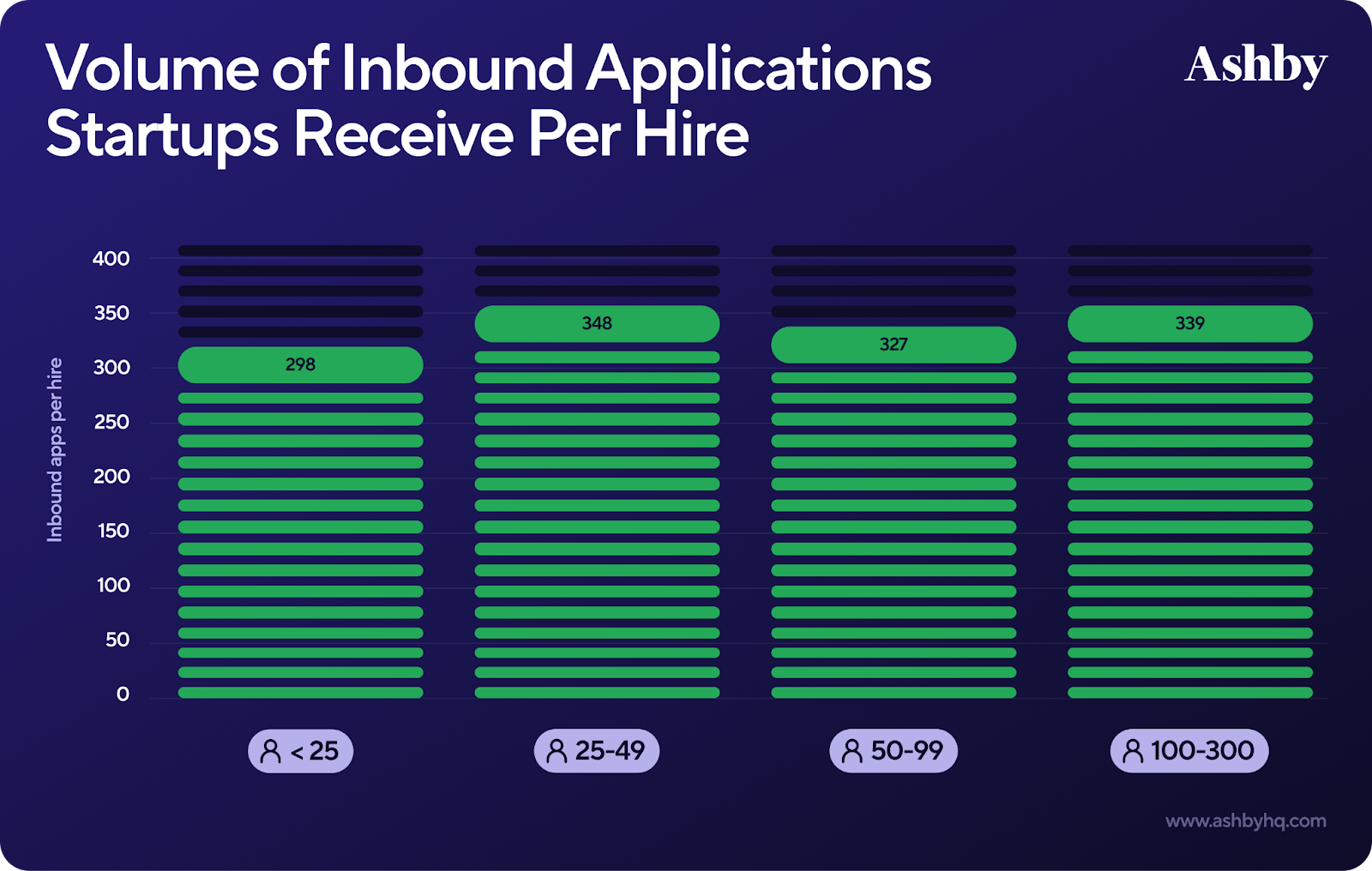
Remote and distributed hiring have made scheduling harder too. When candidates, recruiters, and hiring managers are spread across time zones, even a basic phone screen can take days to coordinate. Async interviews remove that bottleneck.
There is also a growing need for standardization. More teams want hiring processes that are structured, repeatable, and easier to evaluate fairly across locations, departments, or franchises. Async interviews help by giving every candidate the same questions in the same format.
Put simply, hiring teams are switching because the old way does not scale very well anymore. Async interviews help turn the messy top of the funnel into something more manageable.
When to use asynchronous video interviews
Async interviews work best when the goal is to screen candidates efficiently without giving up structure.
High-volume and early-stage screening
Async interviews are a strong fit for roles that attract a large number of applicants. Instead of spending hours on repetitive phone screens, recruiters can use one-way interviews to identify which candidates deserve a closer look.
Remote and distributed hiring
When candidates and interviewers are spread across regions, scheduling becomes a bottleneck fast. Async interviews remove the need to coordinate time zones just to complete an initial screen.
Roles that require strong communication skills
For sales, customer support, customer success, retail, hospitality, and other client-facing roles, video responses can reveal more than a resume ever could. You get a clearer sense of how candidates communicate, present themselves, and structure their thinking.
Standardized evaluation across multiple locations
Franchise businesses, retail chains, healthcare networks, and other multi-site employers often need a more consistent way to screen applicants. Async interviews make it easier to evaluate candidates against the same criteria no matter where they apply.
How to set up async interviews that candidates actually complete
The difference between an async interview that works and one that gets ignored usually comes down to implementation. If the setup is confusing, too long, or too impersonal, completion rates suffer.
1. Define where async fits your hiring process
Start by deciding exactly where asynchronous interviews belong in your workflow. For most teams, they work best after the application stage and before the first live interview. They are especially useful for roles with high applicant volume or repetitive screening questions.
2. Choose an async interview platform
Look for software that is easy for your team to launch and easy for candidates to complete. Candidate experience matters just as much as recruiter convenience. Video interview software like Truffle keeps set-up simple with a one-link workflow, no training requirement, and built-in AI features that help teams review faster.
3. Write questions that reveal job-relevant skills
The best async interview questions are open-ended and tied to real job requirements. Behavioral and situational questions tend to work better than yes-or-no prompts because they show how candidates think, communicate, and respond to common scenarios.
4. Set clear expectations for candidates
Tell candidates how long the interview will take, how many questions they will answer, whether retakes are allowed, and when the deadline is. Uncertainty creates drop-off. Clarity builds trust and makes completion more likely.
5. Build a consistent review process
Do not just collect responses and hope reviewers interpret them the same way. Use structured rubrics, shared scoring criteria, and agreed-upon evaluation standards so decisions are based on the same signals across candidates.
6. Connect async screening to live interviews
Async interviews should lead somewhere. Make it clear internally how strong candidates move from one-way screening into live interviews, assessments, or panel rounds. That keeps the process feeling purposeful instead of disconnected.
Questions to ask in an asynchronous interview
Good async interview questions should be easy to understand, hard to fake, and directly relevant to the role. The goal is not to stump candidates. It is to get clear signals on communication, judgment, experience, and motivation.
Role-specific and behavioral questions
These questions help candidates show how they have handled relevant situations before and how their experience maps to the role.
- Describe a time you handled a difficult customer. What happened, and what was the outcome?
- Walk us through how you would approach [specific job task or responsibility]
- Tell us about a time you had to prioritize competing tasks under pressure
Situational and problem-solving questions
These questions are useful when you want to see how a candidate thinks through scenarios they are likely to face on the job.
- How would you handle a situation where a customer was unhappy with your solution?
- What would you do if you were missing key information needed to complete an assignment?
- Imagine you were managing several urgent requests at once. How would you decide what to do first?
Culture fit and motivation questions
These questions can help you understand why the candidate is interested and what kind of environment helps them do their best work.
- Why are you interested in this role?
- What type of work environment helps you thrive?
- What attracted you to our company specifically?
What to look for in async interview responses
Reviewing async interviews works best when you know what you are actually looking for. The goal is not to reward polish for the sake of polish. It is to identify relevant signals that help predict job performance and fit.
Communication clarity and structure
Look at whether the candidate answers the question directly, organizes their thoughts clearly, and communicates with reasonable confidence. They do not need to sound like a keynote speaker. They just need to be understandable, structured, and relevant.
Relevance to job requirements
Strong answers connect back to the actual role. The candidate should show experience, judgment, or examples that match what the job requires rather than giving generic responses that could apply anywhere.
Red flags and inconsistencies
Watch for answers that feel oddly scripted, too vague, or disconnected from the resume. Evasive responses, generic phrasing, and examples that lack specificity can all be warning signs. Some platforms, including Truffle, also include AI detection features that flag responses likely to have been heavily assisted by AI tools.
Asynchronous interview best practices
Async interviews work best when they are short, structured, and candidate-friendly.
Keep interviews short and focused
Most teams get better completion rates when they keep async interviews to three to five questions. Long interviews create fatigue and make candidates more likely to abandon the process.
Personalize the candidate experience
A short welcome video, a friendly introduction, or simple company branding can make the interview feel more thoughtful and less robotic. That matters more than teams sometimes realize.
Provide clear instructions and time estimates
Candidates should know exactly what to expect before they begin. Tell them how long the interview should take, how the platform works, and what support is available if something goes wrong.
Ensure fairness and consistency across candidates
Use the same core questions and scoring rubrics for every candidate applying to the same role. Focus on job-relevant answers and avoid judging people based on appearance, background details, or other irrelevant factors.
Use AI to surface top candidates first
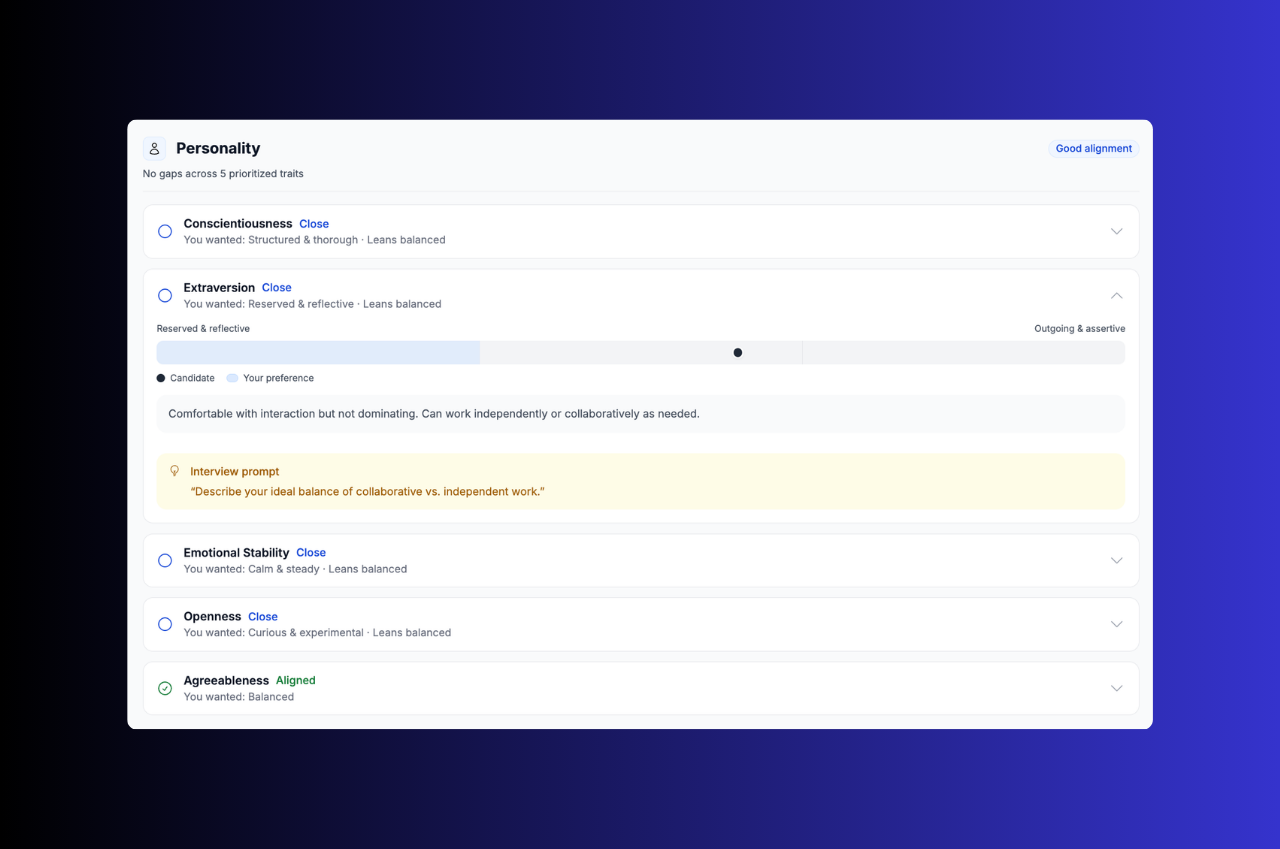
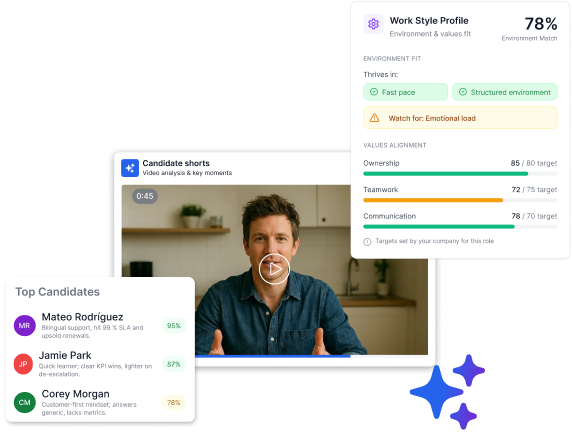
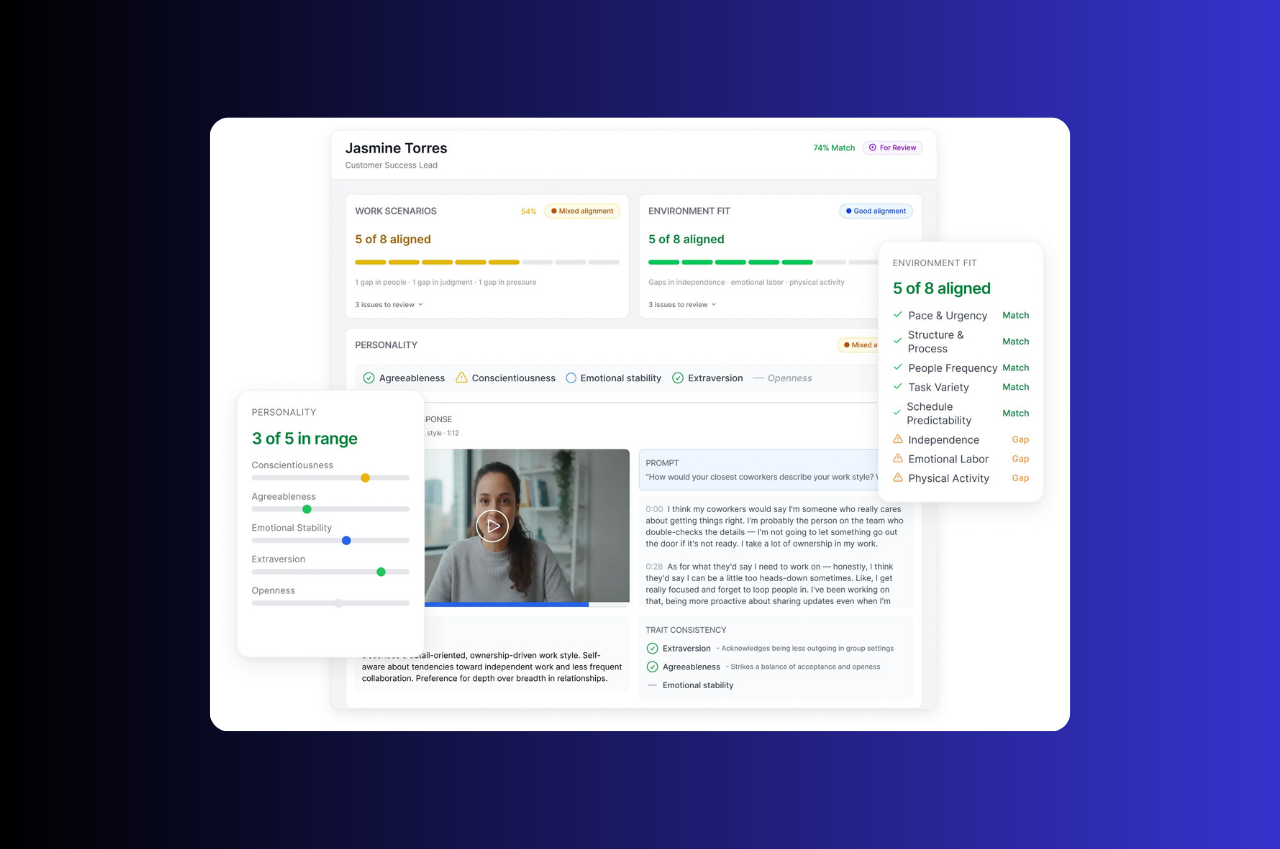
AI is most useful when it helps recruiters prioritize their time, not replace judgment entirely. Features like Truffle’s Match % scoring can help teams identify which candidates to review first while still keeping humans in control of the final decision.
Common async interview mistakes to avoid
Most async interview failures are not caused by the format itself. They happen because the process around it is poorly designed.
Asking too many questions
Long async interviews create candidate fatigue and drag down completion rates. If you ask for too much too early, candidates will often drop off before finishing.
Skipping the personal touch
A generic interview link with no context can feel cold. Even a simple intro video or short note from the team can make the experience feel more human.
Giving vague or confusing instructions
If candidates are unclear on how long it will take, what is expected, or whether they can retry answers, they are more likely to abandon the interview or submit weaker responses.
Ignoring technical friction for candidates
Processes that require app downloads, logins, or complicated setup create unnecessary drop-off. The easier it is to start, the more candidates will complete it.
Reviewing responses without structured criteria
If reviewers are not using the same rubric, the process quickly becomes subjective. That leads to inconsistent decisions and makes async interviews less defensible than they should be.
How to choose an async interview platform
Not all one-way video interview software is built the same. Some tools are lightweight schedulers with video attached. Others are purpose-built screening platforms designed to help teams move from applications to shortlist faster.
Ease of setup and candidate experience
Start with the basics. The platform should be easy for your team to launch and easy for candidates to complete from any device. Requiring downloads, training, or complicated onboarding usually hurts adoption on both sides.
AI-powered evaluation and transparent scoring
Look for tools that help you review faster without turning the process into a black box. Transcripts, summaries, explainable scoring, and clear candidate signals are more useful than vague claims about AI magic.
ATS integration and workflow compatibility
The best async interview platform is the one that fits into the workflow you already use. Check whether it integrates with your ATS directly or supports Zapier, APIs, or other ways to keep data moving cleanly between systems.
Team collaboration and review features
If multiple people are involved in screening, the platform should support structured scorecards, independent reviews, comments, and role-based access. That makes collaboration easier and keeps evaluation cleaner.
Start screening candidates faster with async video interviews
It’s clear from talking to recruiters that asynchronous video interviews help hiring teams move from a pile of applicants to a focused shortlist without spending days stuck in scheduling loops.
They are not a replacement for every interview in the process, but they are one of the fastest ways to bring more structure, speed, and consistency to early-stage screening.
If your team is dealing with high application volume, repetitive phone screens, or pressure to move faster, async interviews are worth a serious look.
FAQs about asynchronous interviews
Still have questions? Check out this FAQ.
How should candidates prepare for an asynchronous video interview?
Candidates should test their camera, microphone, and internet connection before starting. It also helps to choose a quiet, well-lit space and practice speaking to the webcam so responses feel more natural and confident.
How long should an asynchronous interview take for candidates to complete?
Most async interviews take around 10 to 20 minutes. A common setup is three to five questions with one to three minutes allowed per answer.
Can asynchronous interviews fully replace phone screens in the hiring process?
Yes, async interviews can replace phone screens for initial screening in many hiring processes. Most teams still use live interviews later on for deeper discussion, follow-up questions, and final-round evaluation.
How do hiring teams detect AI-generated responses in async interviews?
Some platforms include AI detection features that flag responses likely to have been assisted by AI tools. Recruiters can also watch for answers that sound overly polished, generic, or oddly detached from the candidate’s own experience.
What completion rates should hiring teams expect from async interviews?
Completion rates vary depending on question count, clarity of instructions, and overall candidate experience. In general, shorter interviews with clear expectations and low technical friction tend to perform much better than long or confusing ones.